


Create side and top bars in tmux easily, along with a "devour" style command.

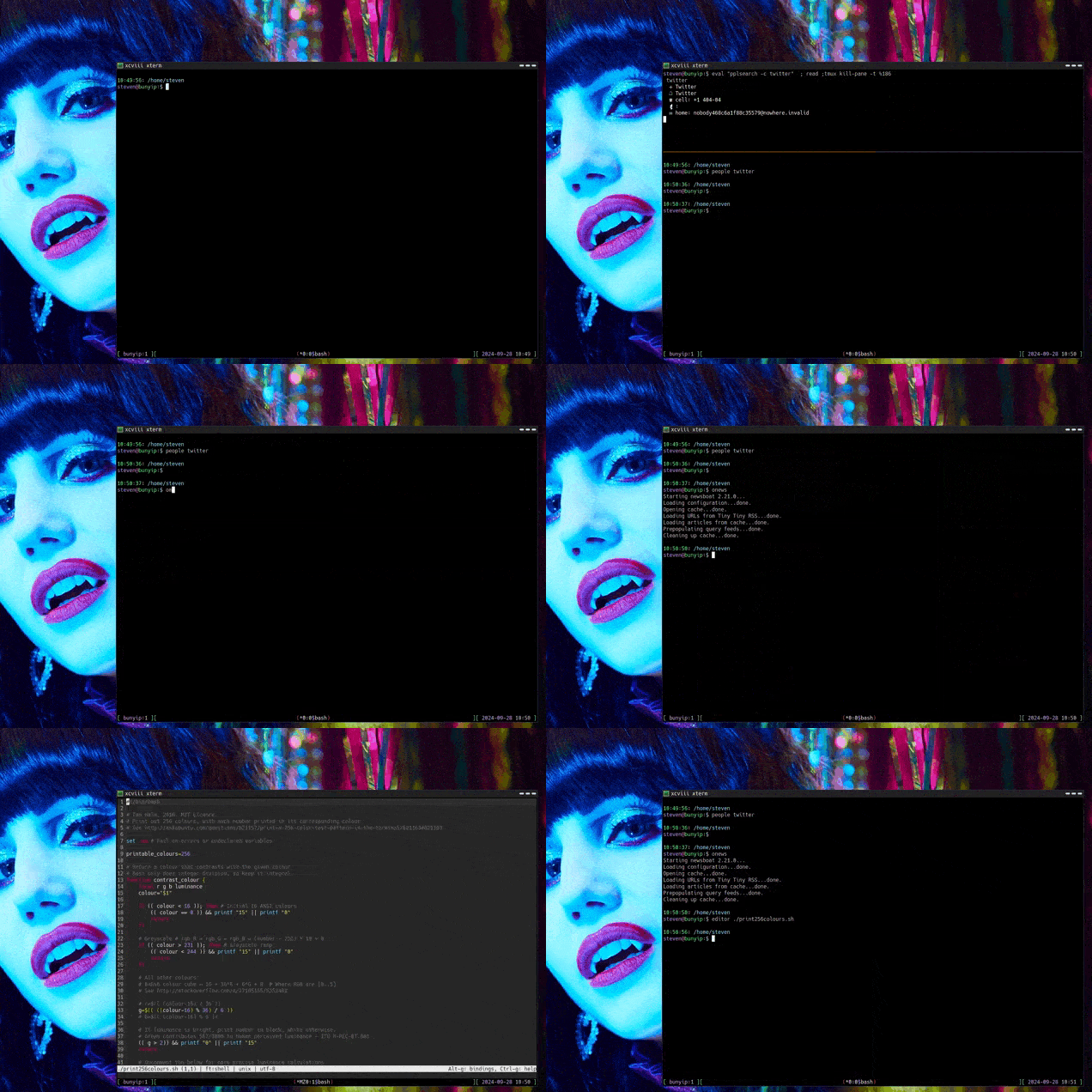
You can see a larger version of the demo with the included MKV file.
These three scripts (called TDAB for short) will create side or top bars
(or a "devour" style new pane) that run a command inside tmux. See the image
above to get an idea of what this means.
The name is a play on "A blank walks into a bar", because puns.
This project is licensed under the MIT License. For the full license, see LICENSE.
- tmux
- bash
- bc
These scripts will probably work in other shells, but I don't know for sure.
Clone or download the repository. Put the scripts (or symlinks to the scripts)
in your $PATH. (In the example above, I've symlinked them to sidebar,
topbar, and devour.)
I find a binding like the following very useful when using devour:
bind-key -n C-/ select-pane -R \;\
resize-pane -Z
This will allow you to cycle among the zoomed panes - and will zoom each as you go through it. Very nice for programs like emojin.
SCRIPTNAME [--offset NUMBER] [--hold] [program to run]
For example, tmux-sidebar.sh man man will show you the man page for man in
the sidebar.
The optional command line arguments are POSITIONAL.
Resizing the bars can be done with the command line argument --offset which is expressed in the percentage of the screen you want for the main window. This must be the first and second argument used. For example, to have a main window taking up 90% of the screen, you would use
tmux-topbar.sh --offset 90 man man
This works by resizing the larger pane from the center line.
If the second argument is either -h or --hold then TDAB will pause after
executing the program and wait for you to hit a key (necessary for programs that
exit immediately, which triggers the pane closing).
If you set the environment variable tdab_focus to true, the sidebar and topbar
will be focused upon launching; default is to switch back to the original pane.
Either set it globally or immediately before calling, e.g.
export tdab_focus=true;tmux-topbar.sh --offset 90 man man;export tdab_focus=""
If you run the scripts outside of tmux, it will just run the command.
Launch a process in a new pane, zoom the pane, kill the pane when done.
Create a sidebar (e.g. for reading manpages) and kill when done.
Create a vertical split and kill when done.
Aside from invoking on the command line, I've found a couple of short wrapper scripts really make a difference, particularly if you want a specific setup.
To call your editor in a new, full-screen pane (leaving the initial pane alone):
/home/steven/bin/tmux_devour.sh /usr/bin/micro "${@}"
To bring up my address book searcher in a small topbar when I'm working in the main window:
/home/steven/bin/tmux_topbar.sh --offset 80 pplsearch -c
To bring up newsboat, with a sidebar showing a cheat sheet of things I forget using rich-cli, then closing it when I'm done.
/home/steven/bin/tmux_sidebar.sh rich -m /home/steven/cheatsheet/newsboat.md --pager
newsboat
sidebarpid=$(ps aux | grep "rich -m /home/steven/cheatsheet/newsboat.md" | grep -v grep | awk '{print $2}')
kill $sidebarpid