
Session fixation is a web application security vulnerability that allows an attacker to force a victim to use a session identifier already known to the attacker. If the application fails to generate a new session identifier after the user authenticates, the attacker can reuse the known session ID to access the victim's authenticated session.
Unlike traditional session hijacking, where an attacker steals an already authenticated session, session fixation involves the attacker knowing the session identifier before the victim logs in. The attack relies on the application incorrectly maintaining the session after authentication.
- Attacker Obtains a Valid Session Identifier: The attacker visits the target application and receives a valid but unauthenticated session identifier. At this point, the session belongs to the attacker but is not yet authenticated.
- Attacker Forces the Victim to Use the Fixed Session ID: The attacker tricks the victim into using the known session identifier. As a result, the victim's browser now uses the session identifier known by the attacker.
- Victim Authenticates: The victim logs into the application using their username and password. If the application is vulnerable and keeps the same session identifier, the attacker still knows the identifier since it did not change after authentication.
- Attacker Hijacks the Authenticated Session: In this type of attack, the attacker utilizes a known session identifier. The application mistakenly accepts the request as originating from the authenticated victim, thereby allowing the attacker access to the user's account.
- Account Takeover: Attackers can gain access to the victim's account without knowing their password.
- Unauthorized Actions
- Change account settings
- Access private information
- Perform transactions
- Modify user data
- Data Exposure
- Attackers may access sensitive information available within the authenticated session.
- Financial and Reputation Damage
- Organizations may face:
- Financial losses
- Damage to customer trust
- Compliance and security repercussions
- Regenerate Session IDs After Authentication: The primary defense is to create a new session identifier upon successful login. The old session identifier should be invalidated.
- Use Strong Session Management
- Generate session IDs using cryptographically secure random number generators.
- Ensure sufficient entropy to prevent prediction.
- Expire inactive sessions.
- Invalidate sessions after logout.
- Provide users the option to revoke active sessions.
- Enable Secure Cookie Settings
- Secure: Ensures cookies are sent only over HTTPS.
- HttpOnly: Prevents client-side JavaScript from accessing cookies directly.
- SameSite: Reduces the risk of cross-site request attacks like CSRF.
- Enforce HTTPS: TLS encryption protects session identifiers from being intercepted or modified during transmission. Applications should:
- Require HTTPS for all communications.
- Enable secure cookie transmission.
- Avoid sending session identifiers through insecure channels.
- Monitor Session Activity
- Multiple locations using the same session
- Unexpected device changes
- Abnormal login patterns
- Unusual session activities
- Implement Additional Authentication Controls: Multi-factor authentication (MFA) provides further protection against stolen credentials. However, it's important to note that MFA does not directly prevent session fixation, as the attack occurs after authentication if the session identifier is not regenerated.
Clone this current repo recursively
git clone --recurse-submodules https://github.com/qeeqbox/session-fixationRun the webapp using Python
python3 session-fixation/vulnerable-web-app/webapp.pyOpen the webapp in your browser 127.0.0.1:5142
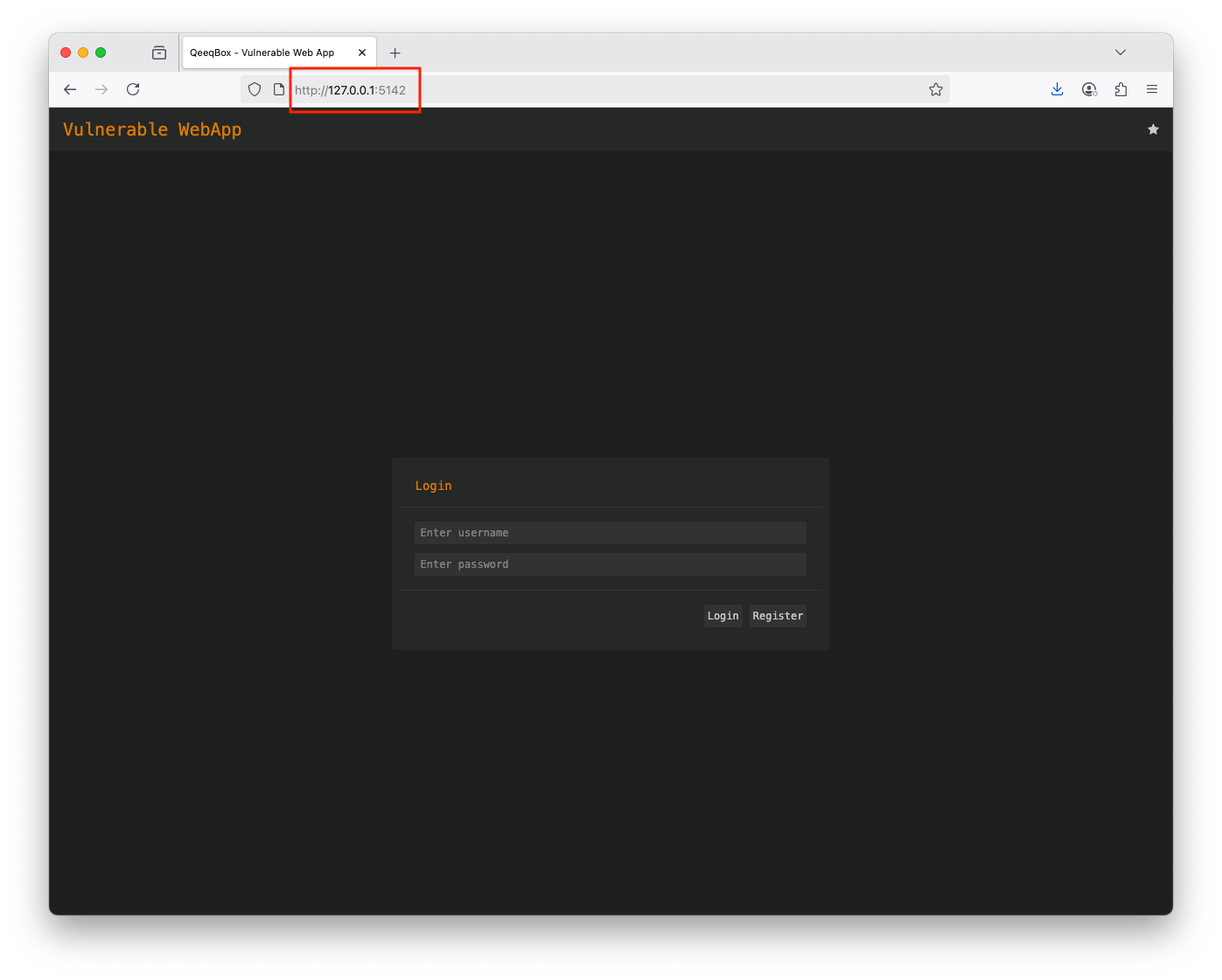
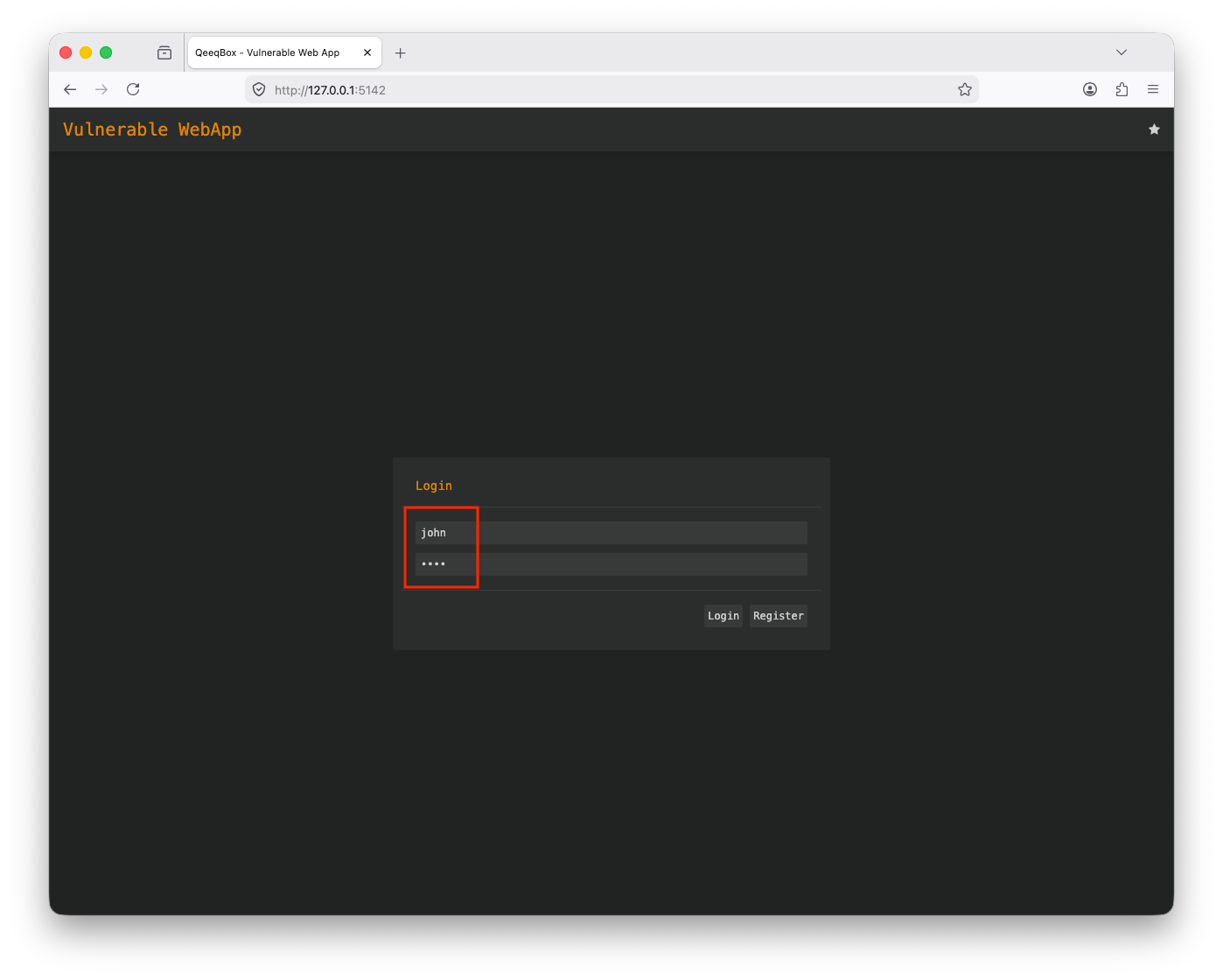
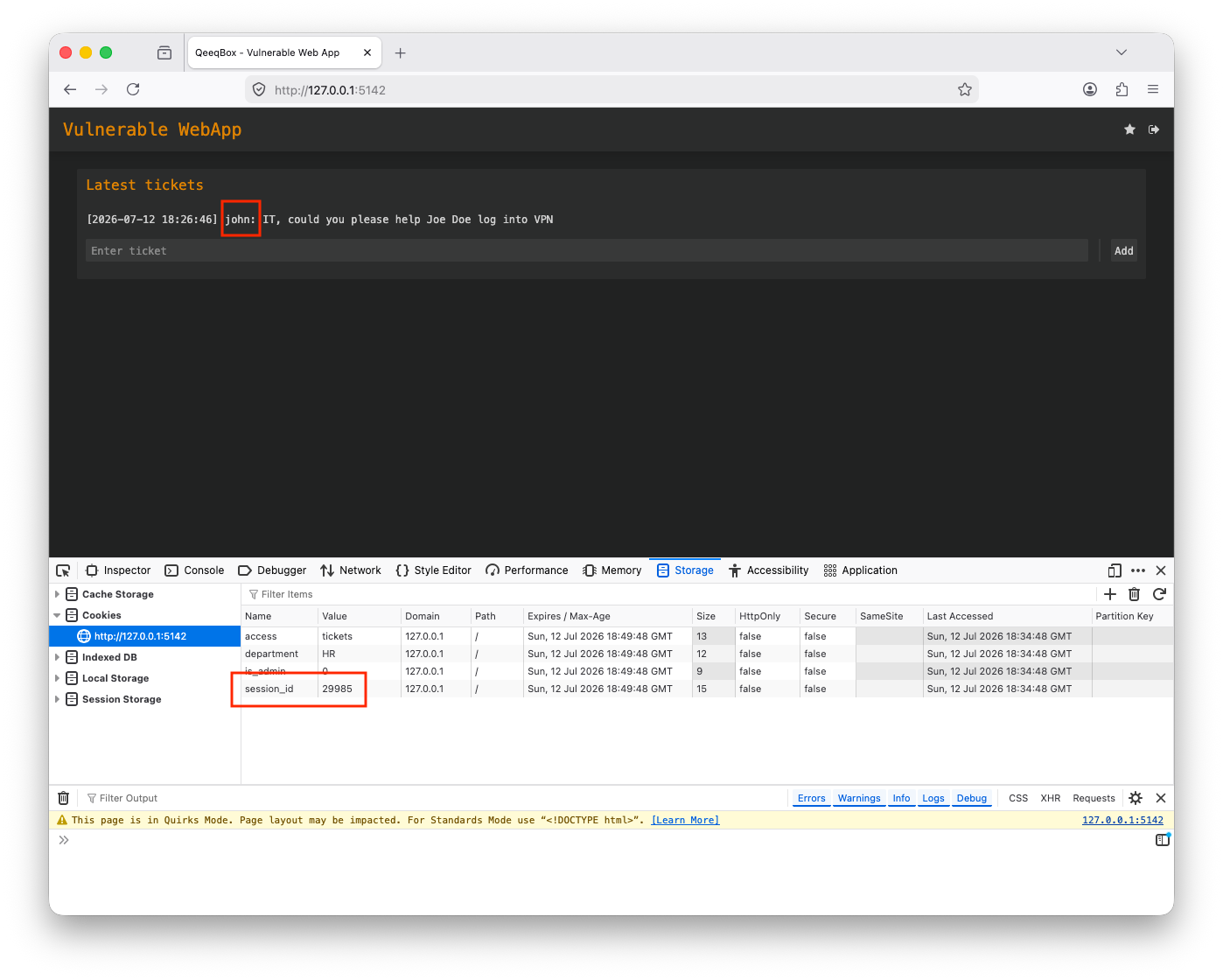
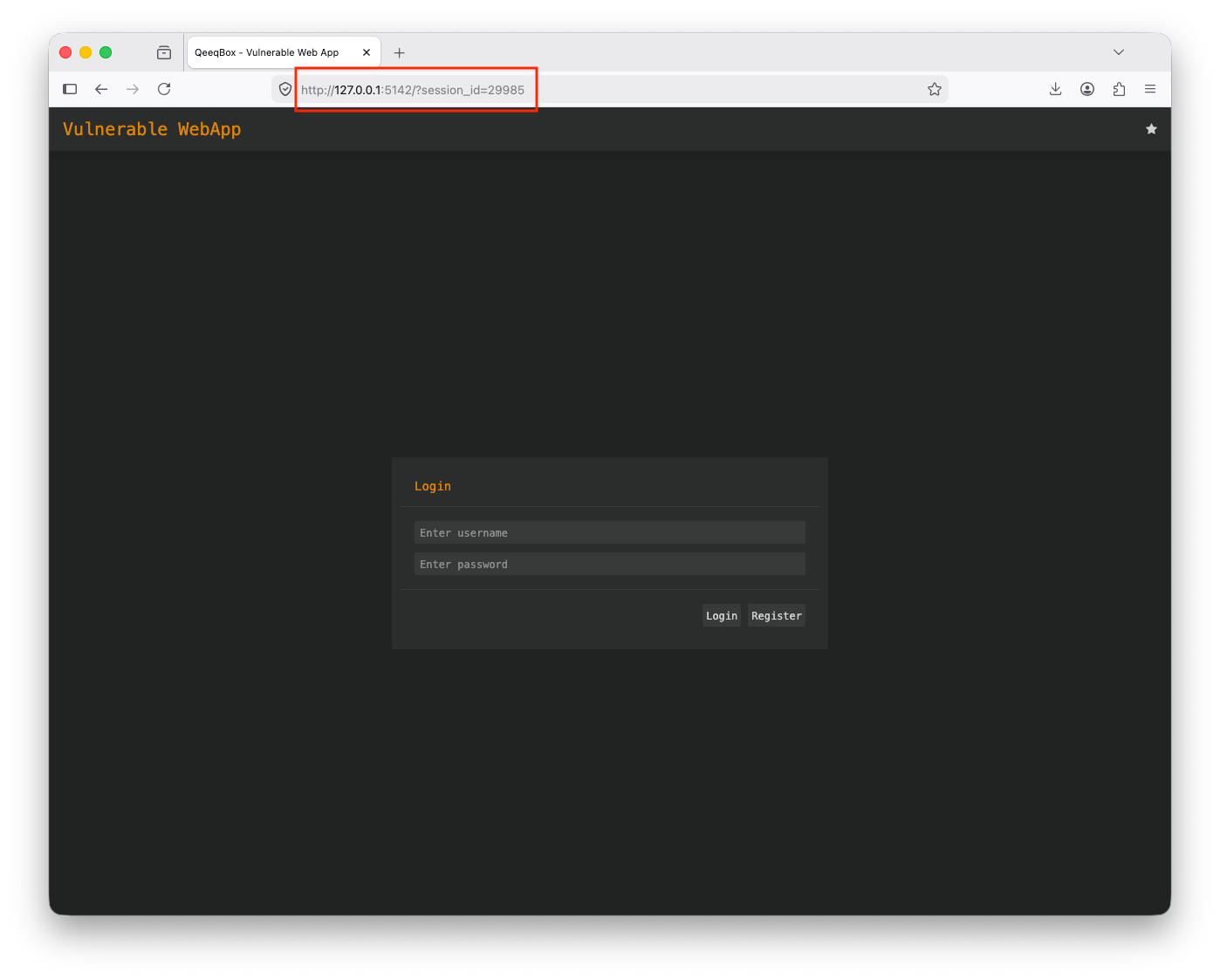
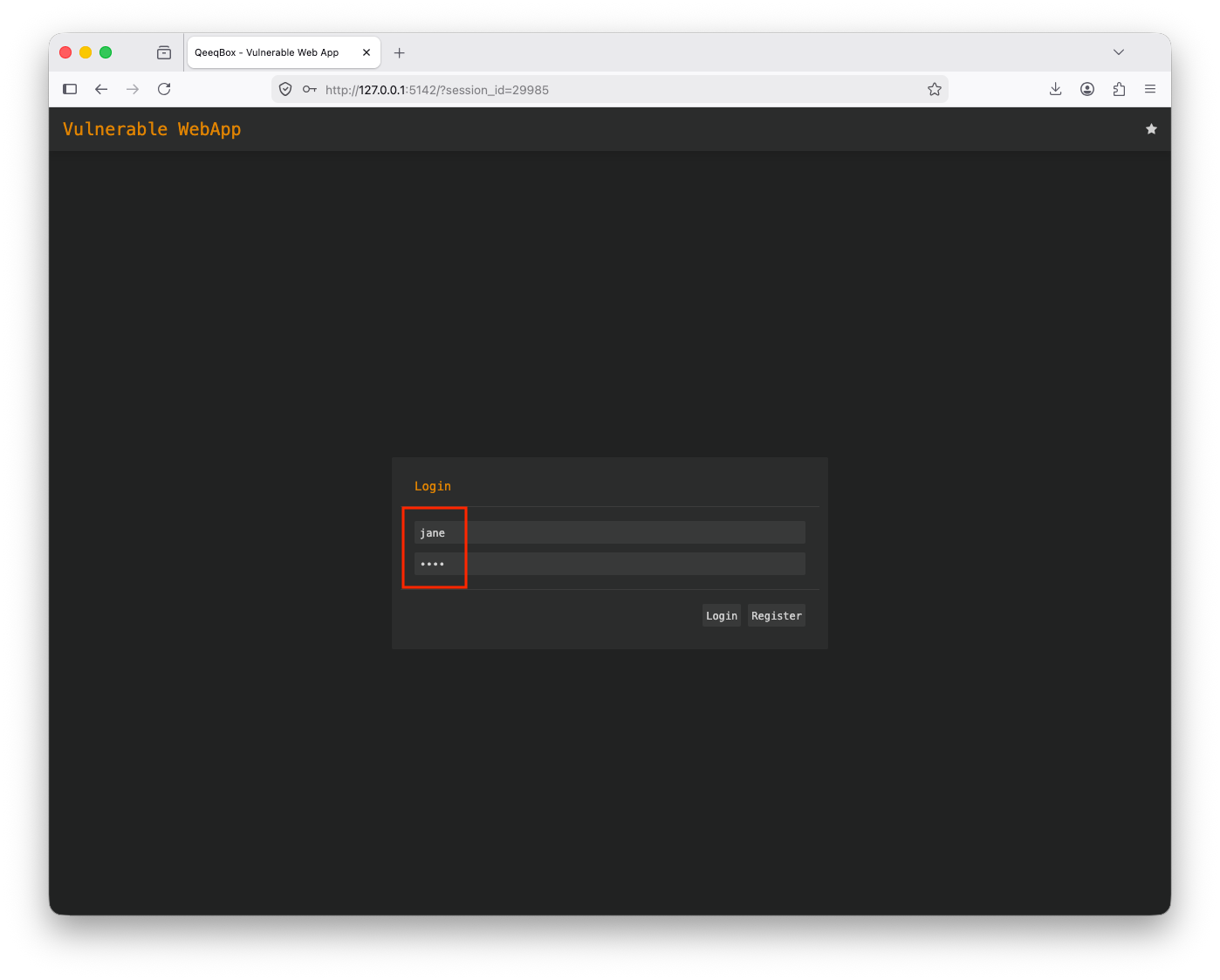
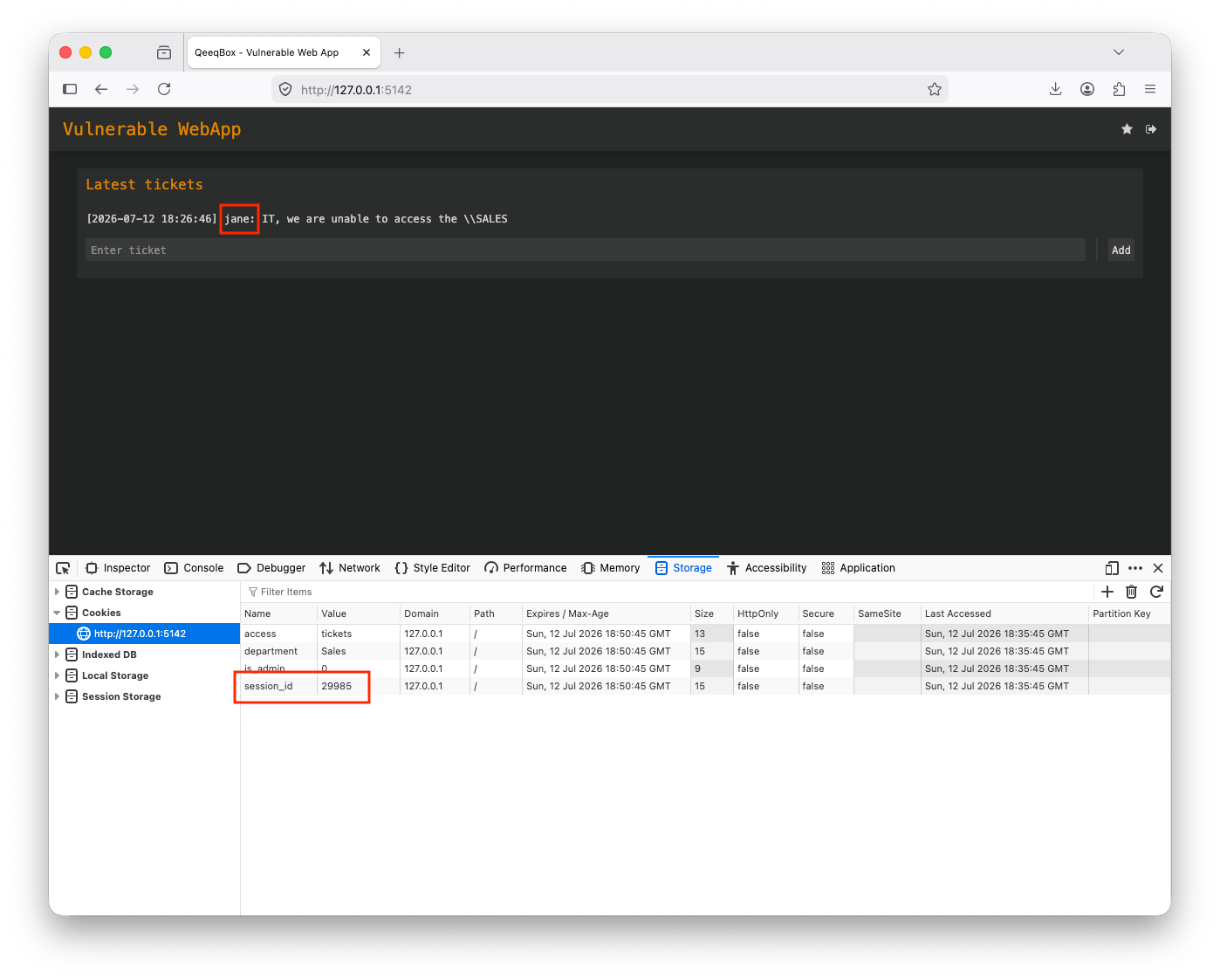
When a user logs in to the page, the parameters like session_id are passed to the gen_cookie() function
def do_POST(self):
    parsed_url = urllib_parse.urlparse(self.path)
    post_request_data_length = int(self.headers.get('content-length'))
    post_request_data = urllib_parse.parse_qs(str(self.rfile.read(post_request_data_length),"UTF-8"))
    query_request_data = urllib_parse.parse_qs(parsed_url.query)
    self.session = self.check_logged_in()
    if parsed_url.path == "/login" and "username" in post_request_data and "password" in post_request_data:
        ret = self.check_creds(post_request_data['username'][0],post_request_data['password'][0])
        if isinstance(ret, list) and ret[0] == "valid":
            self.send_content(302, self.gen_cookie(ret[1],60*15,query_request_data)+[('Location', URL)], None)
            self.log_message("%s logged in" % post_request_data['username'][0])
            return
        elif isinstance(ret, list) and ret[0] == "password":
            if "debug" in post_request_data:
                if post_request_data["debug"][0] == "1":
                    self.send_content(302, self.gen_cookie(ret[1],60*15,query_request_data)+[('Location', URL)], None)
                    self.log_message("%s logged in" % post_request_data['username'][0])
                    return
            self.send_content(401, [('Content-type', 'text/html')], self.msg_page(f"Password is wrong".encode("utf-8"), b"login"))
            return
        elif isinstance(ret, list) and ret[0] == "username" or isinstance(ret, list) and ret[0] == "error":
            self.send_content(401, [('Content-type', 'text/html')], self.msg_page(f"User {post_request_data['username'][0]} doesn't exist".encode("utf-8"), b"login"))
            return
The gen_cookie() function sets up the session_id with one passed from the request parameters if it exists
    def gen_cookie(self, row, max_age, query):
        session_id = None
        cookies = SimpleCookie(self.headers.get('Cookie'))
        if 'session_id' in query:
            session_id = query['session_id'][0]
        elif 'session_id' in cookies:
            session_id = cookies['session_id'].value
        else:
            session_id = "".join(str(randint(1, 9)) for _ in range(5))
        #end_time = datetime.now() + timedelta(days=1)
        SESSIONS[session_id] = {"username":row[1], "department": row[3],"access":row[4], "is_admin":row[5]}
        cookie1 = SimpleCookie()
        cookie1['session_id'] = session_id
        cookie1['session_id']['path'] = '/'
        cookie1['session_id']['max-age'] = max_age
        cookie2 = SimpleCookie()
        cookie2['is_admin'] = row[5]
        cookie2['is_admin']['path'] = '/'
        cookie2['is_admin']['max-age'] = max_age
        cookie3 = SimpleCookie()
        cookie3['access'] = row[4]
        cookie3['access']['path'] = '/'
        cookie3['access']['max-age'] = max_age
        cookie4 = SimpleCookie()
        cookie4['department'] = row[3]
        cookie4['department']['path'] = '/'
        cookie4['department']['max-age'] = max_age
        cookies = [('Set-Cookie', cookie1.output(header='', sep='')),('Set-Cookie', cookie2.output(header='', sep='')),('Set-Cookie', cookie3.output(header='', sep='')),('Set-Cookie', cookie4.output(header='', sep=''))]
        return cookies