
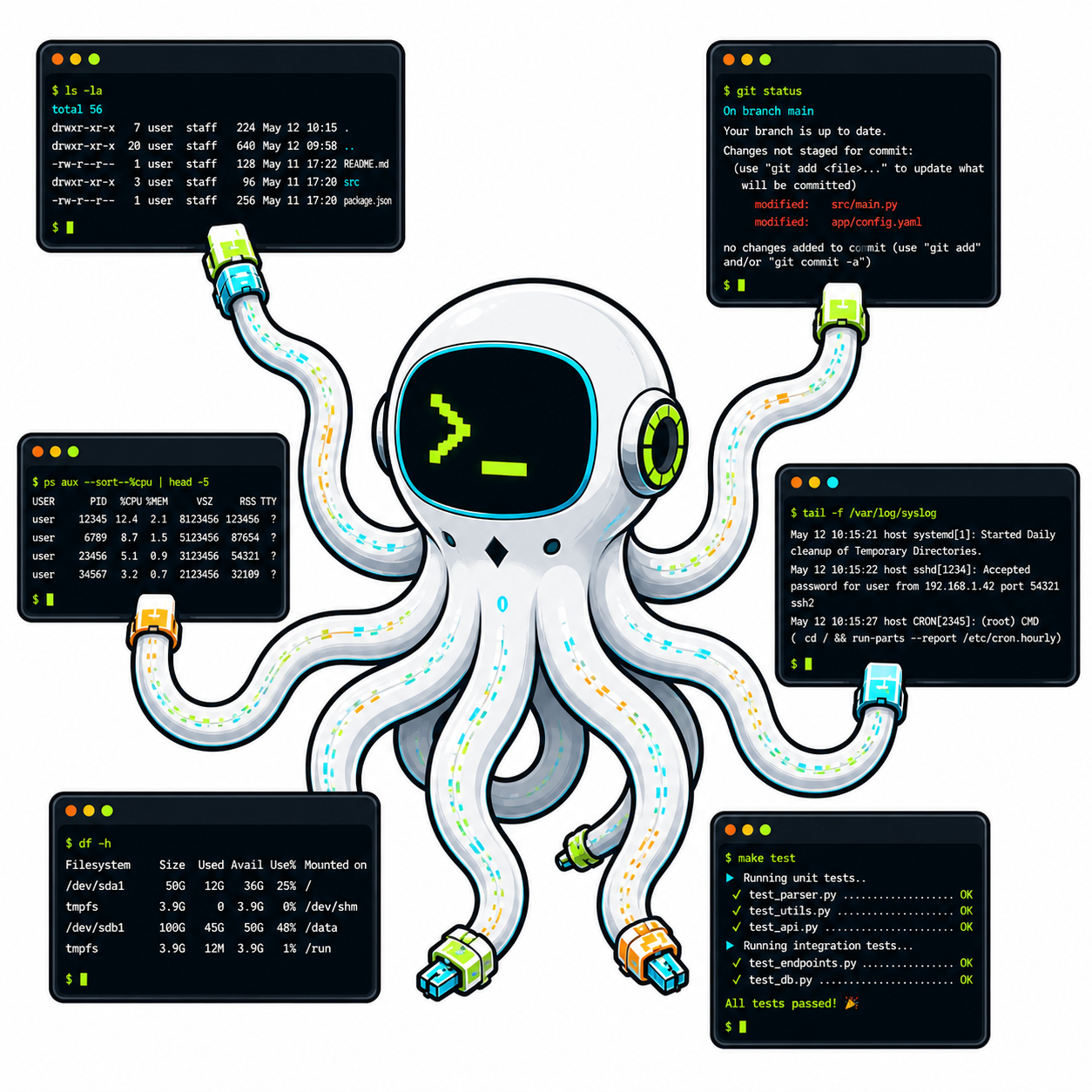




A terminal access and control platform. Creates, transports, secures, shares, records, replays, and arbitrates terminal sessions across browsers, WebSockets, telnet, SSH, local PTYs, and remote workers.
xterm.js is the screen. Provide Terminal is the whole system around the screen.
Terminal UI         Session Control       Collaborative Presence
HTTP Inspection     AI/MCP Tools          Tunnel Sharing
Session Replay      Multi-Backend         Agent Management
graph TB
    subgraph Browser
        UI["Terminal UI<br/>Operator Dashboard<br/>Inspect View"]
    end

    subgraph Server ["Server (FastAPI or CF Worker)"]
        Hub["TermHub Bridge<br/><i>roles, leases, presence</i>"]
        Runtime["Session Host<br/><i>lifecycle, recording, policy</i>"]
        Connectors["Connectors<br/><i>shell, telnet, ssh, pty, ushell</i>"]
    end

    subgraph Workers
        Agent["Worker / Agent"]
        AI["AI Tools (MCP)<br/><i>28 session control tools</i>"]
    end

    subgraph CLI
        Proxy["uterm proxy / listen"]
        Inspect["uterm inspect"]
        Share["uterm share / tunnel"]
    end

    UI <-->|"WebSocket<br/>(control + terminal)"| Hub
    Hub <--> Runtime
    Runtime <--> Connectors
    Agent <-->|"Bridge WS"| Hub
    AI -.->|"tool calls"| Agent
    Inspect <-->|"CHANNEL_HTTP<br/>(tunnel)"| Hub
    Share <-->|"binary tunnel"| Hub
    Proxy <-->|"gateway"| Hub
Control channel — JSON control frames (snapshots, hijack state, presence, analysis, browser-originated HTTP-inspect actions) are DLE/STX-framed and mixed inline with raw terminal bytes in the same WebSocket stream. Non-terminal WebSocket payloads must use the public framing helpers; CI rejects bare JSON sends on terminal/control WebSocket paths.
Session model — Named sessions with pluggable connectors, lifecycle management, JSONL recording, and policy enforcement.
Bridge — TermHub coordinates workers and browsers, enforces viewer/operator/admin roles, manages hijack ownership leases, and supports reconnect/resume tokens.
from provide.uterm.fastapi_utils import mount_terminal_ui

app = FastAPI()
mount_terminal_ui(app)  # serves at /terminal
FastAPI
mount_terminal_ui/WsTerminalProxyis a Python embedding helper. Go and C# ship the same wire path viauterm proxy(permanent de-scope of the FastAPI mount in those ports — not the multi-backend hub).
pip install 'provide-uterm-server[server]'
uterm server --config server.toml
# Dashboard: http://localhost:27780/app/Browser consumers can register CSS theme tokens, navigation entries, custom page kinds, and one authentication adapter without importing internal source paths:
import {
  App,
  applyThemeTokens,
  createUtermExtensionRegistry,
} from "provide-uterm-app";

const extensions = createUtermExtensionRegistry();
extensions.register({
  id: "my-console",
  themeTokens: { "--bg-primary": "#050302" },
  navigation: [{ id: "reports", label: "Reports", href: "/reports", pageKind: "reports" }],
  pages: [{ kind: "reports", component: ({ bootstrap }) => <h1>{bootstrap.title}</h1> }],
  auth: {
    resolve: async () => ({ subject: "external-user", roles: ["reader"] }),
    authorize: (identity, capability) =>
      identity.roles.includes("reader") && capability === "reports.read",
  },
});

applyThemeTokens(document.documentElement, extensions.snapshot().themeTokens);
root.render(<App bootstrap={bootstrap} extensions={extensions} />);
The public React package also exports SessionPage, TerminalHost, ReplayPage, and
HijackHost. The framework-neutral provide-uterm-frontend package exports
TerminalElement, UtermSessionElement, registerUtermElements, and the DeckMux types.
Import DeckMux from the explicit provide-uterm-frontend/deckmux subpath. Other package
subpaths expose the terminal and session elements and DeckMux CSS directly.
These browser packages are private source packages, not registry artifacts. Supported consumers install them from a reviewed local checkout and let a TypeScript-aware bundler such as Vite compile the exported source. The consumer verification fixture exercises that exact installation, typecheck, JavaScript, and CSS build path.
pip install 'provide-uterm-server[cli]'
uterm inspect 3000 --server https://your-server.example.com --interceptThe bridge system lets operators observe and take over terminal sessions in real time.
- Roles —
viewer(observe only),operator(input in shared mode),admin(full hijack control) - Hijack leases — acquire/heartbeat/release with configurable TTL, auto-expire on disconnect
- Input modes —
hijack(exclusive, one owner) oropen(shared, all operators can type) - Session resumption — browser reconnect restores role and hijack ownership via opaque tokens
sequenceDiagram
    participant B as Browser (admin)
    participant H as TermHub
    participant W as Worker

    B->>H: POST /hijack/acquire
    H->>W: control: pause
    H-->>B: {ok: true, hijack_id}
    B->>H: POST /hijack/send {keys: "ls\r"}
    H->>W: input: "ls\r"
    W-->>H: terminal output
    H-->>B: terminal output
    B->>H: POST /hijack/release
    H->>W: control: resume
Pluggable connectors behind a unified session model:
| Connector | What it does |
|---|---|
shell |
Local shell process |
telnet |
Remote telnet (RFC 854) |
ssh |
Remote SSH (asyncssh) |
websocket |
WebSocket upstream |
ushell |
Built-in Python REPL (shell module in provide-uterm) |
pty |
Local PTY with PAM auth and LD_PRELOAD capture |
The gateway converts between protocols: browser WebSocket ↔ telnet/SSH backends with ANSI color mode negotiation.
Share terminals and inspect HTTP traffic through multiplexed binary tunnels.
graph LR
    subgraph "Tunnel Protocol (one WebSocket)"
        C0["0x00 Control"]
        C1["0x01 Terminal"]
        C2["0x02 TCP"]
        C3["0x03 HTTP"]
    end

    CLI["uterm share<br/>uterm inspect"] --> C0 & C1 & C2 & C3
    C0 & C1 & C2 & C3 --> Server["TermHub"]
    Server --> Browser["Browser UI"]
uterm share— share your local terminal through the tunnel serveruterm tunnel— forward a local TCP port through the tunneluterm inspect— HTTP reverse proxy with live traffic inspectionuterm inspect --intercept— pause requests, forward/drop/modify from the browser
See HTTP Inspection & Interception for the full protocol reference.
Real-time collaborative features on any terminal session:
- Avatar bar — colored circles with initials, role badges, idle/typing indicators
- Edge indicators — minimap-style viewport bars showing where each user is scrolled
- Pinned cursors — click a line to pin your position, visible to all watchers
- Control transfer — request/handover/auto-transfer with keystroke queue buffering
Enable per-session with presence: true. Works on both FastAPI and CF backends at parity.
28 tools for AI agents to control terminal sessions via the Model Context Protocol:
uterm-mcp # starts MCP server for Claude, GPT, or any MCP-compatible agentTools include session_create, session_read, session_subscribe, hijack_begin, hijack_send, hijack_step, hijack_release, and more. See provide-uterm-client.
Orchestrate fleets of terminal workers:
uterm-manager --config swarm.yamlProcess lifecycle, heartbeat monitoring, auto-respawn, fleet pause/resume, timeseries metrics, and WebSocket status broadcasting. See provide-uterm-platform.
| Entry Point | Purpose |
|---|---|
uterm |
Terminal proxy, sharing, tunneling, inspection |
uterm server |
Hosted reference server with sessions, auth, UI (subcommand of uterm) |
uterm-mcp |
MCP server for AI agents |
uterm-manager |
Agent swarm orchestration |
| Command | Description |
|---|---|
proxy HOST PORT |
Browser WS → telnet/SSH proxy |
listen WS_URL |
Telnet/SSH client → WebSocket |
share [CMD] |
Share local terminal via tunnel |
tunnel PORT |
Forward TCP port via tunnel |
inspect PORT |
HTTP traffic inspection (add --intercept for pause/edit) |
watch |
TUI for watching HTTP tunnel traffic |
pip install provide-uterm                  # core only
pip install 'provide-uterm[emulator]'      # + pyte screen emulation
pip install 'provide-uterm-server[cli]'    # CLI tools (uterm, incl. `uterm server`)
pip install 'provide-uterm-server[server]' # hosted server
pip install 'provide-uterm-client[all]'    # client + MCP tools
provide-uterm extras:
| Extra | Installs | Required for |
|---|---|---|
[emulator] |
pyte | Screen state tracking |
[ssh] |
asyncssh | SSH transport |
[client] |
httpx | HTTP client |
[all] |
everything above | Full core feature set |
provide-uterm-server extras:
| Extra | Installs | Required for |
|---|---|---|
[server] |
fastapi, uvicorn, pyjwt, websockets | Reference server |
[cli] |
fastapi, uvicorn, websockets, textual, httpx | CLI tools |
[tunnel] |
httpx, uvicorn, websockets, fastapi | Tunnel sharing |
[gateway] |
asyncssh, websockets | Telnet/SSH gateways |
[all] |
everything above | Full server feature set |
Served server backends — Python (FastAPI), Go, C#, and Cloudflare
Workers/Durable Objects. The TypeScript package provide-uterm-ts is a
partial runtime port: its libraries are complete and differentially tested,
but its Node server mounts only part of the shared HTTP contract, so it is not
a served backend. served, unserved, unsupported, partial, and N/A
mean one thing each across every parity table — see
Parity Labels.
graph LR
    subgraph "Self-Hosted"
        FA["FastAPI Server<br/><code>uterm server</code>"]
    end

    subgraph "Edge"
        CF["Cloudflare Workers<br/>Durable Objects"]
    end

    subgraph "Local"
        Docker["Docker Compose<br/>both backends"]
    end

    Browser["Browser"] --> FA & CF
    FA --- Docker
    CF --- Docker
FastAPI — full control, named sessions, auth, recording, policy. Deploy anywhere Python runs.
Durability note — the standalone FastAPI server keeps live control-plane state in process memory only. Tunnel tokens/share state, approvals, resume state, webhook registrations, and live session arbitration state are not HA or persistent across restart/failover. Run a single active instance if you use this backend, or choose the Cloudflare Workers/Durable Objects deployment when you need durable multi-node behavior.
Cloudflare Workers — edge deployment on Durable Objects with CF Access JWT, KV session registry, WebSocket hibernation.
Docker — both backends locally:
docker compose -f docker/docker-compose.yml up
# FastAPI: http://localhost:27780/app/
# CF Worker: http://localhost:27788/api/health| Package | Role | Tests |
|---|---|---|
provide-uterm |
Core: ansi, screen, emulator, protocols, detection, deckmux, shell, render, replay | ~3600 |
provide-uterm-server |
Server: bridge hub, FastAPI, CLI, tunnel, gateway | ~2800 |
provide-uterm-client |
Client: HTTP/WS client, transports, AI/MCP | ~690 |
provide-uterm-platform |
Platform: PTY, PAM, capture, External Management Tier | ~780 |
provide-uterm-cloudflare |
CF Worker + Durable Object | ~890 |
provide-uterm-annotation |
Annotation layer | — |
provide-uterm-frontend |
Browser UI (TypeScript, xterm.js) | — |
provide-uterm-app |
App shell | — |
All Python packages at 100% branch+line coverage. 8760+ tests total.
Use these commands to run the new cross-runtime decoder parity benchmarks.
# Quick local check (smaller dataset, faster)
make benchmark-control-channel-quick

# Full local parity run (all backends) with JSON artifact
make benchmark-control-channel

# Equivalent direct script form
uv run python scripts/benchmark_control_channel_parity.py \
	--output-json /tmp/control-channel-parity.json
Optional tuning arguments: --frame-count, --passes, --chunk-size, --data-size,
--control-size, --control-ratio, --baseline-revision, --seed, --backends.
The script prints machine-independent normalized throughput (x fastest) and writes
JSON suitable for CI artifact inspection (backends, raw results, and
normalization payload).
CI execution:
- Dispatch the
🧪 CIworkflow (workflow_dispatch). - The
control-channel-parity-benchmarkjob runs forpython,csharp,go, andtypescript, writingcontrol-channel-parity.jsonas a workflow artifact.
- Auth modes —
dev_token(local),jwt(production),header,api_key,webhook; fail-closed on misconfiguration - Security headers — CSP, HSTS, X-Frame-Options, SRI integrity hashes (configurable per-header)
- 100% branch coverage — enforced via
--cov-fail-under=100in every package - Pre-commit — ruff, reuse, codespell, bandit, detect-secrets on every commit; mypy/ty/frontend hooks are manual-staged
- Security audit —
pip-audit,bandit, timing-safe token comparison
- HTTP Inspection & Interception
- Protocol Matrix — backend capability contract
- Parity Labels — what
served/unserved/unsupported/partial/N/Amean - Security Language Parity — per-language security scope
- Testing Guide
- Operations Runbook
- Service SLOs
- Release Governance
- Architecture Diagrams (PlantUML)
- Cloudflare Workers
AGPL-3.0-or-later. Copyright (c) 2025-2026 provide.io llc.