

A native macOS browser. A little more room for the web.
Sidebar tabs · Spaces · Split View · Reader · Easels
Download Vane · Website · Documentation · Contribute
macOS 26+ · Built with Swift & WebKit · MIT licensed


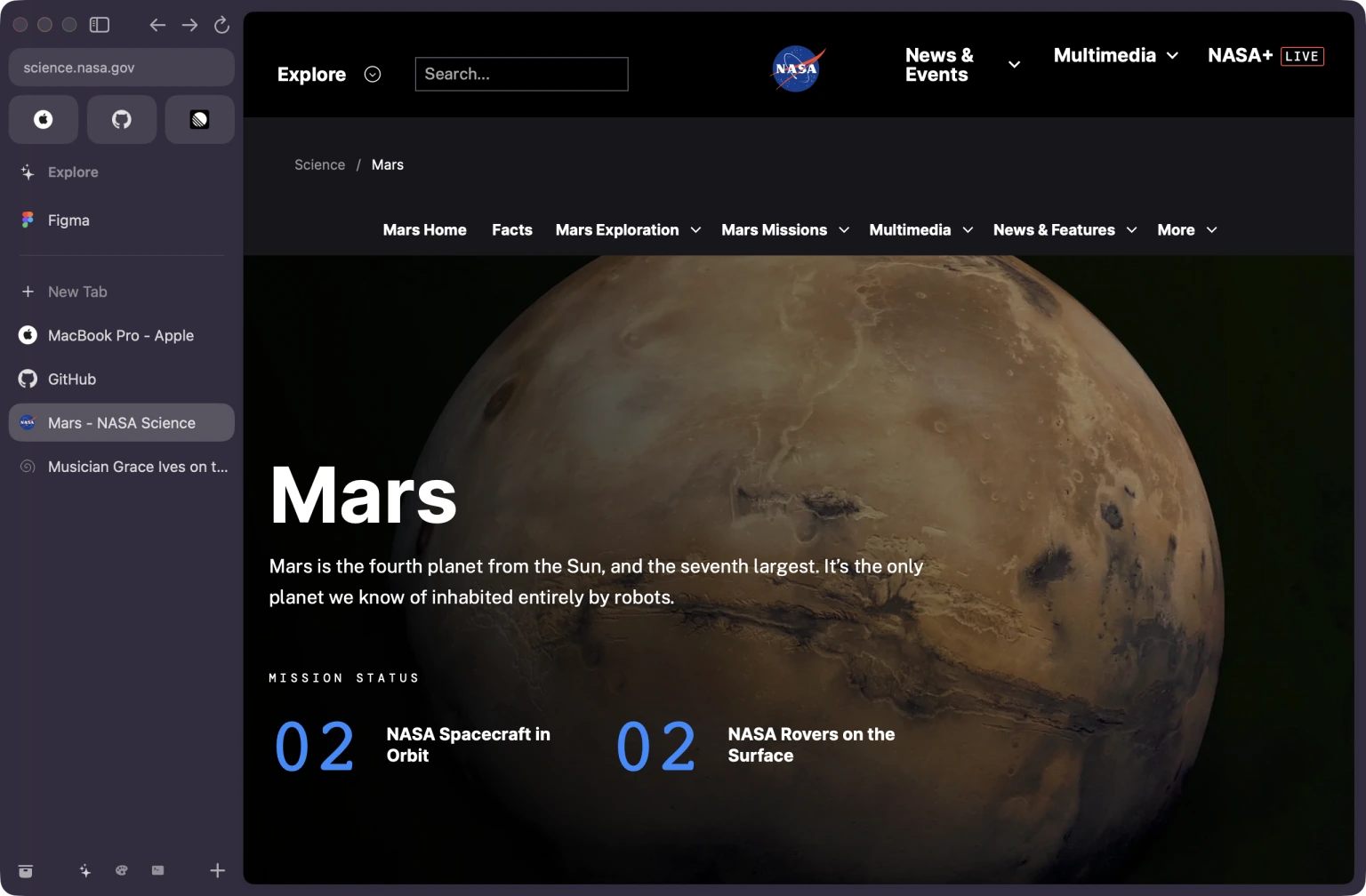
Spaces, favourites, and the web in one native window. About this screenshot.
Vane is built with Swift, SwiftUI, AppKit, and WebKit. Apple’s WKWebView
renders pages; Vane adds tools to organize, read, and make the browser your own.
In active development. Requires macOS 26 or later. Read the limitations before relying on Vane as your only browser. The docs follow current
main; the latest published build may lag behind. See current development and the upcoming release.
Explore the features · Get started · Build from source · Privacy policy
- Open the latest GitHub release and read its notes and known issues.
- Download
Vane.dmg, open it, and drag Vane to Applications. - Open Vane from Applications. The first-run welcome is skippable.
Updates, signing, and the default browser
Published releases are built through the signing and notarization workflow. That does not establish compatibility with every site or complete clean-Mac installation/upgrade coverage. See release validation.
Use Vane → Check for Updates… to check manually. Updates use Stable by
default. Choose Nightly in Settings → General → Update channel to try early
builds; these may have bugs. Switching back waits for a newer stable version and
does not downgrade the app. Both channels use the same app and browsing data.
Nightly publication is checked daily at 02:23 UTC; a build publishes only when
main has a new revision with passing checks. Quiet or unready days produce no
release. Stable releases are deliberate, with no fixed calendar. See the
release cadence and version-number guide.
Stable release bundles packaged with a Developer ID offer the default-browser prompt once. Local, debug, and prerelease builds skip it. The manual Make Vane Default… action remains available in Settings.
| Area | What is implemented |
|---|---|
| Browsing | Sidebar tabs, Favourites, pinned tabs, folders, multiple windows, private windows, Split View, Peek, and Little Vane. |
| Organization | Spaces, reusable Space templates, Tidy Tabs with review/undo, bulk tab organization, bookmarks, history search, and Library. |
| Reading | Reader preferences, an offline article queue, find on page, and page capture. |
| Media | Custom Picture in Picture, a minimized sidebar player, and embedded-player controls with native PiP fallback. |
| Visual tools | Easels with notes, drawing, captures, live web views, and editable JSON or PNG export; per-site Boosts for styles, Zap, and opt-in scripts. |
| Data | Separate profiles, Keychain passwords and account chooser, browser imports, exports, library backups, and local recovery points; optional per-category iCloud sync in provisioned builds. |
| Controls | Custom search engines and site-search shortcuts, keyboard bindings, themes, app icons, Battery Saver, site controls, and searchable animation-speed settings. |
| Integrations | Chrome Web Store extensions, unpacked WebExtensions and verified Safari extensions from apps, EasyList-subset blocking and HTTPS subscriptions, GitHub Live Folders, and multiple AI connections using your own keys or ChatGPT plan, with per-feature routing. |
“Implemented” describes available behavior. Verification is scoped to the revision, macOS version, signing, and fixture or service recorded in each audit. It is not a guarantee of general website or extension compatibility.
| Action | Shortcut |
|---|---|
| Search for a new tab | ⌘ T |
| Open the address bar | ⌘ L |
| Reopen a closed tab | ⇧ ⌘ T |
| Find on the page | ⌘ F |
| Open Library | ⇧ ⌘ L |
| Open History | ⌘ Y |
| Move between the page and browser controls | F6 / ⇧ F6 |
Click a Space button or swipe horizontally over the sidebar to switch Spaces. Use Shift+Return for Instant Links, which opens a DuckDuckGo first result regardless of your selected search engine. Details and exceptions.
Shortcuts can be changed in Settings; the menu bar shows current bindings. Everyday browsing explains tab organization, shared windows, site search, keyboard navigation, downloads, and media.
The documentation index is the starting point for guides, troubleshooting, specialist audits, and recorded validation.
| Guide | Covers |
|---|---|
| Everyday browsing | Tabs, Spaces, windows, search, shortcuts, Library, downloads, and media. |
| Reading and customization | Reader, offline articles, Easels, capture, Boosts, templates, appearance, and Battery Saver. |
| Profiles, data, and privacy | Passwords, imports/exports, website data, backups, folder locks, and recovery boundaries. |
| Extensions and integrations | Profile extension manager, reviewed updates, access/diagnostics, content blocking, AI connections, and GitHub Live Folders. |
| Development | Setup, CLI, focused tests, graphical smoke checks, project structure, and contribution workflow. |
| Releases and distribution | Publishing, signing/notarization, updater checks, and candidate validation. |
Prefer a visual introduction? Browse the website field guide. The Markdown guides above cover current controls and caveats in detail.
The privacy policy explains local storage, network requests, optional services, and data controls. It is also available on the website.
Use macOS 26 or later and Xcode 26 or later with its included Swift toolchain. From a checkout:
git clone https://github.com/notnaki/vane.git
cd vane
./make-app.sh
open Vane.app
make-app.sh builds the release executable, assembles the app and its helpers,
adds resources and icons, and signs the bundle ad hoc for local development.
Use ./make-app.sh debug for a faster development build.
To build the executable and run checks that need no Keychain or window server:
swift build -c release
./.build/release/vane selfcheck --pure
Use the assembled app for bundled icons and native sandbox/signing behavior. Vane-managed location decisions work on macOS 26 and later. Xcode 27 builds also use the public macOS 27 delegate. See development setup and release procedures for testing and distribution.
Vane uses the system WebKit engine. Support depends on the installed macOS and WebKit version, the website, and sometimes signing or Apple-managed capabilities.
- Compatibility is incomplete. Scoped macOS 27 public-demo, local-fixture, and live streaming checks cover only their listed environments and flows. Netflix 4K SDR/Dolby Vision, Spotify music, and Disney+ protected video at 720p were observed on one signed, notarized nightly; this does not establish every service, provider sign-in, cross-network call, hardware permission, or minimum-macOS setup. See the compatibility matrix.
- Passkeys are pending Apple managed browser entitlement approval, matching provisioning, and registration/sign-in validation. Developer ID alone is insufficient.
- Folder uploads are blocked on macOS 27.0.x because a standalone WebKit probe reproduced a guard fault before submission. Ordinary files remain available; directory submission on other versions is unverified. See the matrix’s directory investigation.
- Passwords and extensions have compatibility limits. Autofill supports nested open shadow roots and explicit multi-step username handoff, but remains heuristic; closed roots and cross-origin frames remain inaccessible. Sidebar tab menus expose available extension actions. Chrome Web Store installation and MV2/MV3 support do not guarantee arbitrary extension API compatibility.
- Blocking supports part of EasyList. Safe regular expressions and equivalent
$badfilterrules are supported; unsupported rules are reported. Linked local files update automatically after opt-in linkage, can be checked manually, and retain their last-good rules on failure. Disk imports remain fixed snapshots; URL subscriptions also update automatically. - iCloud sync requires a provisioned build. Sync starts off, with individual category switches. Downloaded files stay local; cross-Mac propagation is unverified. See iCloud setup and boundaries. Backup exports offer password encryption and exclude Keychain secrets, cookies/site storage, downloaded files, and extension code/data. Supported Chromium imports offer a separate, opt-in cookie/session copy; unsupported encryption and device-bound credentials are excluded, and copied cookies do not guarantee sign-in. Existing destination cookies are preserved.
- Live drafts are not recoverable backups. Suspension protects detected or uncertain drafts, but crashes, page closure, or locking can lose volatile work. Draft protection and crash recovery describe what is preserved and what cannot be restored.
- Permissions and reliability remain bounded. Embedded device requests fail closed; macOS separately authorizes device access; screen sharing stays managed by WebKit/macOS. Resume, physical storage failure, and every navigation failure are not guaranteed by synthetic checks.
- Some features use private WebKit APIs, including inspector integration and a guarded page-shutdown fallback, which can change with macOS releases.
Detailed evidence lives in the audit index. Browser readiness separates completed work from remaining validation and engineering tasks. A real notarized candidate and clean-Mac install/upgrade checks are still required for distribution claims.
Bug reports, documentation fixes, and focused code contributions are welcome. Start with the contributor guide for setup, choosing relevant checks, and opening a pull request. The development guide covers project structure, native fixtures, and CI details.
In Vane, choose Help → Report a Problem… or Report a Problem in the command bar. Describe the issue, then optionally include diagnostic events from the last 30 seconds, minute, or 5 minutes. Logs are off by default; Vane keeps a bounded memory-only buffer of event names and numeric error codes, excluding page URLs, titles, content, and private-tab activity. The window captures a snapshot when opened and lets you preview, copy, or save the report. Open GitHub Issue… prefills a draft for you to review and submit; large reports offer a copy-and-paste handoff. Nothing is sent automatically.
You can also use the issue templates to report a bug or suggest an improvement. Keep passwords, tokens, personal browsing data, and private documents out of reports. For vulnerabilities, follow the security policy and report privately.
Vane is released under the MIT License. See LICENSE. Bundled font attribution and licenses are in Sources/Vane/EaselFonts.