Admin Panel
The decorator is where the model is defined.
@admin.register({model_name})
-
list_display: the fields shown in thelistview -
search_fields: the fields you can search by in the search bar -
readonly_fields: pretty self-explanatory (fields you don't want edited) -
fields: the fields shown in thechange/edit view -
list_filter: what you can filter by in thelistview, to only see a subset -
inlines: show parts of other related fields at the bottom of the object view -
save_on_top: whether there is asavebutton at the top of thechangeform
-
add_view: what is shown in theaddview of a model -
change_view: what is shown in thechangeview of a model -
save_model: what happens when you hitsavein the admin panel -
get_search_results: used for a hacky way of getting the autocomplete in the inlines to only show the inlines of the correct program
We can create custom filters for objects, to sort by something that isn't quite easily defined as a variable, or that has too many options to be an easy sort without a long list. A custom filter requires 2 variables (title and parameter_name) and two methods (lookups and queryset).
-
title: What shows up as the "filter by" option in the UI -
parameter_name: what shows up in the URL if you're filtering by this option (`?program={id})
Returns a list of 2-element tuples.
The first element in each tuple is the coded value for the option that will appear in the URL query, e.g. ?program={id}.
The second element is the human-readable name for the option that will appear in the right sidebar, e.g. Spark 2020.
Returns the filtered queryset based on the value provided in the query string and retrievable via self.value().
self.value() is the string used in the url query (the first element of the tuple returned in lookups). If it is defined (is not None), then the filter is being applied, and this filter should filter the queryset.
Inlines are the
Here is an example of the StudentClassRegistration inline in StudentRegistration:
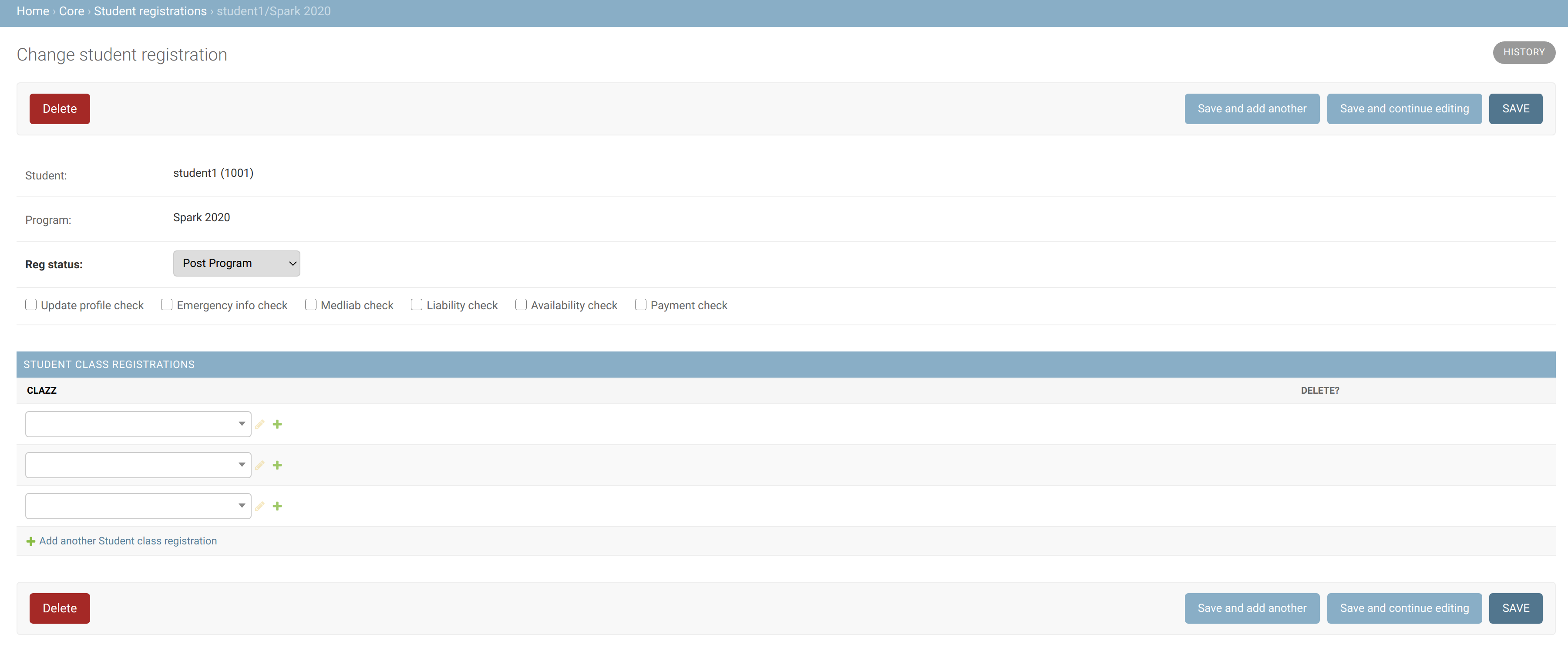
The only required variable is model.
-
model: the model displayed in the inline -
min_num: the minimum number of the model that is displayed (e.g. if there is only 1 class a student is registered for, andmin_num=2, then it will show 2 lines, with one being blank). Default is 0. -
extra: the number of additional blank lines of the model that are displayed (e.g. if there is only 1 class a student is registered for, andextra=2, then it will show 3 lines, with 2 being blank). Default is 3. -
autocomplete_fields: fields of the object that should have an input that is filled in as the user types. Useful when there are a lot of options for the field (e.g. with the above example).