


- 2026-06: Maze added application hardening for production-style runs: unified run/task APIs, persisted static/dynamic/ReAct/app run history, structured errors, retry/timeout/cancel controls, artifact queries, queue diagnostics, worker re-registration, and a unified Playground
Runsconsole. - 2026-06: Maze Playground ReAct workflows now expose a single
Task Timeoutcontrol. Maze uses it for ReAct task waits,exec_codesubprocess defaults, and an automatically derived run-level timeout, so users do not need to tune several timeout knobs. - 2026-05: Maze added a cluster resource API and Playground
Clusterview for inspecting registered Maze nodes, Ray-only nodes, CPU/GPU availability, and distributed placement. - 2026-05: Maze added a content-addressed artifact store for non-shared distributed file execution. Workspace inputs and task outputs can now move through
maze://artifacts/sha256/...references instead of relying on a shared filesystem path. - 2026-05: Online ReAct runs now expose
Max Tokens, compact long tool observations, and treat malformed LLM JSON as repairable agent observations instead of failing the DynamicRun directly. - 2026-05: Maze now includes a thin ReAct workflow template on top of DynamicRun, with LLM decisions, tool calls, repair observations, workspace file/code tools, and agent traces recorded as Maze events.
- 2026-05: We support dynamic workflows with runtime
append_task, lifecycle events, persisted run history, and developer inspection. - 2026-05: Maze Playground now supports user workspaces, including file upload, download, preview, task-side file processing, and run artifact downloads.
- 2026-05: Maze Playground can generate workspace tasks from natural-language prompts through OpenAI-compatible LLM APIs.
- 2026-01: We support the sandbox feature! Docs
-
Task-level
Maze enables fine-grained, task-level management, enhancing system flexibility and composability while supporting task parallelism to significantly improve the end-to-end performance of agent workflows.
-
Resource Management
Maze supports resource allocation for workflow tasks, effectively preventing resource contention both among parallel tasks within a single workflow and across multiple concurrently executing workflows.
-
Application Operations
Maze records durable run/task snapshots, lifecycle events, structured task errors, logs, artifacts, retries, timeouts, cancellation, and queue state so applications can query and recover runs without depending on a single live WebSocket stream.
-
Distributed Deployment
Maze supports not only standalone but also distributed deployment, allowing you to build highly available and scalable Maze clusters to meet the demands of large-scale concurrency and high-performance computing.
-
Multi-Agent Support
Maze can serve as a runtime backend for other agent frameworks. For example, it allows LangGraph to be seamlessly migrated to Maze and automatically gain task-level parallelism without modifying original logic. Example
From PyPI (Recommended)
pip install maze-agentFrom source
git clone https://github.com/maze-agent/Maze.git
cd Maze
pip install -e .Launch Maze Head as maze server. The maze server can receive the workflow of the agent.
maze start --head --port HEAD_PORT
If there are multiple machines, you can connect other machines as maze workers to the maze head.
maze start --worker --addr HEAD_IP:HEAD_PORT
For long-running worker processes that should re-register after a head/core restart, run the worker agent:
maze start --worker --addr HEAD_IP:HEAD_PORT --agent --heartbeat-interval 20
You can inspect the scheduler-visible cluster state with:
curl http://HEAD_IP:HEAD_PORT/cluster/resources
A Ray worker that has joined Ray but has not registered with Maze will appear under unregistered_ray_nodes; it must still be started as a Maze worker before Maze can schedule tasks to it.
Common cluster operations are also available from the CLI:
maze cluster resources --server-url http://HEAD_IP:HEAD_PORT
maze cluster queues --server-url http://HEAD_IP:HEAD_PORT
maze cluster join-command --server-url http://HEAD_IP:HEAD_PORT
maze cluster reconcile-workers --server-url http://HEAD_IP:HEAD_PORT
from maze import MaClient, task

# 1. Define task functions using the @task decorator.
@task(resources={"cpu": 1, "cpu_mem": 128, "gpu": 0, "gpu_mem": 0})
def greet(text: str = ""):
    return {"result": f"Hello {text}"}


@task(resources={"cpu": 1, "cpu_mem": 128, "gpu": 0, "gpu_mem": 0})
def uppercase(result: str = ""):
    return {"upper": result.upper()}


# 2. Create the Maze client.
client = MaClient("http://localhost:8000")

# 3. Create a workflow and wire task outputs into downstream inputs.
workflow = client.create_workflow()
greeting = workflow.add_task(
    greet,
    inputs={"text": "Maze"}
)
upper = workflow.add_task(
    uppercase,
    inputs={"result": greeting.outputs["result"]}
)

# 4. Submit the workflow and get results.
run_id = workflow.run()
workflow.show_results(run_id)from maze import MaClient, task
@task(resources={"cpu": 1, "cpu_mem": 128, "gpu": 0, "gpu_mem": 0})
def summarize(topic: str = ""):
return {"summary": f"Maze can build workflows dynamically for {topic}."}
client = MaClient("http://localhost:8000")
run = client.create_dynamic_run(max_tasks=10)
summary = run.append_task(
summarize,
inputs={"topic": "agent runtime"}
)
run.wait_for_task(summary)
run.finalize({"status": "done"})
print(run.status())from maze import MaClient, task
@task
def decide(prompt: str, history: list, tools: dict, step: int):
if not history:
return {"action": {"tool": "multiply", "args": {"a": 18, "b": 7}}}
result = history[-1]["observation"]["result"]["result"]
return {"action": {"final": f"The answer is {result}."}}
@task
def multiply(a: int, b: int):
return {"result": a * b}
client = MaClient("http://localhost:8000")
react = client.create_react_workflow(
llm_task=decide,
tools=[multiply],
max_steps=3,
)
answer = react.run("Use the calculator to compute 18 * 7.")
print(answer)ReAct workflows keep both LLM decisions and tools as Maze tasks, so the distributed task graph and the agent trace stay in the same DynamicRun history. See examples/react_workflow for a local repair demo and an OpenAI-compatible LLM demo.
ReAct also supports Claude/Cursor-style skills as progressive instruction packages. Skills keep their standard SKILL.md format and teach the agent how to use tools that are already registered:
from maze import MaClient, load_skill

skills = [load_skill("./skills/data-analysis")]

react = client.create_react_workflow(
    llm_task=decide,
    tools=[read_file, write_file, exec_code],
    skills=skills,
)
Maze initially exposes only a compact skill catalog to the decision task. When more detail is needed, the ReAct controller can call the automatically registered read_skill_file(skill_name, file_name) tool to read SKILL.md, reference.md, examples.md, or other files inside that skill directory.
In Maze Playground, files uploaded under workspace/files are staged into each task sandbox. Task code should read and write files with relative paths such as Path("input.csv"), Path("folder/data.json"), or Path("."); it should not hard-code workspace/files/....
For distributed runs without shared storage, Maze can register workspace inputs and task outputs in a content-addressed artifact store. Workers download required files before task execution and upload changed files after execution; manifests use stable artifact references such as maze://artifacts/sha256/<hash> instead of machine-local paths. A workflow can enable the head HTTP artifact store with:
run_id = workflow.run(
    workspace_dir="/tmp/my_workspace",
    artifact_mode=True,
)
For lower-level control, pass an explicit file context:
workflow.run(file_context={
    "enabled": True,
    "workspace_dir": "/tmp/my_workspace",
    "artifact_store": {
        "type": "head_http",
        "base_url": "http://HEAD_IP:HEAD_PORT",
    },
})For application-style jobs, you can submit a maze.yaml directly:
name: gpu-demo
command: python train.py
workspace: .
resources:
  cpu: 4
  cpu_mem: 1024
  gpu: 1
  gpu_mem: 0
env:
  conda: maze
  vars:
    DATASET: sample
artifacts:
  - outputs/
timeout_seconds: 1800
retries:
  max: 1
  backoff_seconds: 5
  on: [node_lost, resource_unavailable]
Run and inspect it with:
maze app validate maze.yaml
maze run maze.yaml --wait
maze runs logs <run_id>
maze runs retry <run_id>
Each app run is recorded in the unified run history with lifecycle events, placement, logs, and artifacts.
Static workflows, DynamicRuns, ReAct workflows, and application spec runs share the same operational surface. A run snapshot includes lifecycle state, timing, progress, result/error summaries, task state, placement, and artifacts. Task failures use a structured error envelope with fields such as error_type, message, retryable, origin, node_id, node_ip, attempt, and traceback.
You can configure task-level reliability directly on the decorator:
@task(
    resources={"cpu": 2, "cpu_mem": 1024, "gpu": 1, "gpu_mem": 0},
    timeout_seconds=300,
    max_retries=2,
    retry_backoff_seconds=5,
    retry_on=["node_lost", "artifact_error"],
)
def train_one_shard(shard: str):
    return {"status": f"finished {shard}"}
Python clients can query and operate on runs after submission:
client = MaClient("http://localhost:8000")

runs = client.list_runs(limit=20)
run = client.get_run(run_id)
tasks = client.get_run_tasks(run_id)
events = client.get_run_events(run_id, after=None)
artifacts = client.get_run_artifacts(run_id)
logs = client.get_run_logs(run_id, tail=200)

client.cancel_run(run_id, reason="no longer needed")
client.retry_run(run_id, workspace_dir="/tmp/my_workspace")
The same controls are available through HTTP and CLI:
GET  /runs
GET  /runs/{run_id}
GET  /runs/{run_id}/tasks
GET  /runs/{run_id}/tasks/{task_id}
GET  /runs/{run_id}/events?after=<seq>
GET  /runs/{run_id}/logs
GET  /runs/{run_id}/artifacts
POST /runs/{run_id}/cancel
POST /runs/{run_id}/retry
GET  /cluster/resources
GET  /cluster/queues
maze runs list --server-url http://HEAD_IP:HEAD_PORT
maze runs show <run_id> --server-url http://HEAD_IP:HEAD_PORT
maze runs events <run_id> --server-url http://HEAD_IP:HEAD_PORT
maze runs logs <run_id> --tail 200 --server-url http://HEAD_IP:HEAD_PORT
maze runs retry <run_id> --server-url http://HEAD_IP:HEAD_PORT
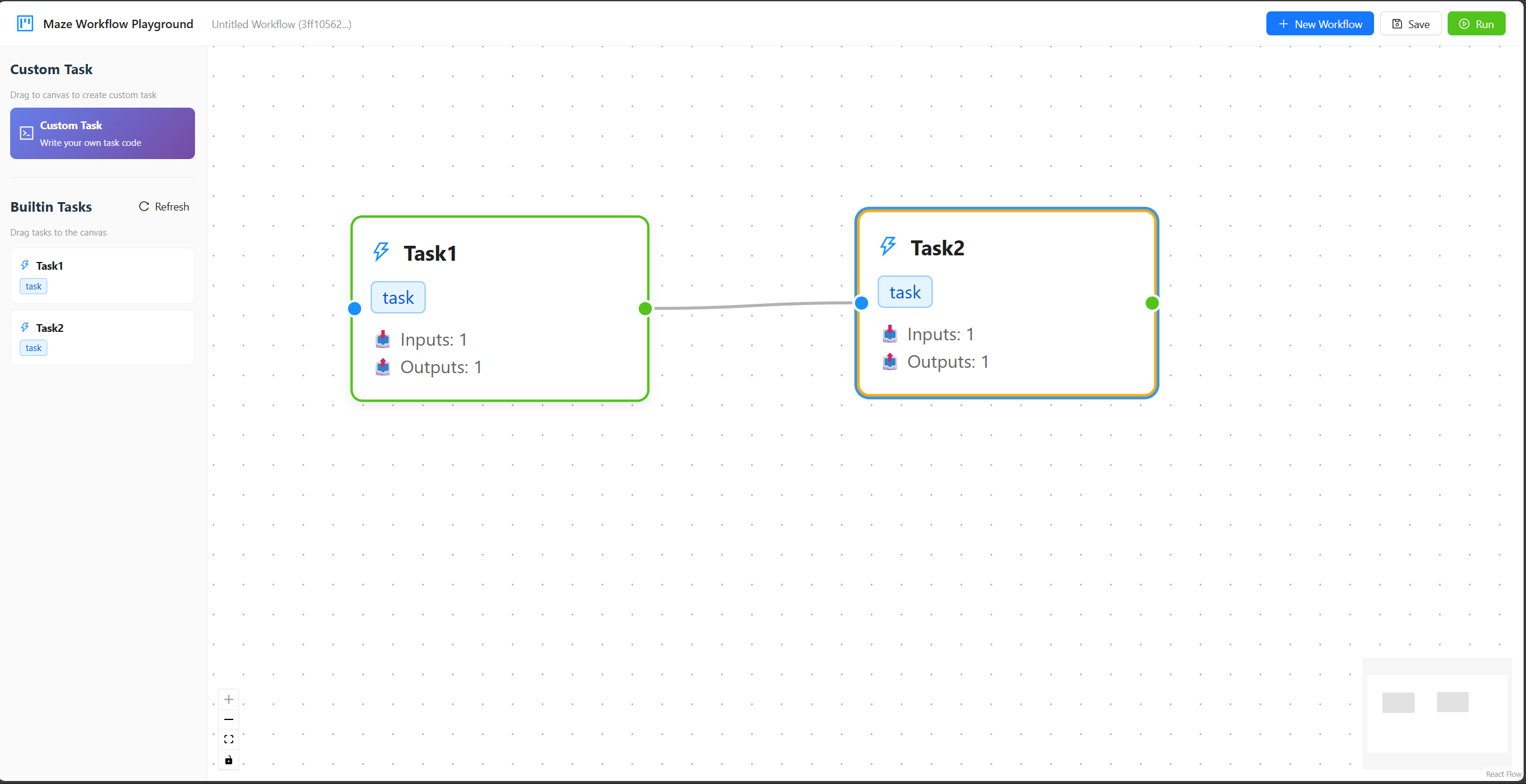
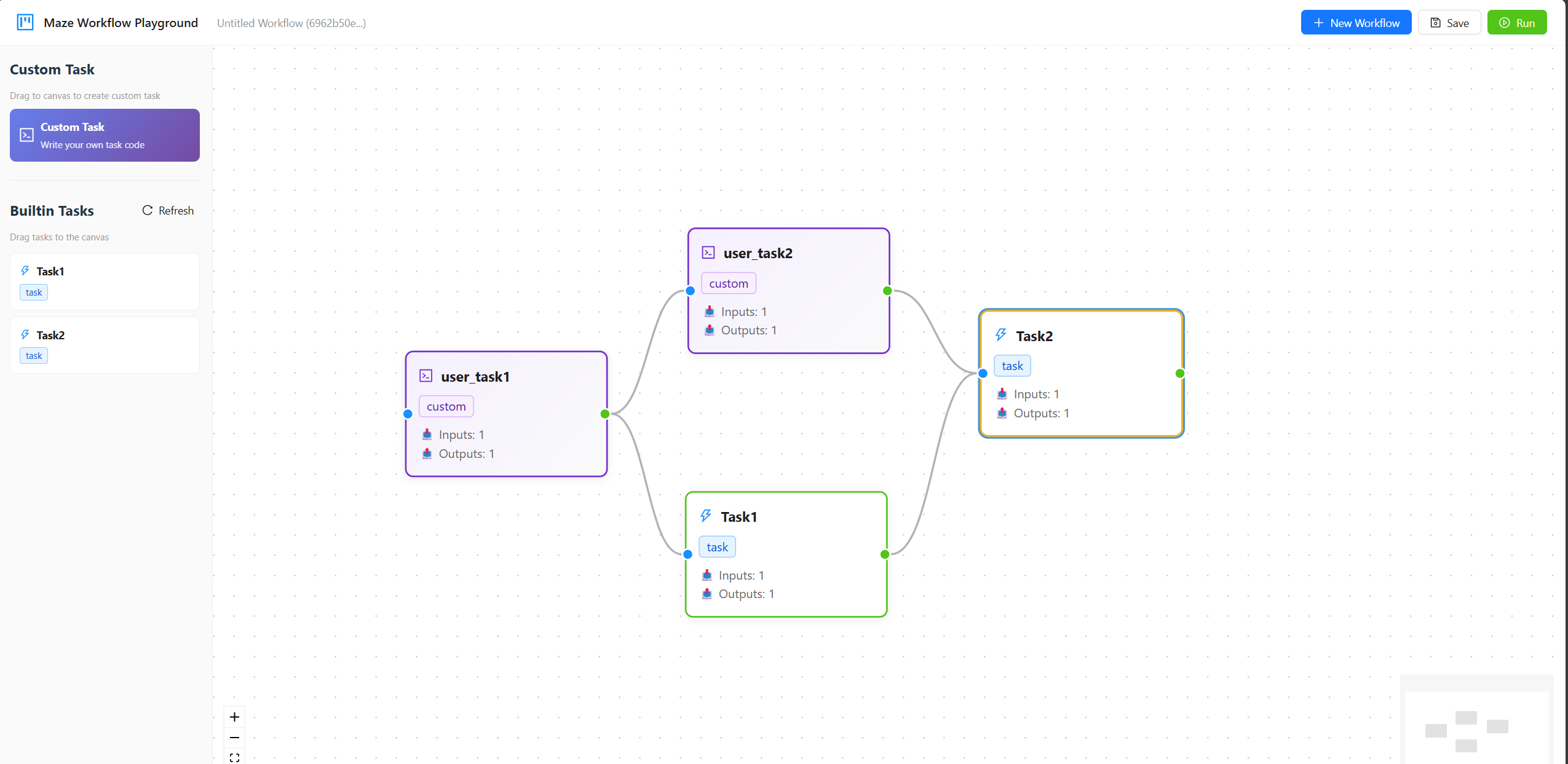
maze artifacts list <run_id> --server-url http://HEAD_IP:HEAD_PORTMaze Playground supports building workflows through a drag-and-drop interface, managing workspace files, generating workspace tasks from prompts, running ReAct workflow templates, and inspecting static, dynamic, and app runs in one Runs console. You can start the playground with the following command option.
maze start --head --port HEAD_PORT --playground
The sidebar separates reusable building blocks into workspace tasks, builtin workflows, and builtin tasks. The current builtin workflow template is ReAct Workflow. The builtin agent utility tasks include Write File, Read File, and Exec Code, which operate under workspace/files and allow ReAct agents to create helper scripts, inspect files, and execute Python code through Maze tasks. Online ReAct nodes include Max Tokens; ReAct nodes and the ReAct run modal include Task Timeout, which controls both per-task waits and the default Exec Code subprocess timeout while Maze derives the run-level safety timeout automatically. Long tool outputs are compacted before the next LLM turn, and malformed JSON decisions become repair observations that the agent can recover from.
The Runs console uses the unified run APIs to show history, run detail, task state, structured errors, placement, logs, cancel/retry actions, and artifacts for static, dynamic, ReAct, and app runs.
The top toolbar also includes a Cluster view for checking head/worker registration, Ray-only unregistered nodes, CPU availability, GPU availability, per-node GPU memory, queue snapshots, pending reasons, retry waits, timeouts, and scheduler reject reasons.
Here are two videos showing the process of using built-in tasks and uploading user-defined tasks in Maze Playground. For detailed usage instructions, please refer to the Maze Playground.
We thank contributors from Huazhong University of Science and Technology, Huawei, and other institutions for their support and contributions to this project.