



sonify “squeezes” seismic or infrasound signals into audible frequencies and creates animated spectrograms to accompany the audio. Data are pulled from any of the FDSN data centers available through the EarthScope fedcatalog web service.
sonify won an Honorable Mention in the 2020 SciPy John Hunter Excellence in Plotting Contest (JHEPC).
Install (this assumes that you've already installed uv, and that you've navigated to a target directory of your choosing)
uv venv --python 3.11
uv pip install git+https://github.com/liamtoney/sonify.git
This creates a
.venv/folder in the target directory with sonify and its dependencies installed.Run using the Python interpreter
uv run python
>>> from sonify import sonify
or via the command-line interface
uv run sonify --help
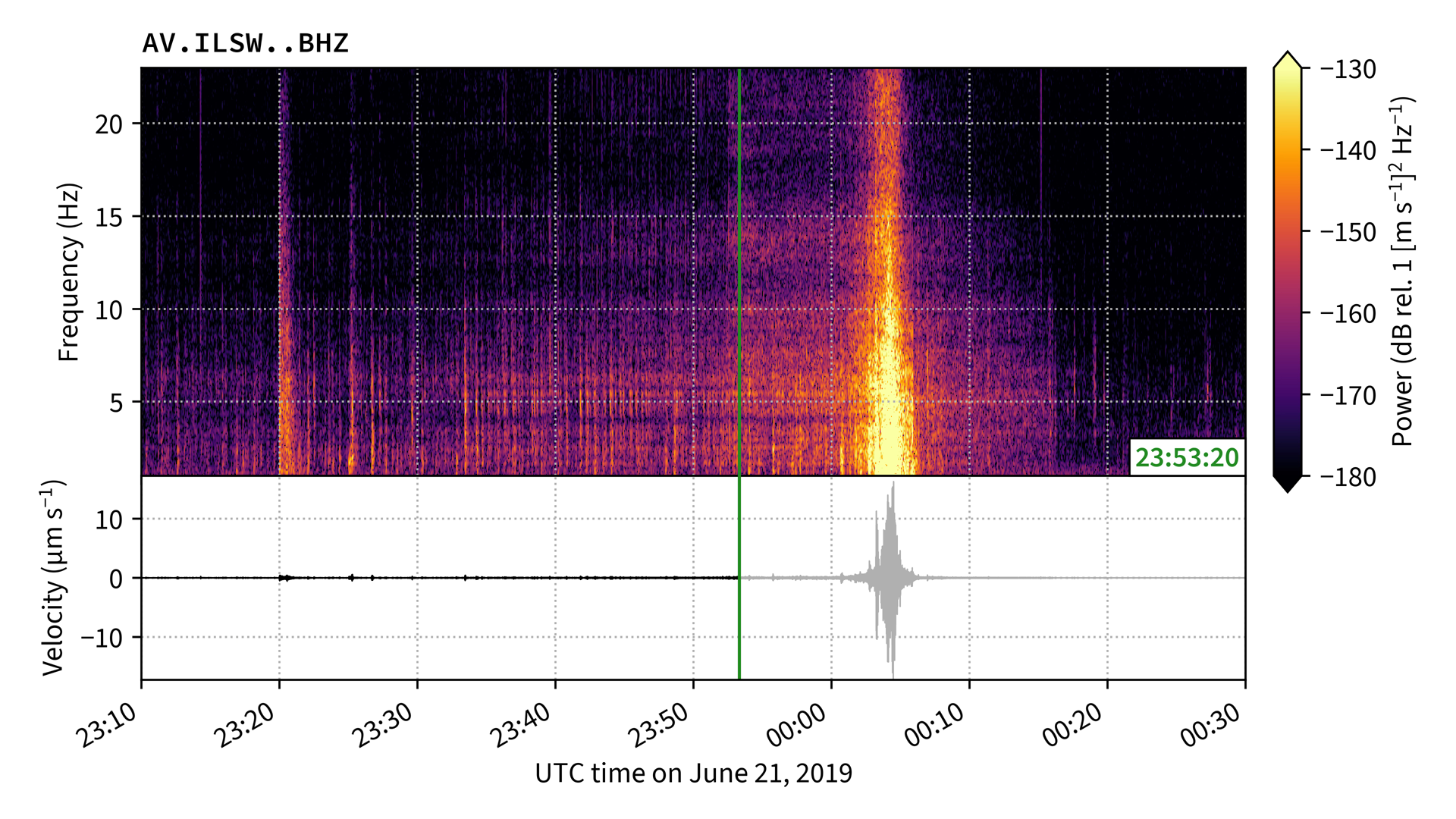
To make a movie of the seismic signal generated by a massive avalanche occurring in Alaska on 21 June 2019, sped up by a factor of 200:
from sonify import sonify
from obspy import UTCDateTime

sonify(
    network='AV',
    station='ILSW',
    channel='BHZ',
    starttime=UTCDateTime(2019, 6, 20, 23, 10),
    endtime=UTCDateTime(2019, 6, 21, 0, 30),
    freqmin=1,
    freqmax=23,
    speed_up_factor=200,
    fps=1,  # Use fps=60 to ~recreate the JHEPC entry (slow to save!)
    spec_win_dur=8,
    db_lim=(-180, -130),
)
Or (equivalently), via the command-line interface:
sonify AV ILSW BHZ 2019-06-20T23:10 2019-06-21T00:30 --freqmin 1 --freqmax 23 --speed_up_factor 200 --fps 1 --spec_win_dur 8 --db_lim -180 -130The result is a 4K 1fps video file named AV_ILSW_BHZ_200x.mp4. A screenshot
of the movie is shown at the top of this README.
Application programming interface (API) documentation for the module is available
here. For command-line
usage instructions, type uv run sonify --help (from the directory containing
.venv/).
To develop sonify, first clone this repository and navigate to the root directory. Then run
uv sync --all-groupsThis creates a .venv/ folder in the repository root with an editable sonify
and all of its dependencies — including those for development and documentation
— installed. You can view the various developer tasks available with uv run poe.
If you notice a bug with sonify (or if you'd like to request/propose a new
feature), please create an issue on GitHub (preferred) or email me at
liam@liam.earth. You are also welcome to create a pull request.
Please don't allow imposter syndrome to obstruct you from
contributing your valuable ideas and skills to this project — I'm happy to help
you contribute in any way I can.