
A JavaScript library for reducing, tone-mapping, and dithering images for color e-paper displays.
E-paper displays have a much smaller reproducible color range than LCD/OLED screens. This library converts images into calibrated palette colors that better match the measured appearance of a target display, then maps those calibrated colors back to the native device colors needed for export.
We use it for our eInk picture frames at paperlesspaper.
The library works in browser JavaScript with the Canvas API and in Node.js when used with node-canvas.
You can order our Spectra 6 eInk picture frame here.

- Spectra 6
- AcEP / Gallery
- Custom palettes
Built-in palette exports currently include:
defaultPalettespectra6Palettespectra6legacyPaletteaitjcizeSpectra6PaletteacepPalettegameboyPalette
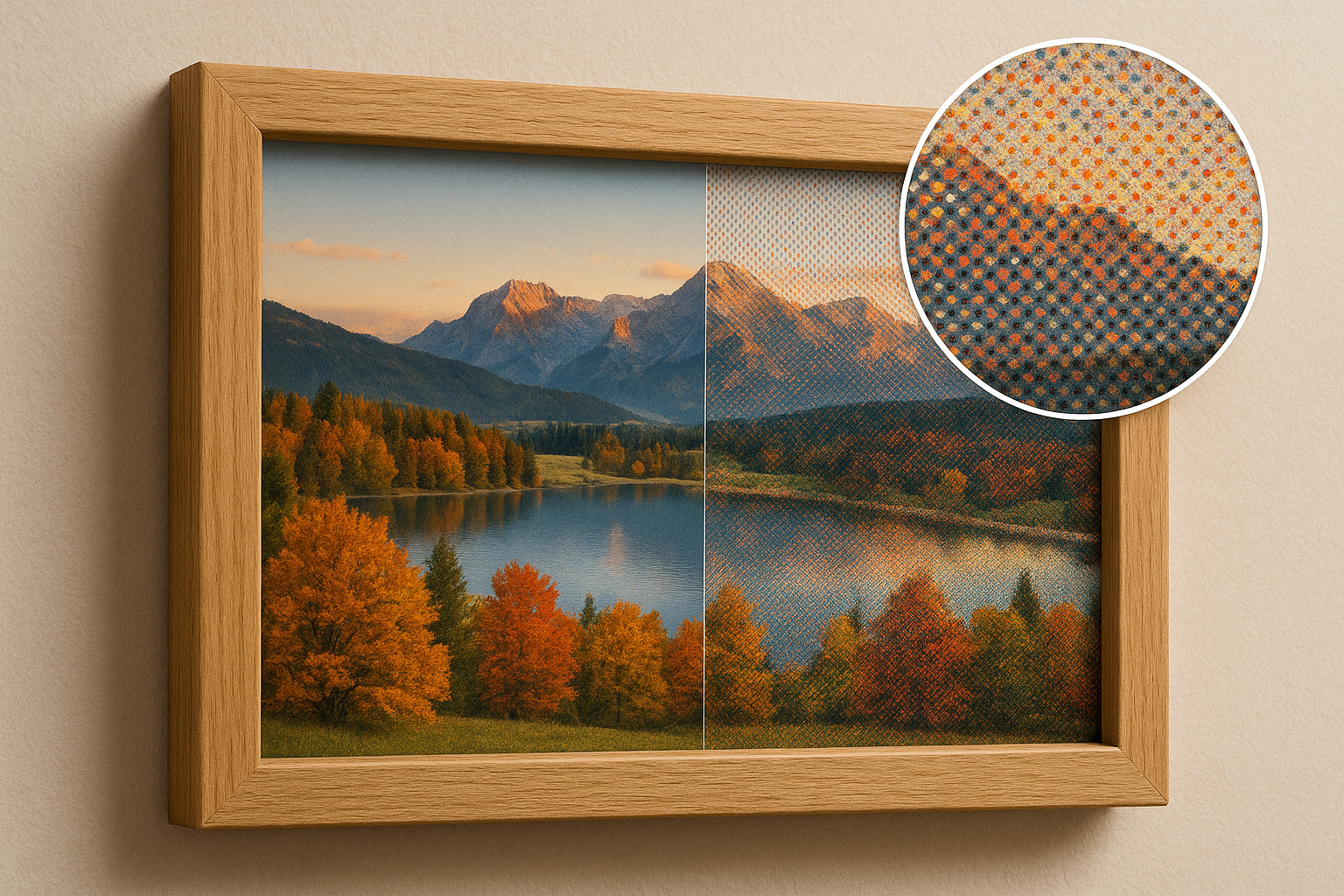
- Calibrated display palettes: Dither against measured display colors, then export native device colors.
- Single palette config: Palette entries contain
name,color, anddeviceColor. - Multiple dithering modes: Error diffusion, ordered dithering, random dithering, and quantization-only conversion.
- Advanced tone mapping: Exposure, saturation, contrast, and S-curve controls inspired by epaper-image-convert.
- Dynamic range compression: LAB lightness remapping into the target display range.
- Color matching modes: RGB or LAB palette matching.
- Automatic processing suggestions: Heuristically classify the image, score presets, and suggest dither options for the selected palette.
- Interactive demo: Sample images, palette previews, automatic/manual processing controls, downloads, compact config JSON, and copyable JS example.
npm install epdoptimize<canvas id="inputCanvas"></canvas>
<canvas id="ditheredCanvas"></canvas>
<canvas id="deviceCanvas"></canvas>import { ditherImage, replaceColors, spectra6Palette } from "epdoptimize";
const inputCanvas = document.getElementById("inputCanvas");
const ditheredCanvas = document.getElementById("ditheredCanvas");
const deviceCanvas = document.getElementById("deviceCanvas");
await ditherImage(inputCanvas, ditheredCanvas, {
palette: spectra6Palette,
processingPreset: "balanced",
ditheringType: "errorDiffusion",
errorDiffusionMatrix: "floydSteinberg",
serpentine: true,
});
replaceColors(ditheredCanvas, deviceCanvas, spectra6Palette);ditherImage uses each entry's calibrated color value. replaceColors then maps every matching color to its corresponding deviceColor.
If you do not want to choose a preset manually, use the auto recommender. It analyzes the source image and target palette, then returns concrete ditherOptions plus the reasons behind the choice.
import {
  ditherImage,
  replaceColors,
  spectra6Palette,
  suggestCanvasProcessingOptions,
} from "epdoptimize";

const suggestion = suggestCanvasProcessingOptions(inputCanvas, spectra6Palette);

await ditherImage(inputCanvas, ditheredCanvas, {
  ...suggestion.ditherOptions,
  palette: spectra6Palette,
});

replaceColors(ditheredCanvas, deviceCanvas, spectra6Palette);

console.log(suggestion.imageKind);
console.log(suggestion.reasons);
The optional intent can steer the recommendation:
const suggestion = suggestCanvasProcessingOptions(inputCanvas, spectra6Palette, {
  intent: "readable",
});
Available intents are natural, vivid, readable, faithful, and lowNoise.
Palettes live in src/dither/data/default-palettes.json. Each palette is an array of entries:
{
  "spectra6": [
    { "name": "black", "color": "#1F2226", "deviceColor": "#000000" },
    { "name": "white", "color": "#B9C7C9", "deviceColor": "#FFFFFF" },
    { "name": "blue", "color": "#233F8E", "deviceColor": "#0000FF" },
    { "name": "green", "color": "#35563A", "deviceColor": "#00FF00" },
    { "name": "red", "color": "#62201E", "deviceColor": "#FF0000" },
    { "name": "yellow", "color": "#C1BB1E", "deviceColor": "#FFFF00" }
  ]
}
The fields mean:
name: Stable role used to align palette colors with device colors.color: Calibrated display appearance used for dithering and color matching.deviceColor: Native output color sent to the display.
You can pass one combined palette to both ditherImage and replaceColors.
Built-in palettes are exported as combined palette entries, so the same import can be passed to both ditherImage and replaceColors.
import {
  ditherImage,
  replaceColors,
  aitjcizeSpectra6Palette,
} from "epdoptimize";

await ditherImage(inputCanvas, ditheredCanvas, {
  palette: aitjcizeSpectra6Palette,
  processingPreset: "dynamic",
});

replaceColors(ditheredCanvas, deviceCanvas, aitjcizeSpectra6Palette);
This is the same pattern used by the demo's generated JS example.
For a display-ready conversion, define entries with both calibrated colors and native device colors:
const myPalette = [
  { name: "black", color: "#1c1f22", deviceColor: "#000000" },
  { name: "white", color: "#d8d8d2", deviceColor: "#FFFFFF" },
  { name: "red", color: "#7f1d1d", deviceColor: "#FF0000" },
  { name: "yellow", color: "#c8b72c", deviceColor: "#FFFF00" },
];

await ditherImage(inputCanvas, ditheredCanvas, {
  palette: myPalette,
  colorMatching: "lab",
});

replaceColors(ditheredCanvas, deviceCanvas, myPalette);
If you only need a dithered preview and do not need device color replacement, palette can also be a plain hex array:
await ditherImage(inputCanvas, ditheredCanvas, {
  palette: ["#000000", "#FFFFFF", "#FF0000"],
});The demo exposes a compact JSON config and a matching JS example. The generated config includes the selected palette export name and only the dither options that differ from defaults or preset values. When the demo's Auto preset is selected, Auto is resolved into concrete ditherOptions.
import { ditherImage, replaceColors, spectra6Palette } from "epdoptimize";

const config = {
  palette: "spectra6Palette",
  ditherOptions: {
    processingPreset: "dynamic",
    errorDiffusionMatrix: "stucki",
  },
};

const palette = spectra6Palette;

await ditherImage(inputCanvas, ditheredCanvas, {
  ...config.ditherOptions,
  palette,
});

replaceColors(ditheredCanvas, deviceCanvas, palette);Reads pixels from sourceCanvas, processes and dithers them, then writes to destinationCanvas.
await ditherImage(sourceCanvas, destinationCanvas, options);Maps dithered calibrated palette colors to native device colors.
replaceColors(ditheredCanvas, deviceCanvas, palette);The preferred palette argument is:
Array<{
  name: string;
  color: string;
  deviceColor: string;
}>;Heuristically classifies image data as a photo or illustration and reports a
more specific kind, such as lowContrastPhoto, flatIllustration,
textOrUi, lineArt, or pixelArt. The result includes a confidence value
and the metrics used for the decision. It also returns kindScores so callers
can react to ambiguous images instead of relying only on the top label.
import { classifyImageStyle } from "epdoptimize";

const result = classifyImageStyle(ctx.getImageData(0, 0, width, height));

if (result.style === "photo") {
  // use photo-oriented processing
}
The metrics include color distribution (topColorCoverage, paletteEntropy),
edge structure (edgeDensity, horizontalEdgeRatio, verticalEdgeRatio), and
tile ratios (photoTileRatio, flatTileRatio, textTileRatio,
gradientTileRatio).
For canvas input, use classifyCanvasImageStyle(canvas, options).
Result shape:
{
  style: "photo" | "illustration" | "unknown";
  kind:
    | "photo"
    | "lowContrastPhoto"
    | "highContrastPhoto"
    | "flatIllustration"
    | "lineArt"
    | "textOrUi"
    | "pixelArt"
    | "unknown";
  kindScores: Record<string, number>;
  confidence: number;
  photoScore: number;
  metrics: ImageStyleMetrics;
}Suggests processing options from the image classification and the target palette.
The result includes the classification, recommended ditherOptions, preset
scores, and human-readable reasons.
import {
  ditherImage,
  replaceColors,
  spectra6Palette,
  suggestCanvasProcessingOptions
} from "epdoptimize";

const suggestion = suggestCanvasProcessingOptions(inputCanvas, spectra6Palette);

await ditherImage(inputCanvas, ditheredCanvas, {
  ...suggestion.ditherOptions,
  palette: spectra6Palette
});

replaceColors(ditheredCanvas, deviceCanvas, spectra6Palette);
The optional intent can be natural, vivid, readable, faithful, or
lowNoise.
Result shape:
{
  classification: ImageStyleClassification;
  imageKind: ImageKind;
  intent: AutoProcessingIntent;
  ditherOptions: Partial<DitherImageOptions>;
  reasons: string[];
  scores: Record<string, number>;
}import {
defaultPalette,
gameboyPalette,
spectra6legacyPalette,
spectra6Palette,
aitjcizeSpectra6Palette,
acepPalette,
} from "epdoptimize";Each export is an array of { name, color, deviceColor } entries.
Named palette imports are preferred for new code. The lower-level helpers remain available when you need raw color arrays:
import {
  getDefaultPalettes,
  getDeviceColors,
  getDeviceColorsForPalette,
} from "epdoptimize";getDefaultPalettes(name): Returns calibratedcolorhex values.getDeviceColors(name): Returns nativedeviceColorhex values.getDeviceColorsForPalette(paletteName, deviceColorsName): Returns device colors aligned to another palette's role order.
import {
  getProcessingPreset,
  getProcessingPresetNames,
  getProcessingPresetOptions,
} from "epdoptimize";getProcessingPreset(name): Returns the full preset definition.getProcessingPresetNames(): Returns preset names.getProcessingPresetOptions(): Returns{ value, title, description }options for UI controls.
| Option | Type | Default | Description |
|---|---|---|---|
palette |
string / string[] / palette entries | "default" |
Palette to use for quantization. Prefer a built-in palette export or combined palette entries with color and deviceColor; plain hex arrays work for dither-only previews. |
processingPreset |
string | undefined |
Preset name. Options: balanced, dynamic, vivid, soft, grayscale. Presets fill tone mapping, dynamic range compression, color matching, and diffusion defaults unless overridden. Use suggestProcessingOptions for automatic selection. |
ditheringType |
string | "errorDiffusion" |
Main dithering mode. Options: errorDiffusion, ordered, random, quantizationOnly. |
errorDiffusionMatrix |
string | "floydSteinberg" |
Error diffusion kernel. Options include floydSteinberg, atkinson, falseFloydSteinberg, jarvis, stucki, burkes, sierra3, sierra2, sierra2-4a. |
algorithm |
string | undefined |
Backwards-compatible alias for errorDiffusionMatrix. |
serpentine |
boolean | false |
Alternates scan direction on each row for error diffusion. |
orderedDitheringType |
string | "bayer" |
Type of ordered dithering. Currently bayer. |
orderedDitheringMatrix |
[number, number] | [4, 4] |
Size of the Bayer matrix for ordered dithering. |
randomDitheringType |
string | "blackAndWhite" |
Random mode. Options: blackAndWhite, rgb. |
colorMatching |
string | "rgb" |
Palette distance model. Options: rgb, lab. |
toneMapping |
object | undefined |
Exposure, saturation, contrast, or S-curve preprocessing. |
dynamicRangeCompression |
object / boolean | undefined |
LAB lightness compression. Use { mode: "display" }, { mode: "auto" }, or { mode: "off" }. |
levelCompression |
object | undefined |
Optional legacy/preprocessing range remap with perChannel or luma mode. |
sampleColorsFromImage |
boolean | false |
Reserved for image-derived palettes. |
numberOfSampleColors |
number | 10 |
Number of colors to sample when image-derived palettes are enabled. |
Tone mapping runs before palette matching.
await ditherImage(inputCanvas, ditheredCanvas, {
  palette,
  toneMapping: {
    mode: "scurve",
    exposure: 1.1,
    saturation: 1.4,
    strength: 0.8,
    shadowBoost: 0.1,
    highlightCompress: 1.4,
    midpoint: 0.5,
  },
});
Tone mapping options:
mode:off,contrast, orscurve.exposure: Multiplies brightness before tone shaping.saturation: Multiplies color saturation.contrast: Contrast multiplier forcontrastmode.strength: S-curve strength forscurvemode.shadowBoost: Lifts dark values inscurvemode.highlightCompress: Compresses bright values inscurvemode.midpoint: S-curve midpoint.
Dynamic range compression remaps LAB lightness into the display palette range. This can keep photos from crushing into black/white too early on limited-color e-paper displays.
await ditherImage(inputCanvas, ditheredCanvas, {
  palette,
  dynamicRangeCompression: {
    mode: "auto",
    strength: 0.85,
    lowPercentile: 0.01,
    highPercentile: 0.99,
  },
});
Modes:
off: Disable dynamic range compression.display: Compress into the lightness range of the selected palette.auto: Uses percentile clipping before compression.
Dithering creates the impression of intermediate colors by distributing quantization errors across neighboring pixels.
| Algorithm | Description |
|---|---|
floydSteinberg |
Classic Floyd-Steinberg error diffusion. Distributes error to four neighbors. |
atkinson |
Atkinson diffusion. Lighter diffusion pattern with a distinctive high-contrast look. |
falseFloydSteinberg |
Simplified Floyd-Steinberg. Faster, slightly different texture. |
jarvis |
Jarvis, Judice, and Ninke. Smooth gradients, more blur. |
stucki |
Similar to Jarvis with different weights. Balances smoothness and sharpness. |
burkes |
Simplified Stucki. Fewer neighbors and less computation. |
sierra3 |
Sierra-3. High quality with less blur than Jarvis. |
sierra2 |
Reduced Sierra-3. Fewer neighbors and faster processing. |
sierra2-4a |
Lightweight Sierra variant for speed-sensitive conversions. |
- Load pixels from the source canvas.
- Apply optional tone mapping and dynamic range compression.
- Quantize or dither pixels into the calibrated palette
colorvalues. - Use
replaceColorsto replace calibratedcolorvalues with nativedeviceColorvalues. - Export the device-color canvas as PNG or another format.
- paperlesspaper
- Interactive demo
- epaper-image-convert, the reference project for several tone mapping, range compression, and palette ideas.
Contributions and feedback are welcome.