
let's play!





Warning
This library is in early development and the API is subject to change without deprecation. Feedback and contributions are very welcome!
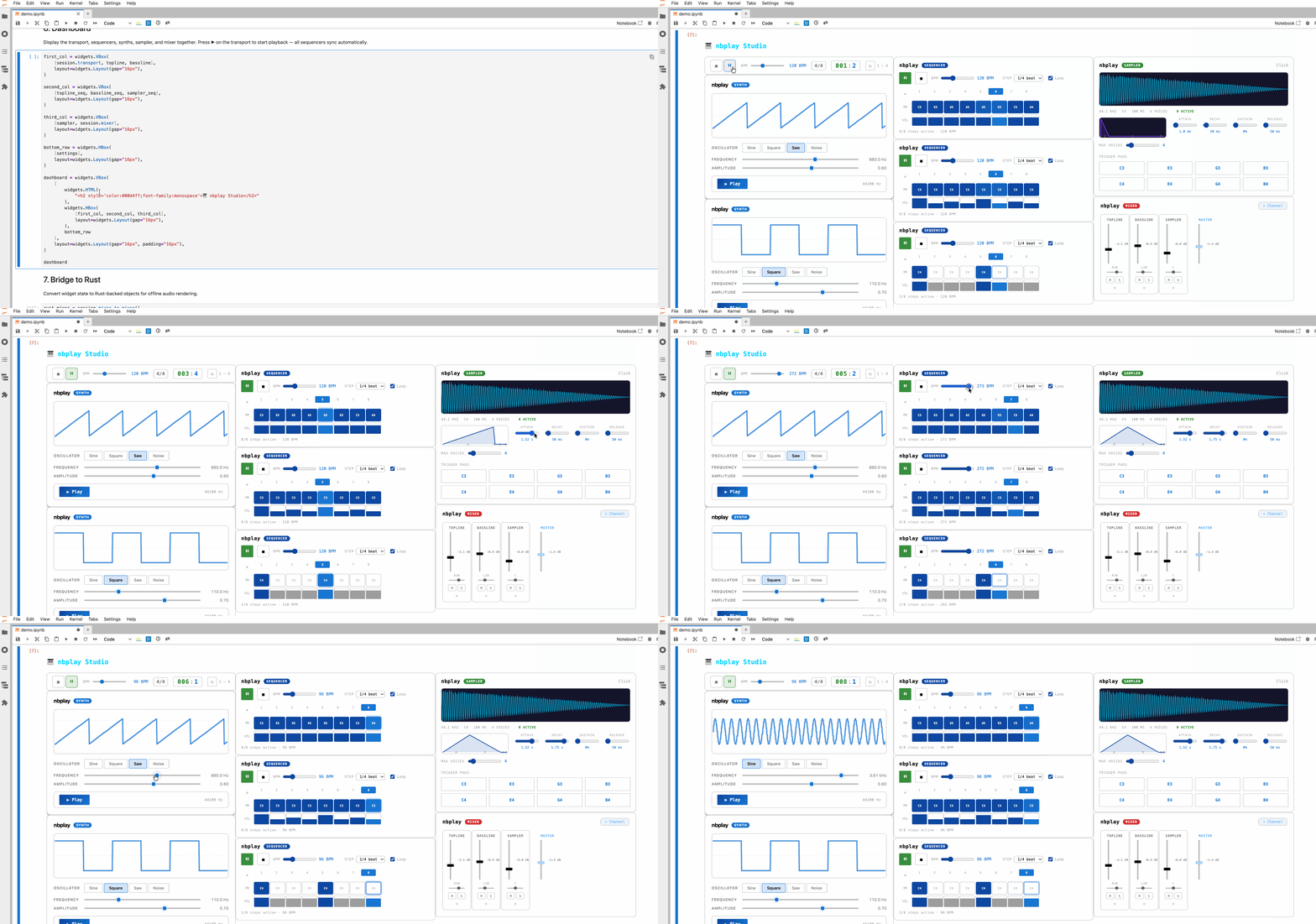
Try it in your browser: the live demo runs the example notebooks on JupyterLite with nbplay compiled to WebAssembly. Nothing to install; open a notebook and run it top to bottom. The web app runs a demo session the same way, as a page of panels with no notebook.
nbplay is a set of Jupyter widgets that together form a small DAW in the
browser: synths, samplers, step sequencers, a QWERTY and a MIDI keyboard,
trigger pads, a transport, a multitrack timeline that records audio and MIDI,
a clip launcher, and a mixer. Every widget in a session follows one clock that
lives in the browser, so play, seek, and tempo changes never wait on the
kernel. The widgets are spaday widgets on
transports models, with no extension to
install; they work in JupyterLab, Notebook, VS Code, Voila, and JupyterLite. A
session can be saved to a .nbplay archive and loaded back:
session.timeline.export_all_clips()   # pull recorded takes from the browser
# ... once session.timeline.pending_exports == 0
session.save("song.nbplay")
session = nb.Session.load("song.nbplay")
Mixer channels and the master bus have Web Audio insert chains with built-in gain, filter, compressor, limiter, delay, and reverb effects; you can register your own browser plugin factories as well. Effect descriptors must be JSON-safe, and the built-in effect names are reserved. When Web Audio or Web MIDI is unavailable the widgets still render and their controls keep working; they are silent until the browser provides those APIs.
import nbplay as nb

session = nb.Session(bpm=120, theme="studio")   # or "flat", "cube", "one", "grim", "pro", "fruit"; "" follows Jupyter
drums = session.add_track("Drums", nb.SequencerWidget(num_voices=2), nb.SamplerWidget())
vocals = session.add_track("Vocals", armed=True)      # microphone lane
keys = session.add_track("Keys", input="midi", armed=True)  # records note events

session.mixer.add_channel_effect(
    drums.mixer_channel,
    nb.EffectPlugin("compressor", threshold=-18, ratio=4),
)
session.mixer.add_master_effect(nb.EffectPlugin("limiter", threshold=-1))

session.timeline.length = 64
session.timeline.count_in_bars = 1
session.launcher.add_scene("Intro")
session.launcher.set_slot(drums.mixer_channel, 0, drums.sequencer, name="Beat")

session.play()   # or press play on any widget; they share the clock
Song structure comes from named patterns: session.add_pattern("verse", drums.sequencer), then session.chain(drums, ["verse", "verse", "chorus"]) lays them out as clips on the track's timeline lane, and the sequencer stops looping on its own so the arrangement drives it.
Each widget hosts a validated config model in the kernel (synth.config.frequency = 220.0,
seq.config.length) and, where the browser owns state, a status model it only reads
(session.transport.status.is_playing). Edits made in the browser are validated by the same model
before they land, and widget.on_change(listener, names=...) reports changes from either side.
session.play(), launcher.launch(0, 0) or midi_out.note_on(60) is a transports command delivered
to the browser widget that owns the state.
Samplers hold one main sample plus zones, each mapping a key and velocity range to its own audio: sampler.add_zone_file("kick.wav", 36, 36), or press Rec in the sampler to record the microphone straight onto a pad, or sampler.capture_clip(session.timeline, clip_id, pad=0) to move a recorded take onto one.
MidiOutputWidget sends what the session plays to a hardware synth or another app over Web MIDI, and MidiLearn maps hardware knobs to widget config fields (MidiLearn(midi_keyboard).learn(synth, "frequency", low=100, high=2000), then turn a knob). The session can lead external gear with MIDI clock (send_clock on the output widget) or follow a device's clock (sync_clock on the MIDI keyboard). Patterns and MIDI clips move in and out of .mid files (pip install "nbplay[midi]"): sequencer.to_midi("lead.mid"), sequencer.load_midi(path),
session.export_midi("song.mid"), and session.import_midi(path).
Sequencers, launcher slots, and MIDI clips play through the track's own instrument, a sampler or a synth, with the built-in oscillator only as a fallback. Every change to a session widget is undoable: session.undo() and session.redo(), or Ctrl/Cmd+Z and Ctrl/Cmd+Shift+Z with the transport focused. Adding and removing tracks is the exception.
The example notebooks in examples/ walk through each widget and end with a
full DAW playground and the beats view.
The same session runs outside Jupyter as a web app with the instruments in
resizable panels: pip install "nbplay[app]", then python -m nbplay.app and
open http://127.0.0.1:8020. nbplay.app.build(session) serves your own session
with one WebSocket per instrument.
Note
This library was generated using copier from the Base Python Project Template repository.