Tip
🇷🇺 Русская версия: EXTRAS.ru.md
The complete reference for all 51 lazyvimx extras.
- Overview
- Core Modules
- UI (22)
- Coding (2)
- Motions (6)
- Buf (4)
- Git (4)
- Lang (4)
- Linting (2)
- Colorschemes (1)
- DAP (1)
- Perf (4)
- Test (1)
- Summary Table
An extra is an optional module with a ready-made plugin or behavior setup on top of LazyVim.
Each one can be enabled individually: via the :LazyExtras UI (the lazyvimx section is
marked with the icon) or with an import in your config.
Via UI:
:LazyExtrasVia config:
{ import = "lazyvimx.extras.<category>.<name>" }Enable everything:
{ import = "lazyvimx.extras.core.all" }Core modules aren't features — they're bundles that pull in sets of other extras, overrides, and keymaps.
Import: lazyvimx.extras.core.all
All of lazyvimx: overrides, every extra, colorschemes, and custom keymaps.
Includes:
core.colorschemes— additional colorschemescore.overrides— all 40 overridescore.extras— all 49 extras from the registrycore.keys— custom keymaps
On startup it also checks whether the recommended LazyVim extras are enabled and shows a
notification if something is missing: coding.mini-surround, coding.yanky, ui.edgy,
ui.treesitter-context.
Import: lazyvimx.extras.core.overrides
Recommended: yes
All plugin overrides — 40 modules across 4 categories:
- LazyVim (10 modules)
- Snacks.nvim (9 modules)
- Bufferline (6 modules)
- other plugins (15 modules)
More in Architecture.
Import: lazyvimx.extras.core.extras
The registry of all 49 feature extras (every category except colorschemes) — one import
instead of forty-nine. ui.better-progressbar from the registry is enabled only under
Ghostty (TERM=xterm-ghostty).
Import: lazyvimx.extras.core.colorschemes
Additional colorschemes. Currently includes one extra — colorschemes.nord.
Import: lazyvimx.extras.core.keys
Custom keymaps for lazyvimx features. Keymaps are bound to plugins: if a plugin isn't installed, its keymaps simply don't appear.
The full list is in Keybindings.
Extras that improve the look and the interface.
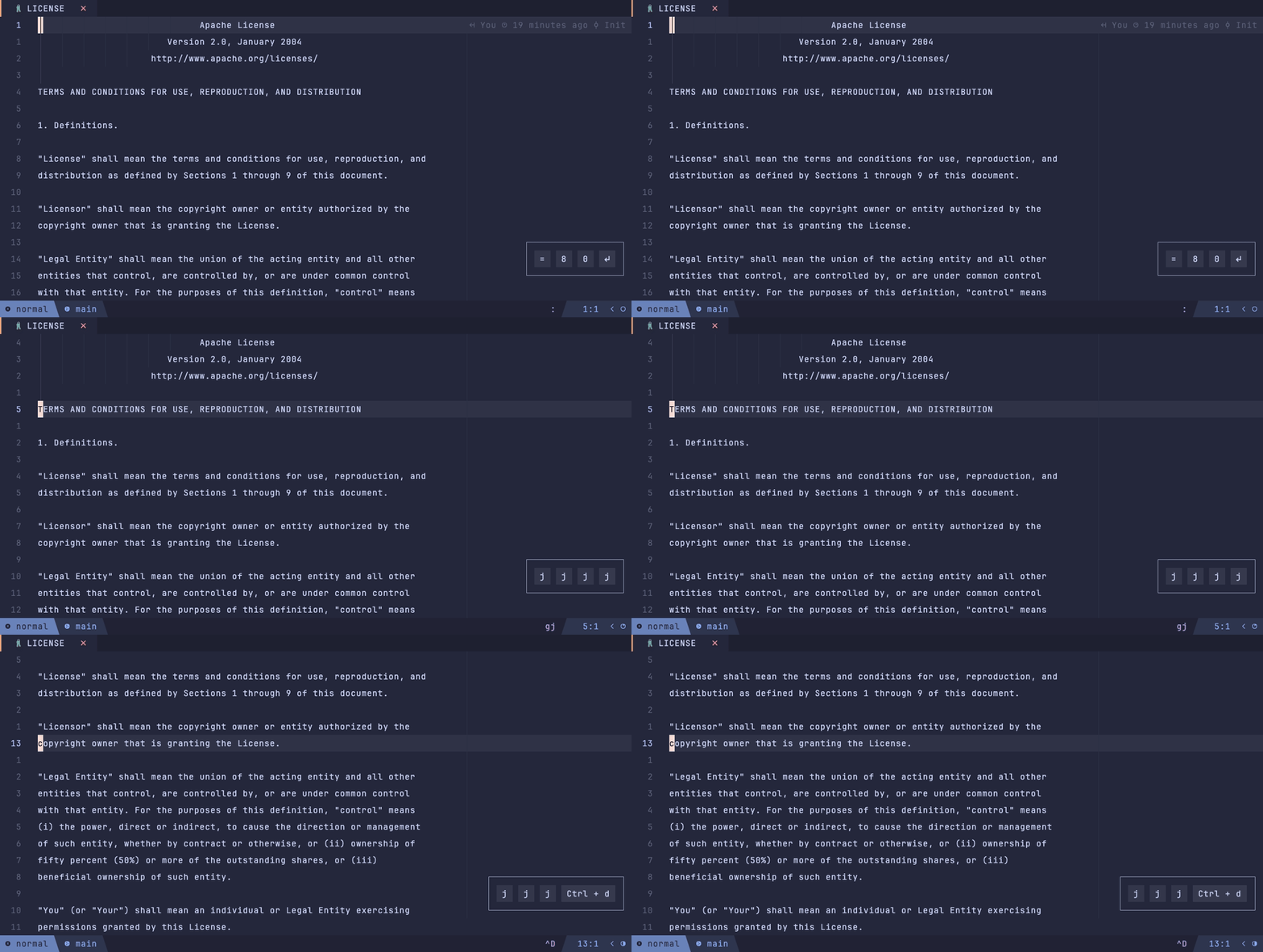
Import: lazyvimx.extras.ui.better-colorcolumn
A vertical guide at column 120 — drawn as a virtual │ character instead of a filled
column.
Plugin: lukas-reineke/virt-column.nvim
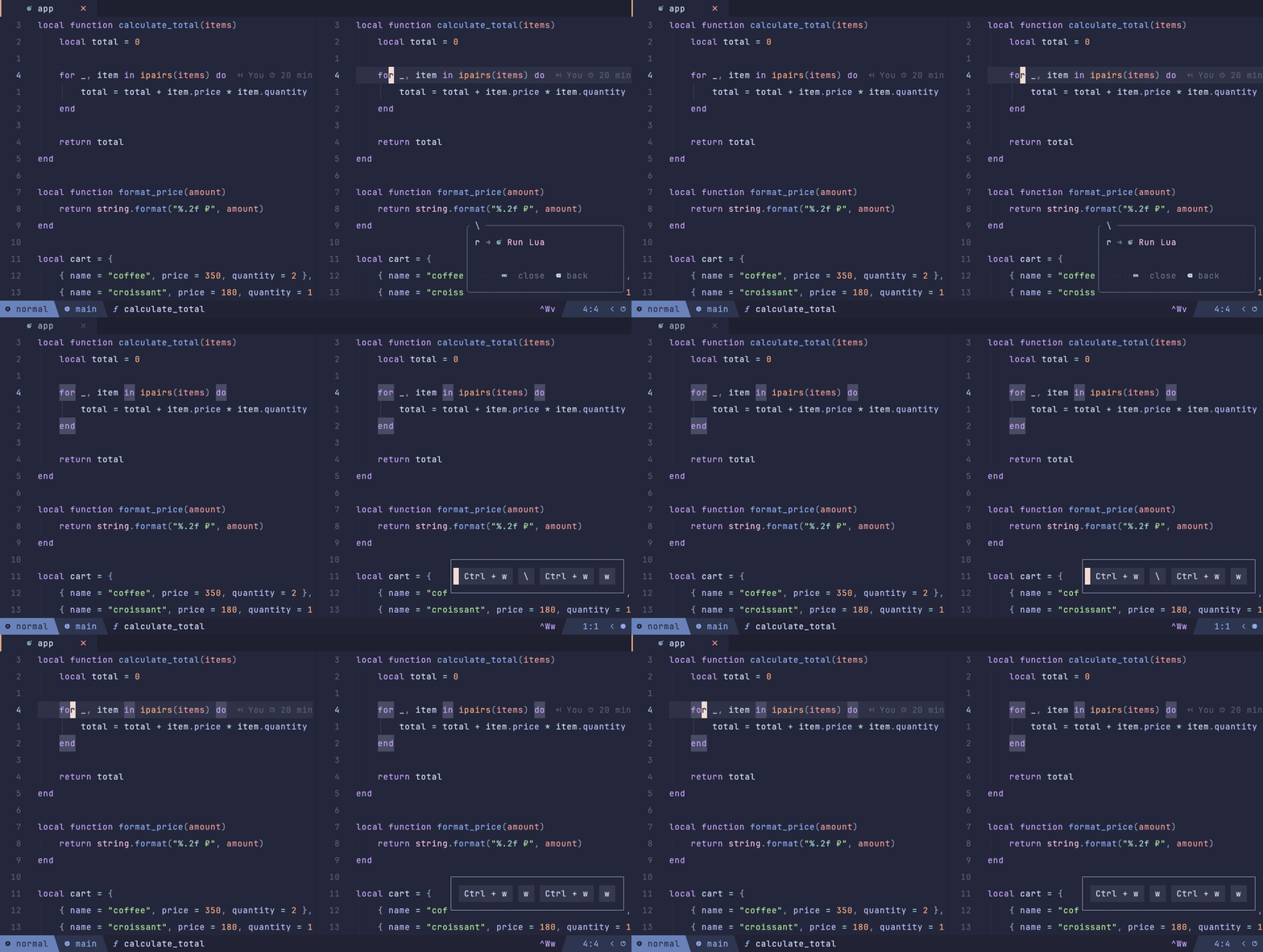
Import: lazyvimx.extras.ui.better-cursorline
Cursorline only in the active window; the line number is always highlighted. Special buffers (dashboard, neo-tree, terminals, etc.) are excluded.
Plugin: tummetott/reticle.nvim
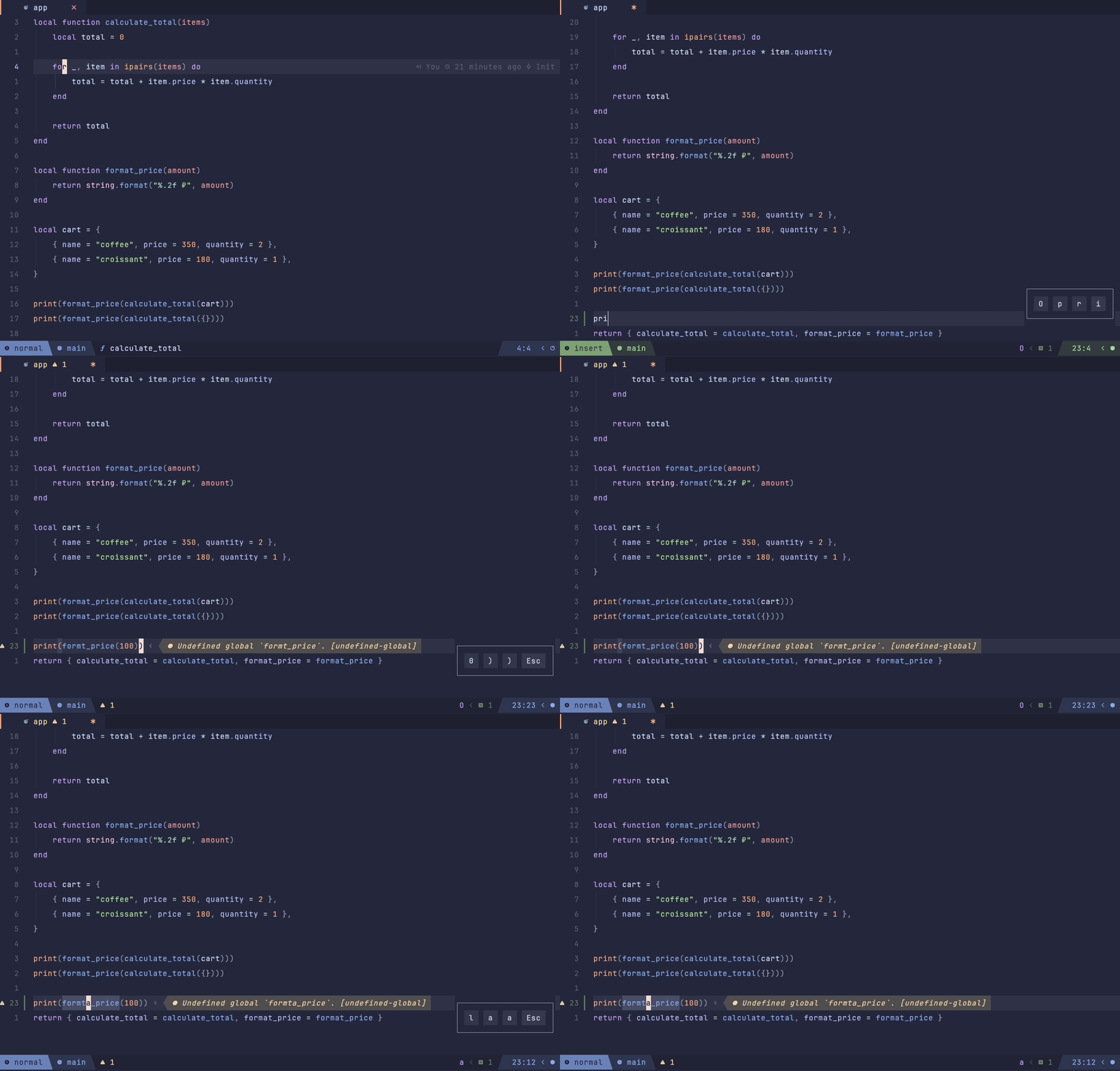
Import: lazyvimx.extras.ui.better-diagnostic
Single-line diagnostics at the cursor — with icons, colors, and custom arrows. Native virtual text is disabled.
Plugin: rachartier/tiny-inline-diagnostic.nvim
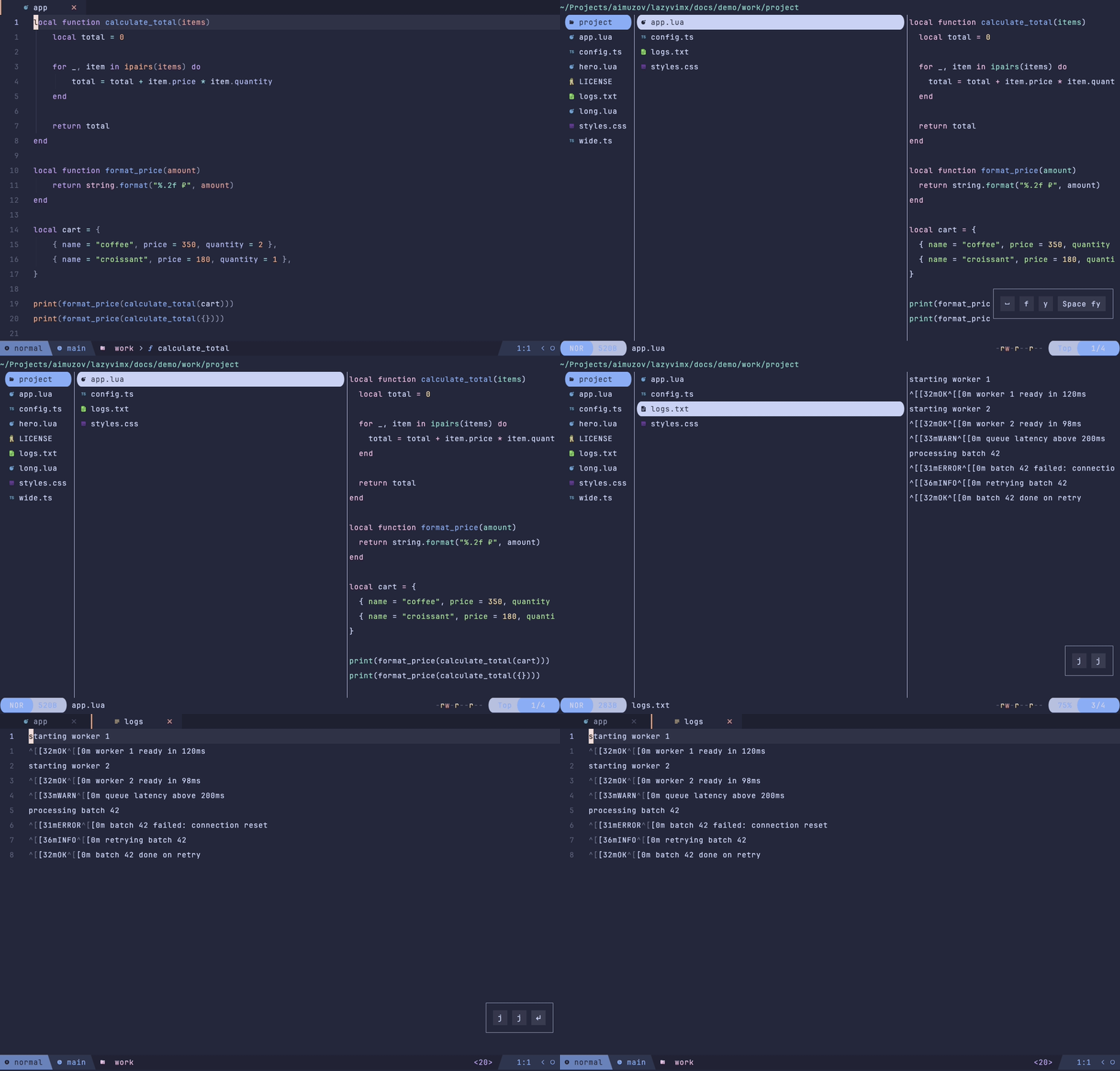
Import: lazyvimx.extras.ui.better-explorer
The Yazi file manager, full-screen, borderless, with rich file previews.
Plugin: mikavilpas/yazi.nvim
Keymaps: <leader>fy — open Yazi, <leader>fY — open the previous Yazi session (via
core.keys).
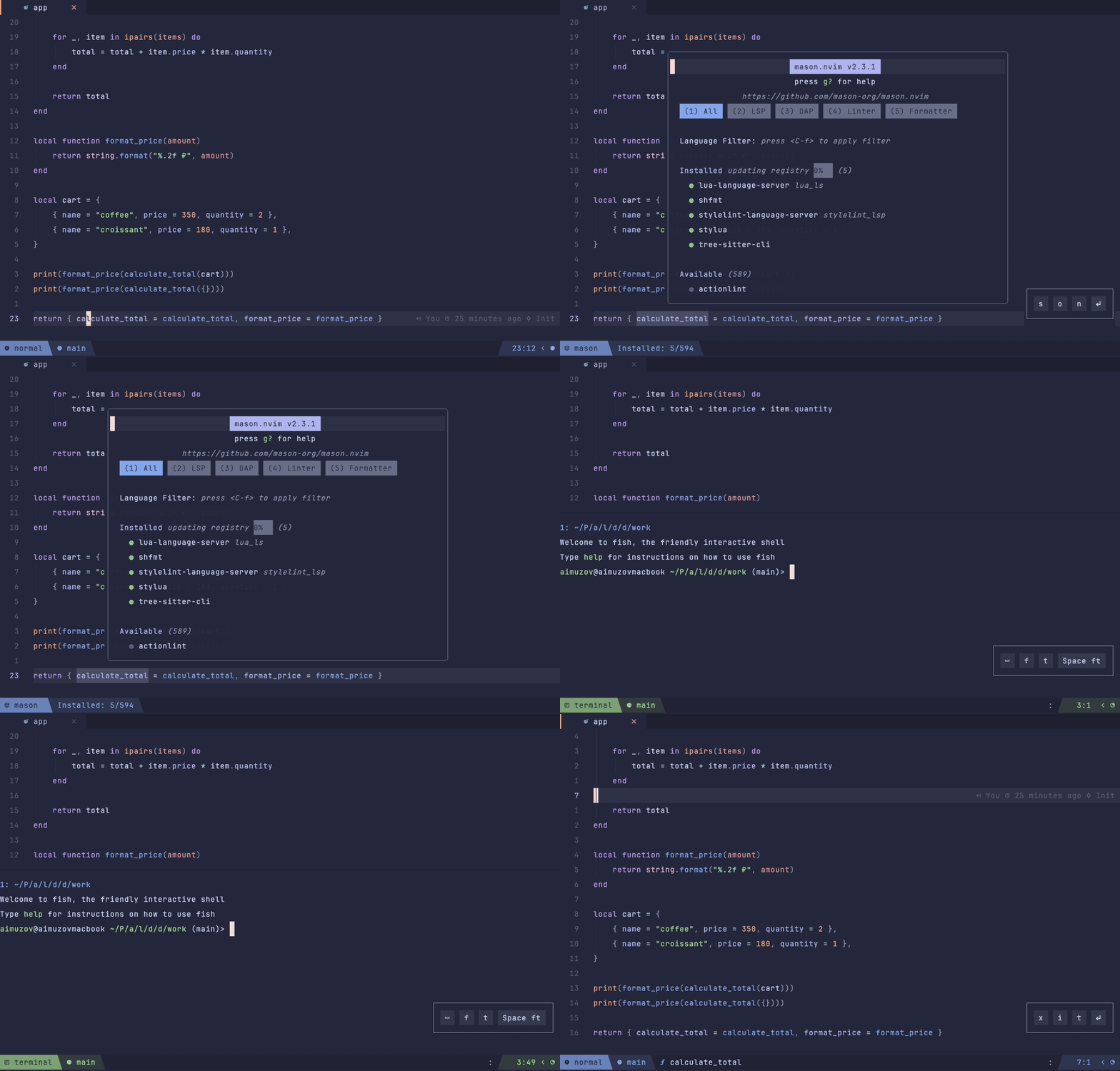
Import: lazyvimx.extras.ui.better-float
One style for floating windows: rounded borders and consistent sizes for DAP UI, gitsigns, Mason, LSP windows, neo-tree, noice, Snacks terminals, lazygit, and fzf-lua.
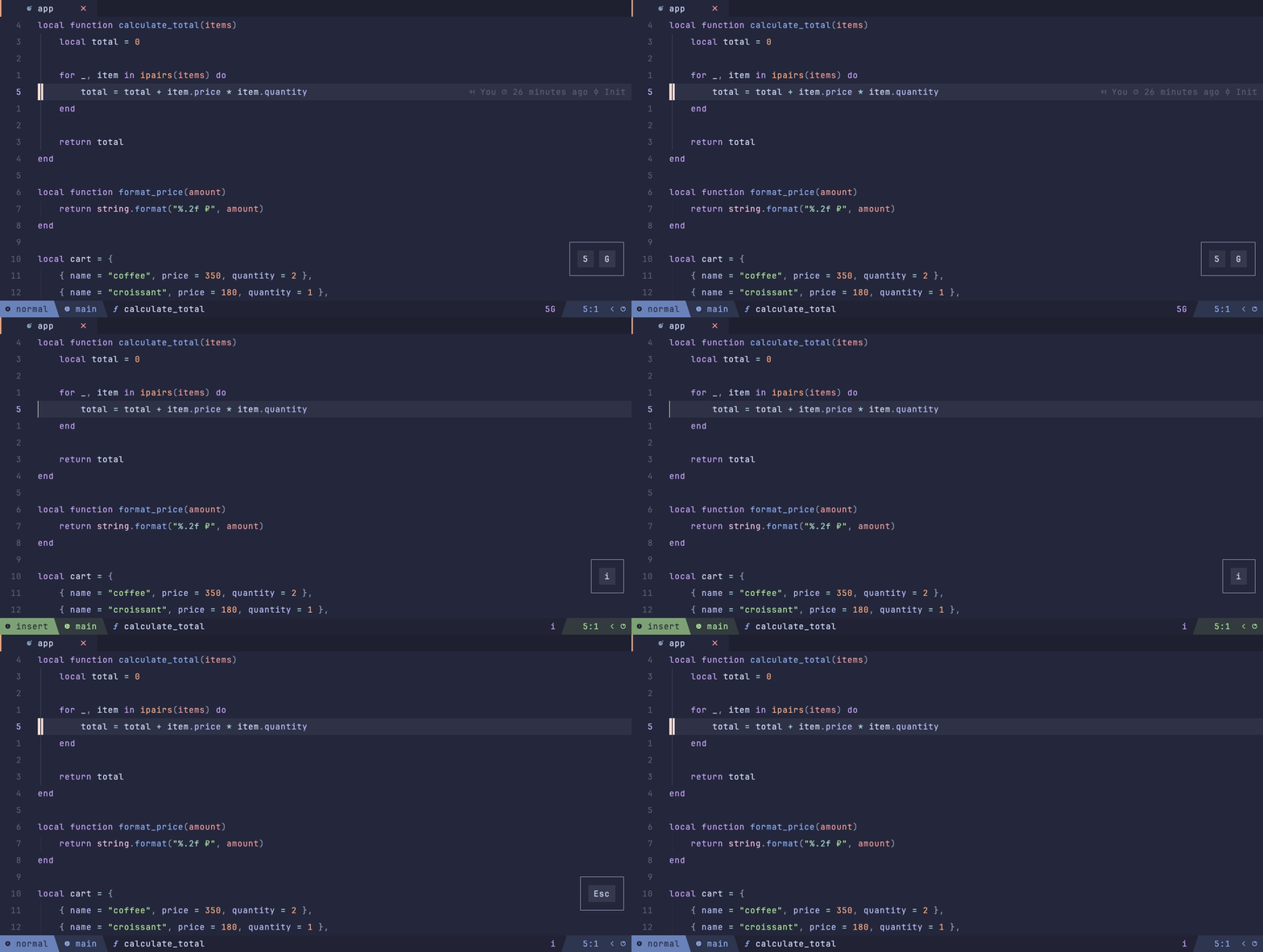
Import: lazyvimx.extras.ui.better-insert-mode
Hides distracting elements in insert mode: treesitter context, symbol-usage counters, indent guides, and the colorcolumn. Everything comes back when you leave insert.
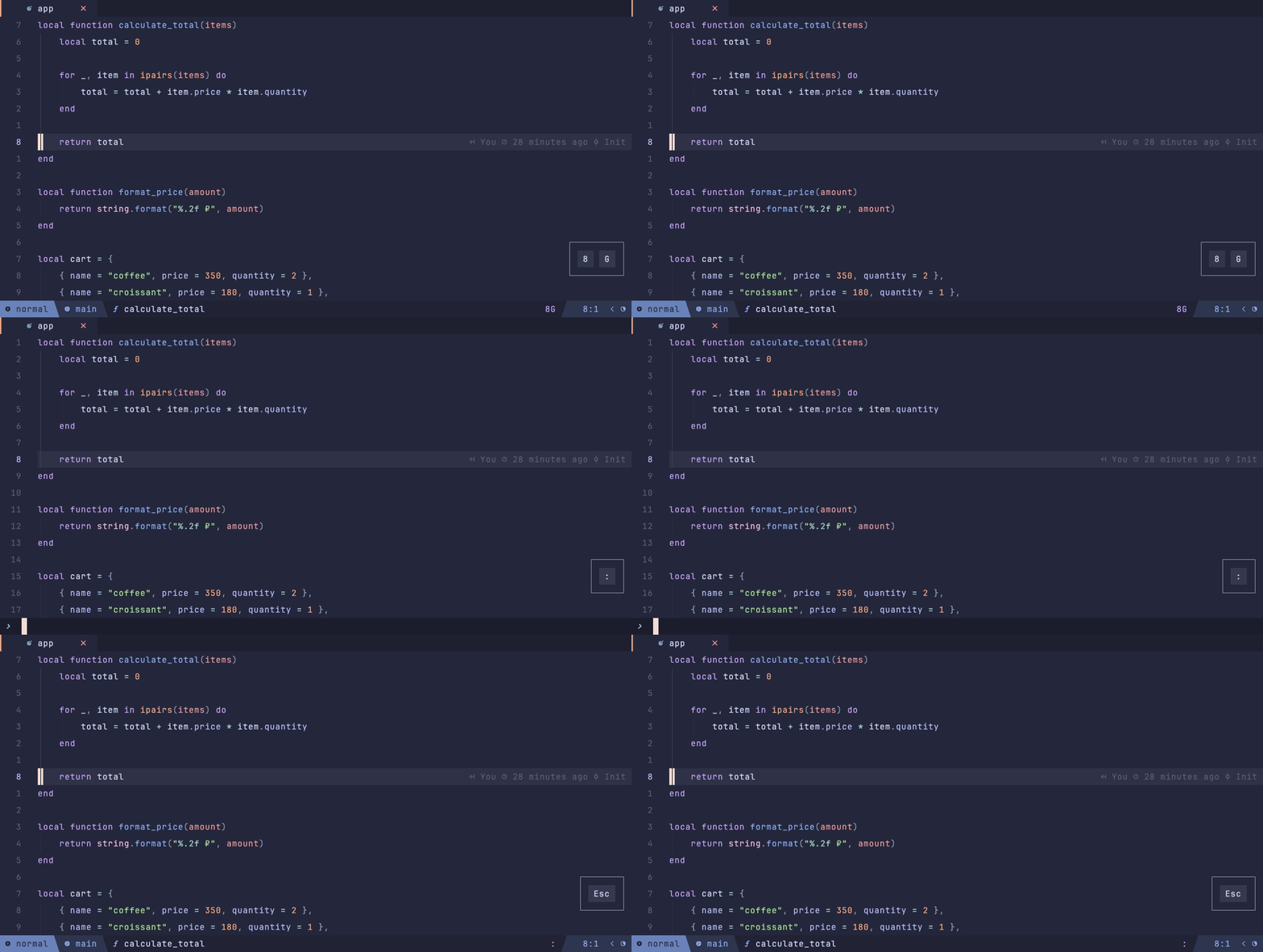
Import: lazyvimx.extras.ui.better-linenumbers
Disables relative line numbers in command-line mode (so : shows absolute ones) and all
numbers in terminal buffers.
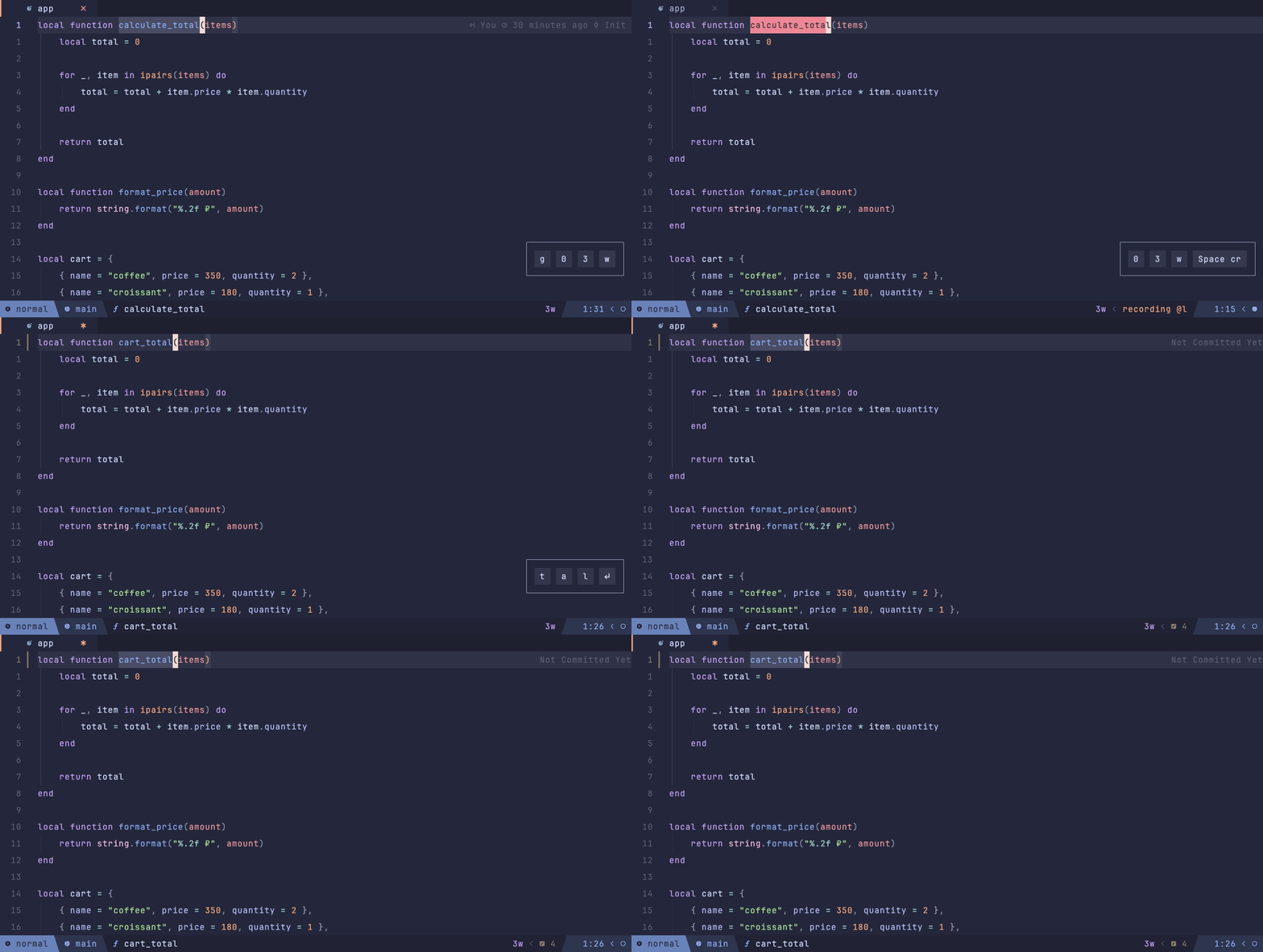
Import: lazyvimx.extras.ui.better-live-rename
LSP rename with a live preview right in the buffer. Confirm with <CR>, cancel with
<C-c>.
Plugin: saecki/live-rename.nvim
Keymaps: <leader>cr (via core.keys).
Import: lazyvimx.extras.ui.better-progressbar
LSP task progress in Ghostty's native terminal progress bar (the OSC 9;4 escape sequence) instead of in-editor notifications. Shows percentages when the server reports them and a "pulsing" indicator when it doesn't. Noice LSP progress notifications are turned off.
Requires: Ghostty (TERM=xterm-ghostty); in other terminals the extra only shows a
warning.
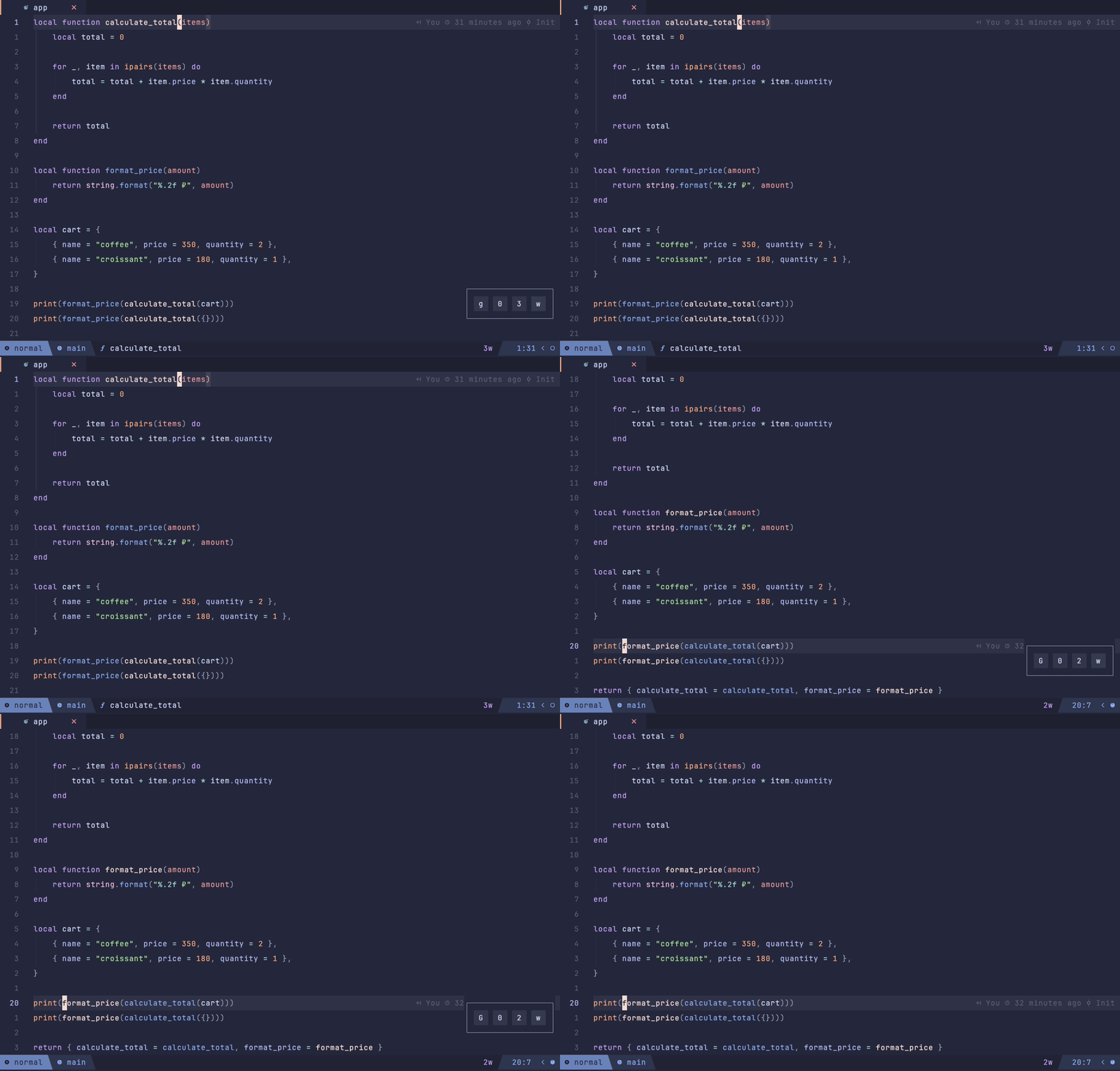
Import: lazyvimx.extras.ui.better-reference-highlight
Highlights LSP references with bold text color instead of a background fill: rosewater for Catppuccin, a magenta blend for Tokyo Night.
Themes: Catppuccin, Tokyo Night.
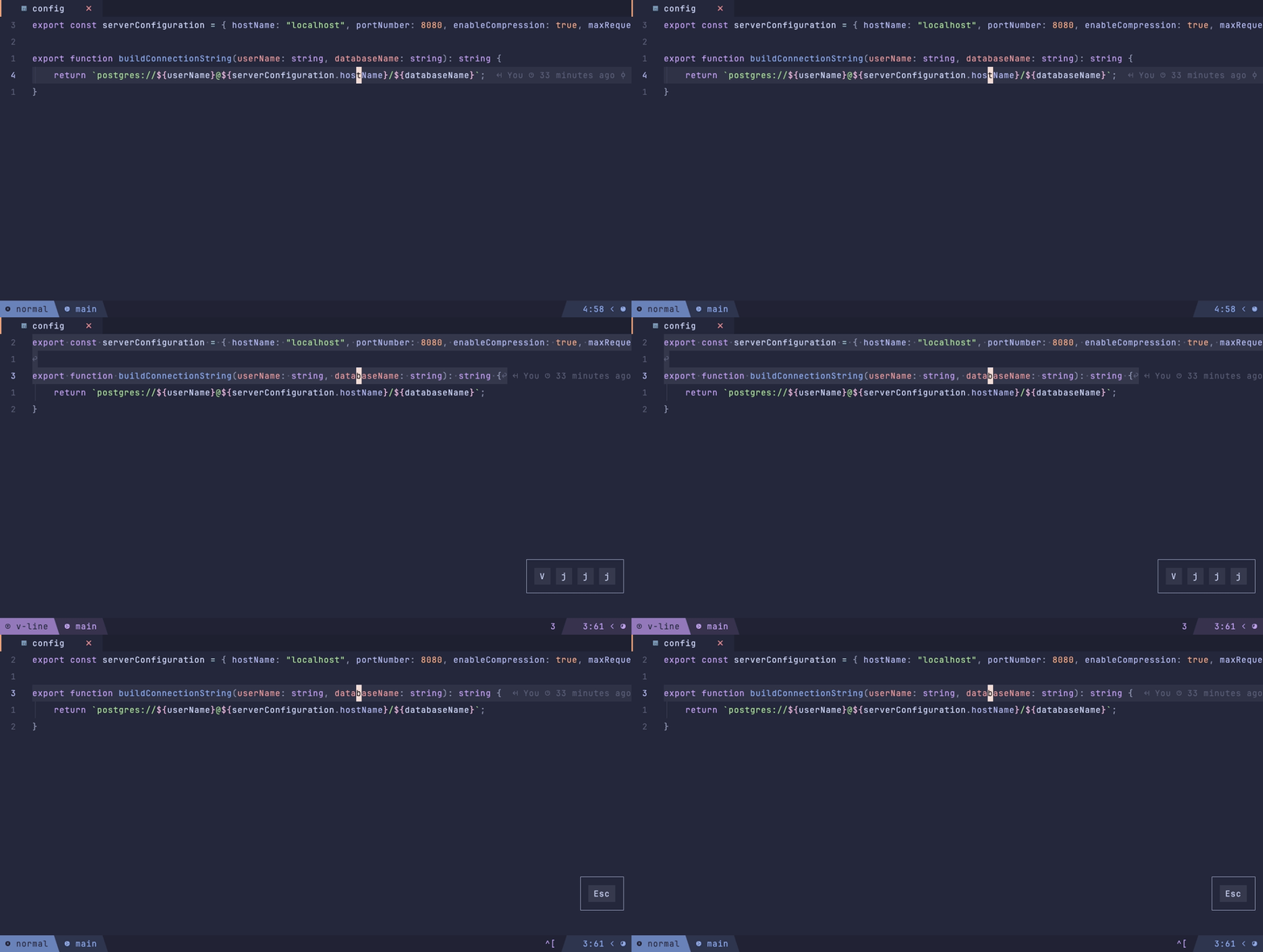
Import: lazyvimx.extras.ui.better-whitespace
Shows whitespace characters in visual mode, VSCode-style: spaces ·, tabs →, nbsp ␣,
end of line ↩.
Plugin: mcauley-penney/visual-whitespace.nvim
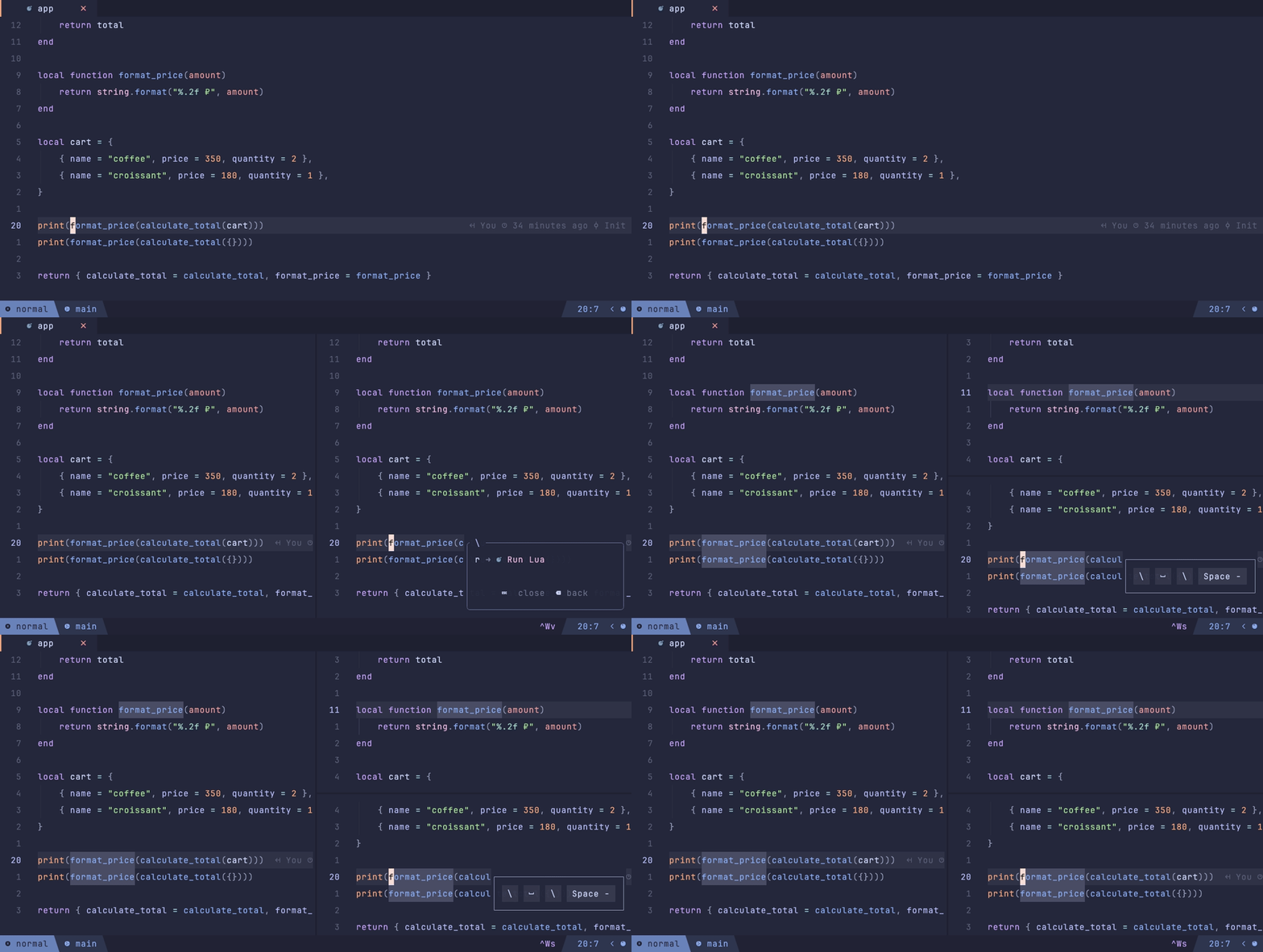
Import: lazyvimx.extras.ui.bolder-separators
Heavy Unicode window separators: ━, ┃, ┳, ┻, ╋, ┫, ┣.
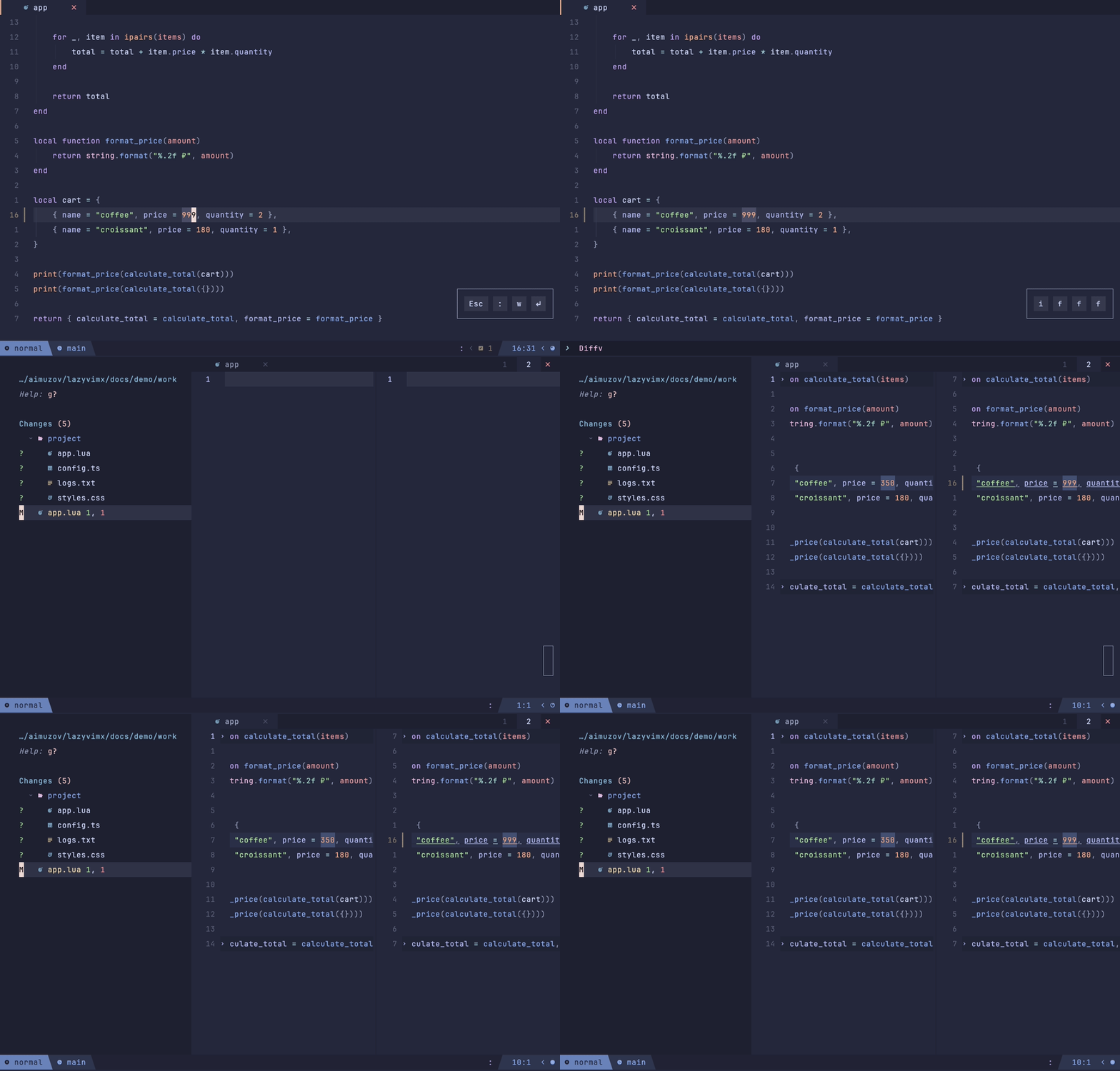
Import: lazyvimx.extras.ui.diff-view
Diffview with panel sizes from the shared layout utility: the file panel on the left, the history at the bottom — consistent with the other sidebars.
Plugin: sindrets/diffview.nvim
Commands: :DiffviewOpen, :DiffviewFileHistory.
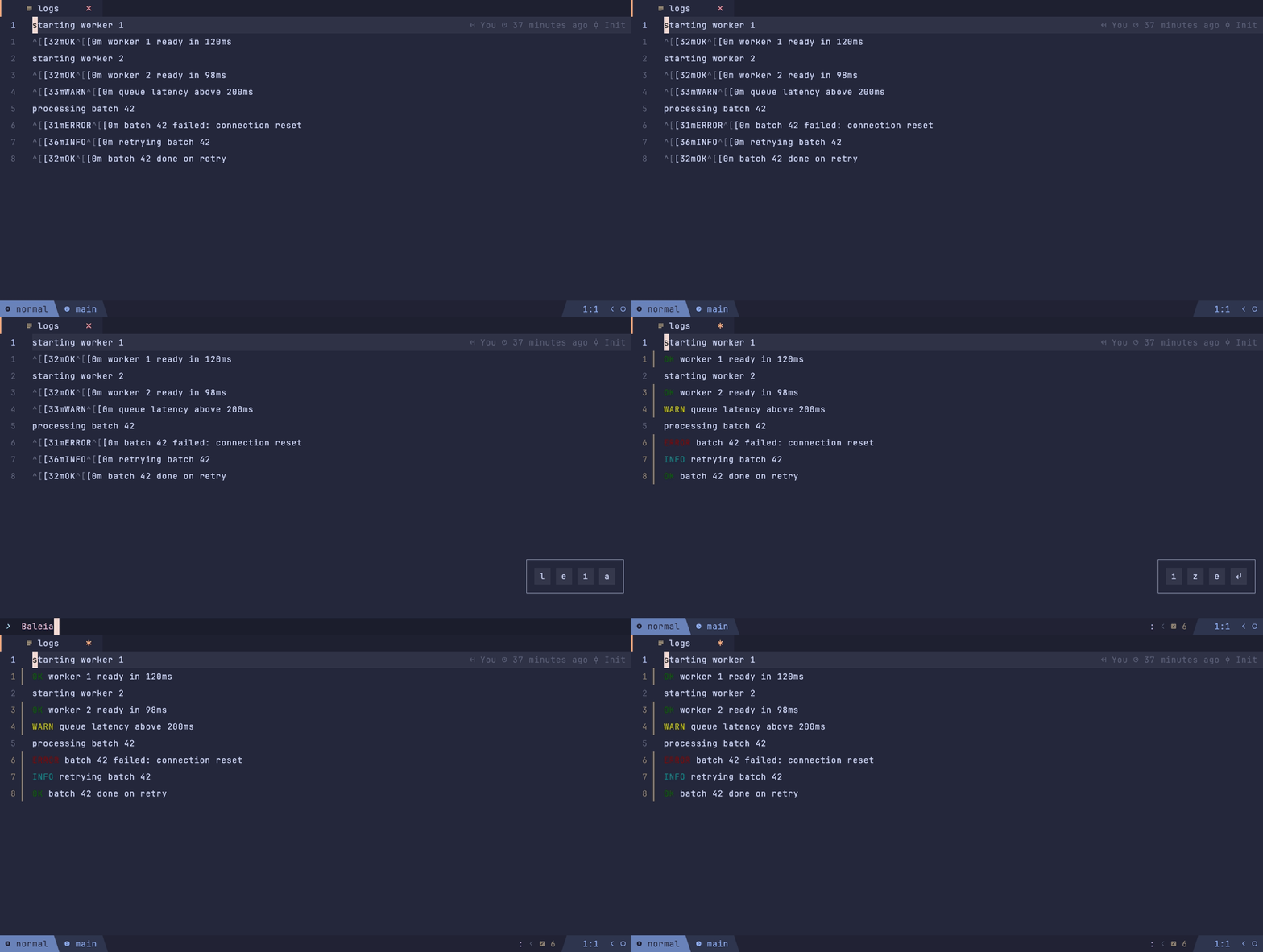
Import: lazyvimx.extras.ui.highlighted-ansi-escape
Renders ANSI escape sequences with real colors: logs, DAP REPL output (colorized automatically).
Plugin: m00qek/baleia.nvim
Commands: :BaleiaColorize — colorize the current buffer, :BaleiaLogs — show the
plugin log.
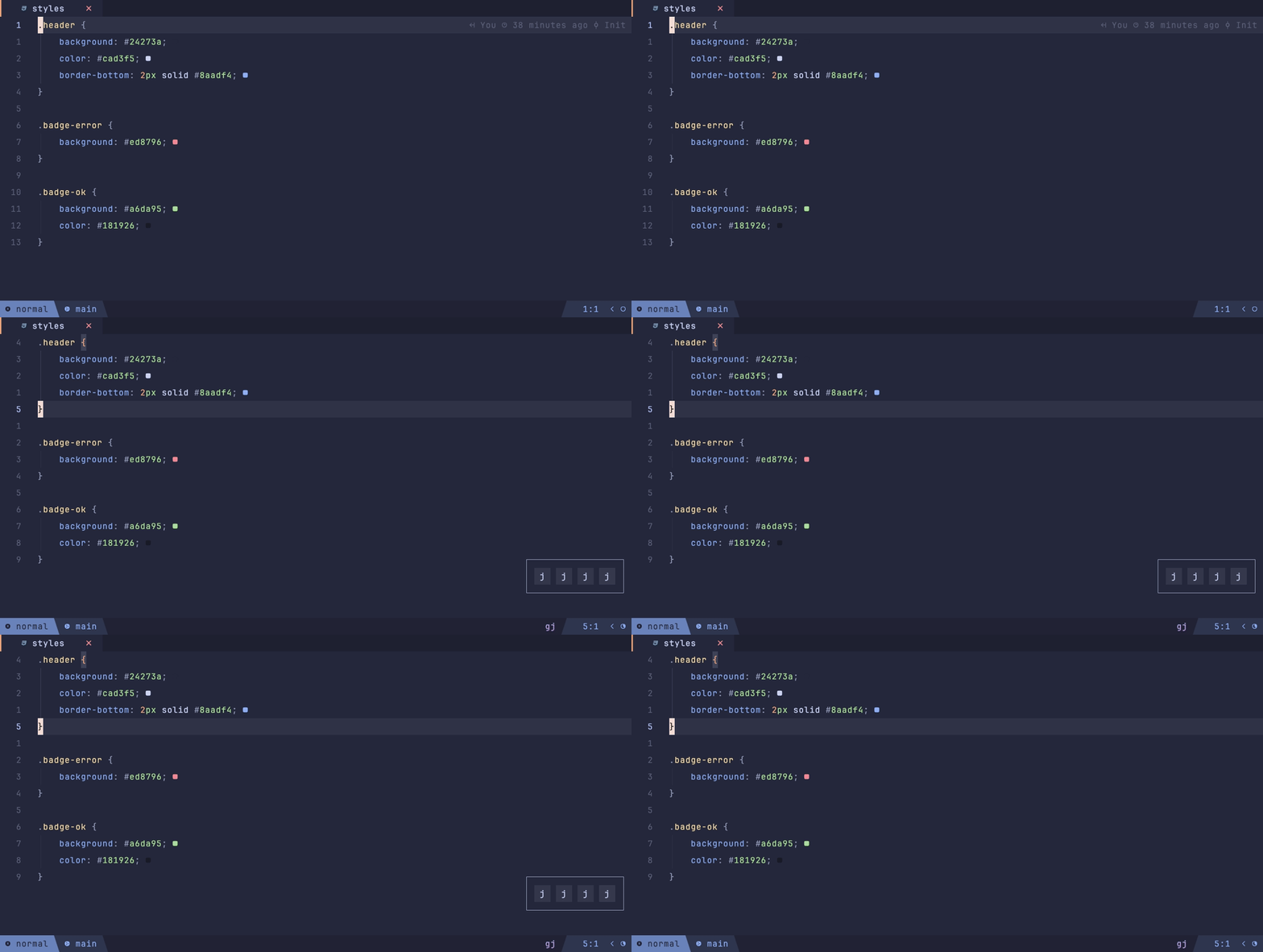
Import: lazyvimx.extras.ui.highlighted-colors
A indicator in the color of each hex code at the end of the line.
Plugin: brenoprata10/nvim-highlight-colors
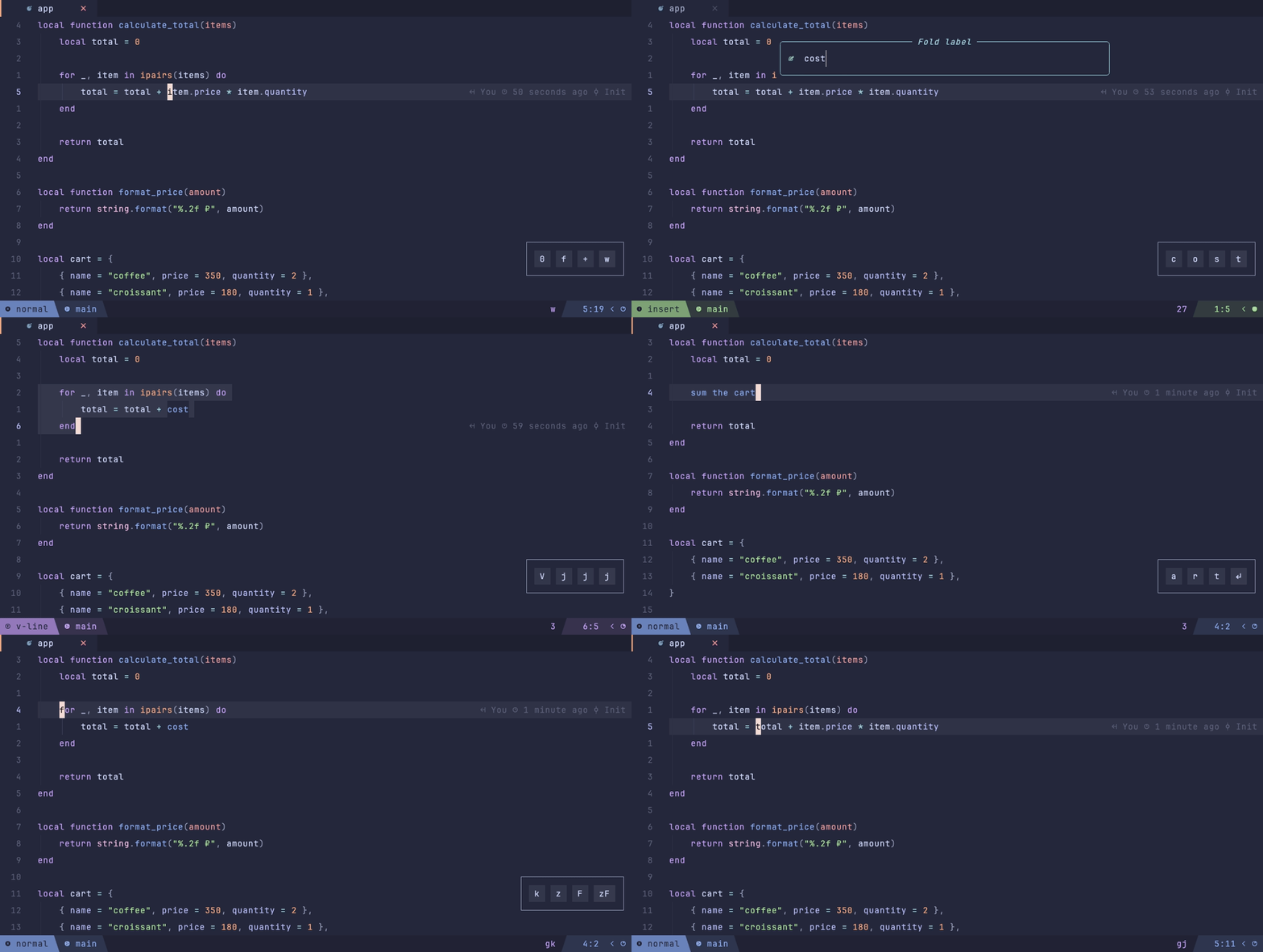
Import: lazyvimx.extras.ui.inline-fold
Folds a selection into a label: Some text EXAMPLE WORDS text → Some text … text.
Native folds are linewise only and can't be created manually with foldmethod=expr, so the
text stays in the buffer and gets concealed behind virtual text — after unfolding, highlights
and extmarks stay in place. A linewise selection collapses into a single line with the label;
a charwise one across several lines keeps the tail of its last line on a line of its own.
Keymaps: zF in visual mode — fold the selection (asks for a label), zF in normal
mode — unfold under the cursor.
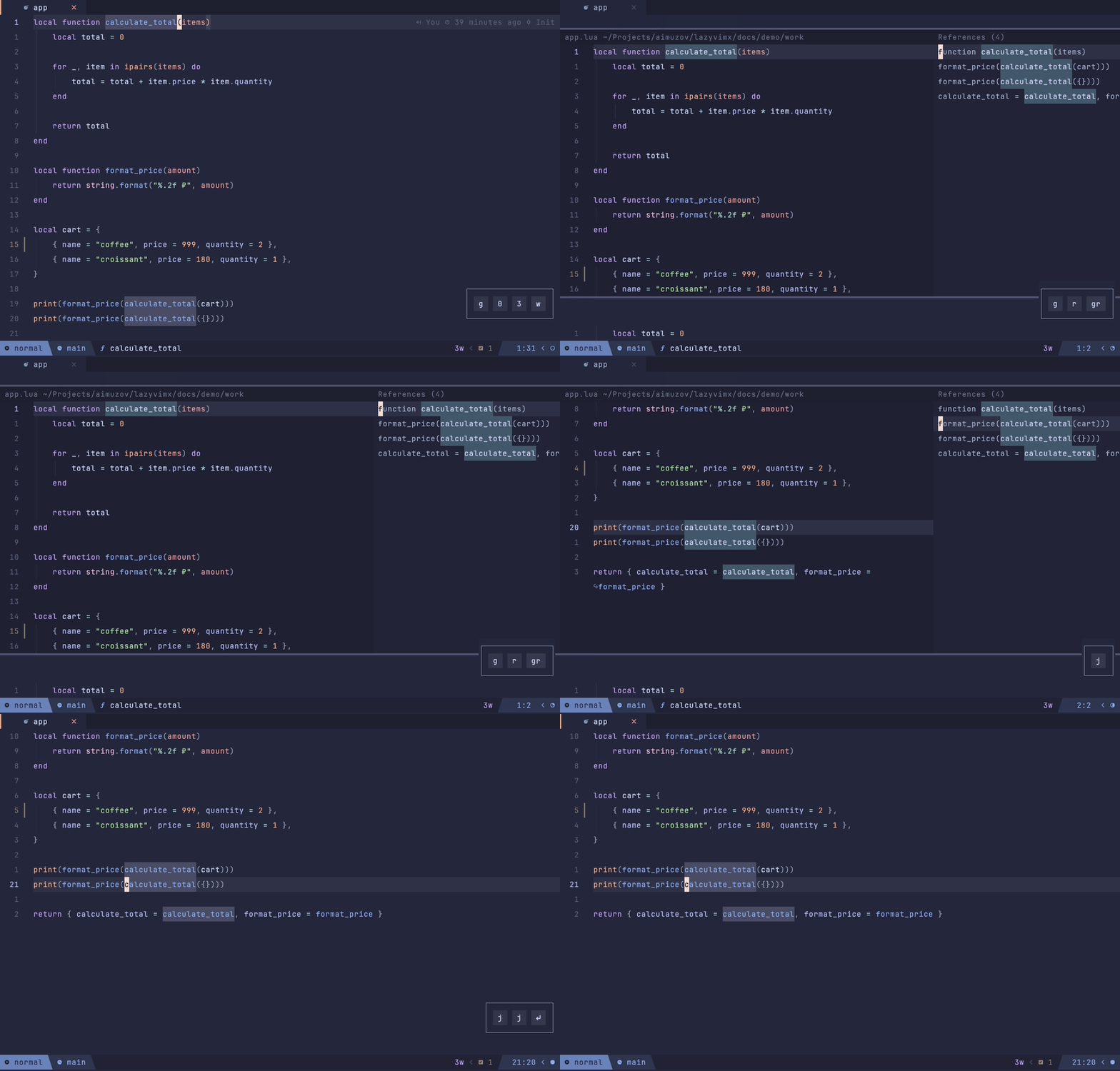
Import: lazyvimx.extras.ui.peek-preview
A peek window for LSP locations, like in VSCode. A single result jumps right away, multiple results open a preview with a list.
Plugin: dnlhc/glance.nvim
Keymaps: gr — references via Glance (via core.keys).
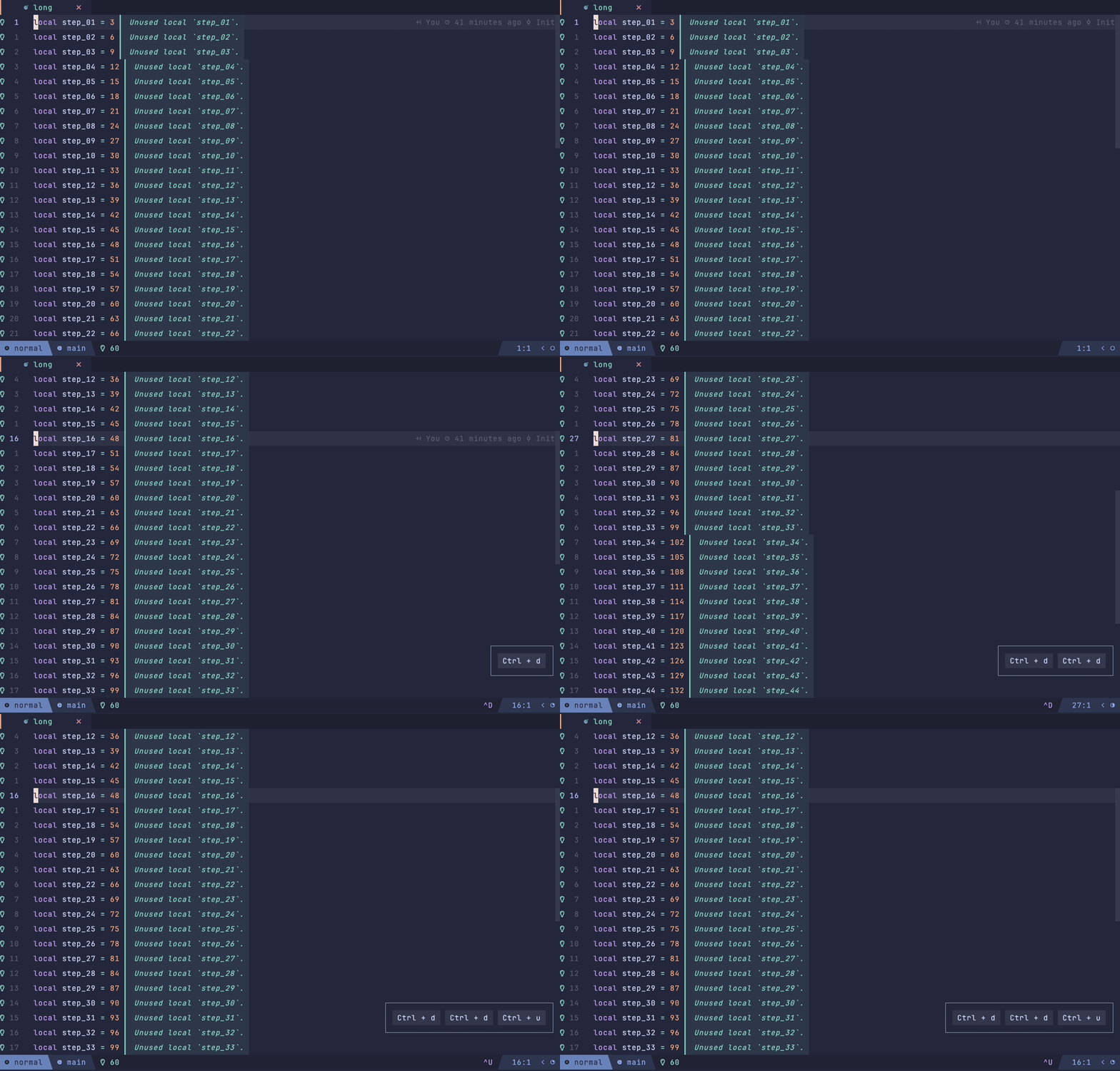
Import: lazyvimx.extras.ui.scrollbar
A scrollbar only in the active window. Hidden in insert mode and in special buffers.
Plugin: dstein64/nvim-scrollview
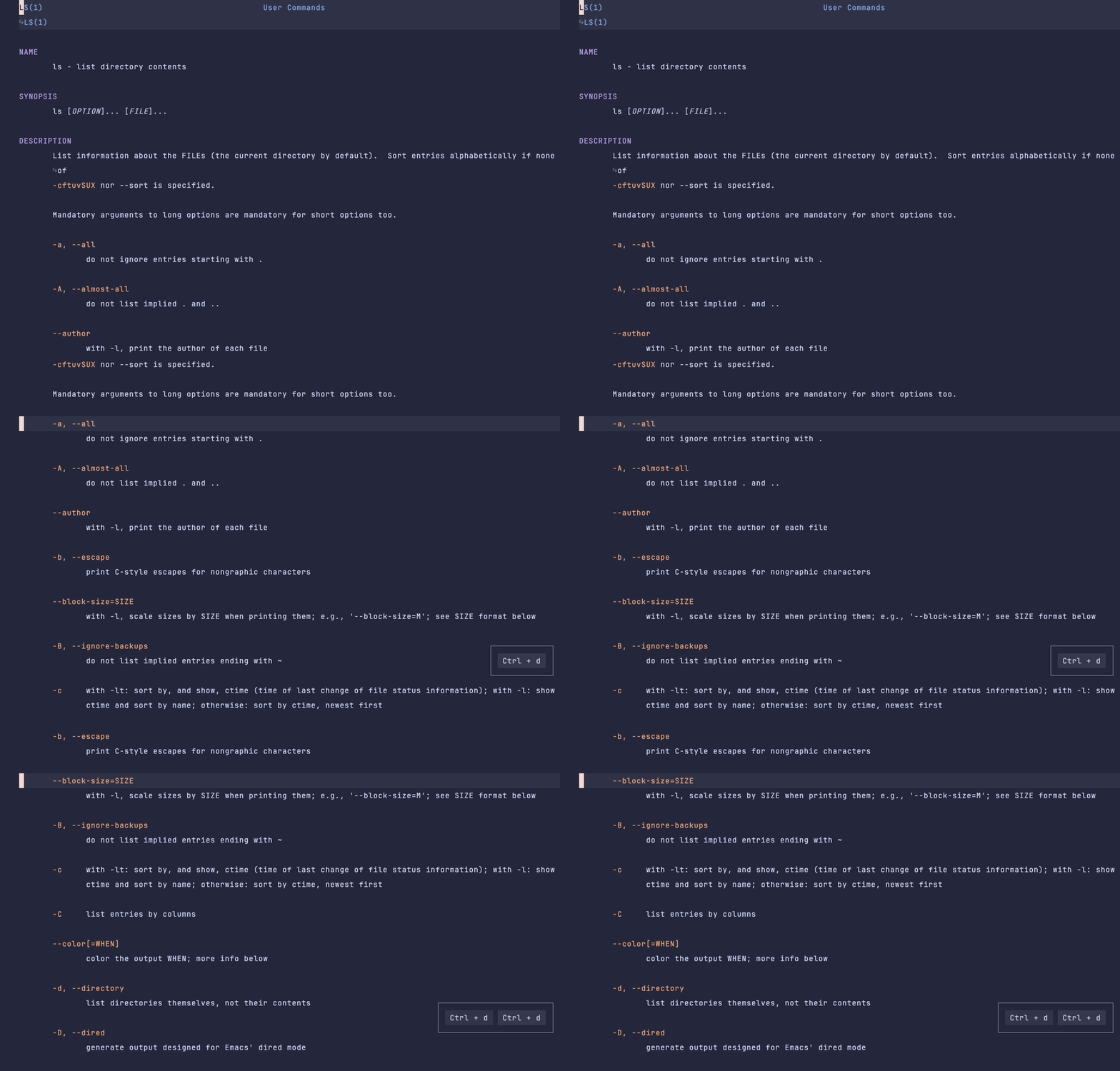
Import: lazyvimx.extras.ui.simple-mode
A minimal interface for reading man pages: launching nvim +Man! <command> disables the
statusline, bufferline, neo-tree, and line numbers.
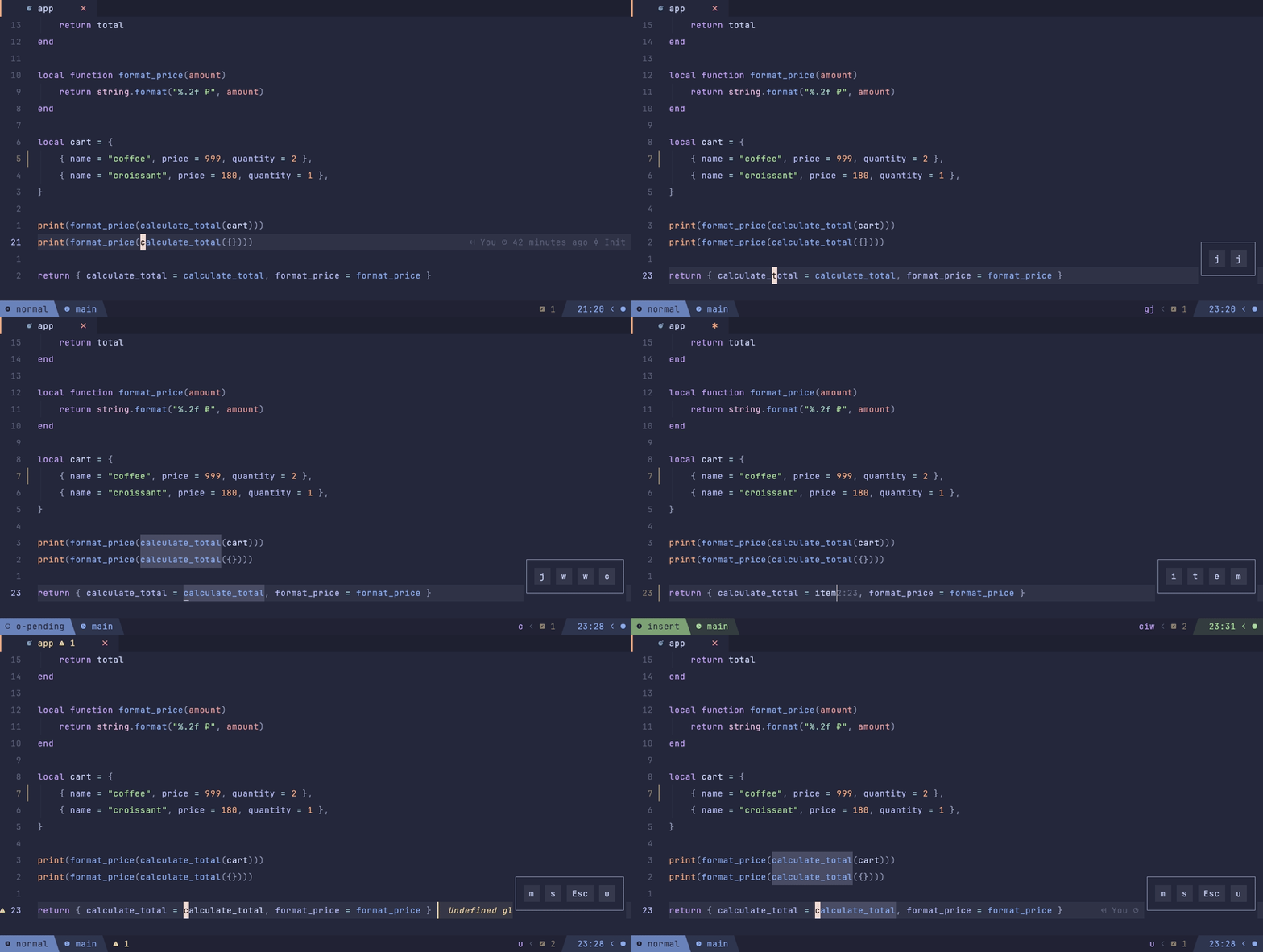
Import: lazyvimx.extras.ui.showkeys
A badge with the pressed keys in the corner of the screen — for screencasts, demos, and
pair programming. Enabled with the :ShowkeysToggle command. Every demo gif in this
documentation is recorded with it.
Plugin: nvzone/showkeys
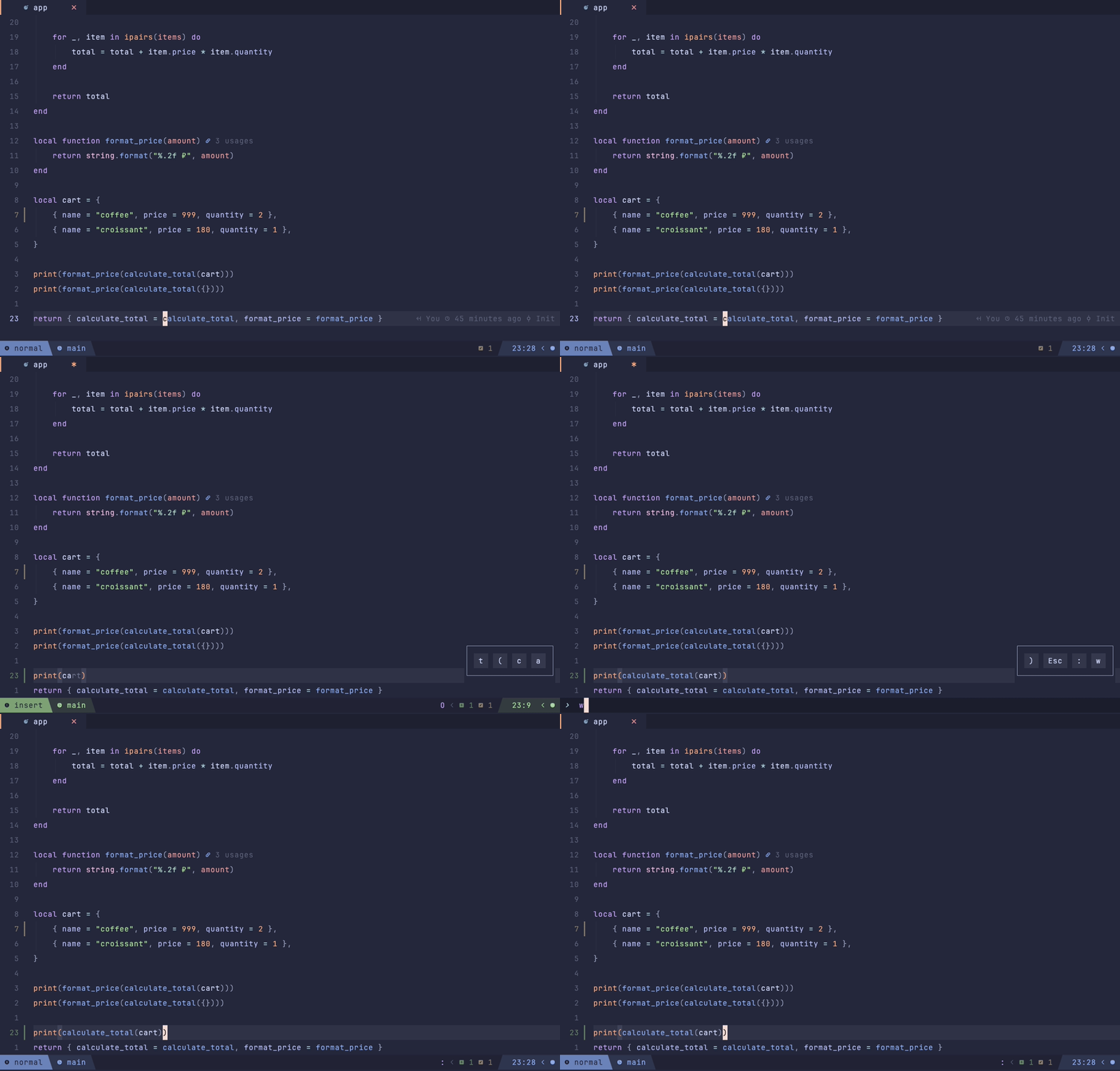
Import: lazyvimx.extras.ui.symbol-usage
Symbol usage counters at the end of the line, like in JetBrains IDEs: 3 usages.
Definitions and implementations are off by default; nested functions get an aggregate
counter.
Plugin: Wansmer/symbol-usage.nvim
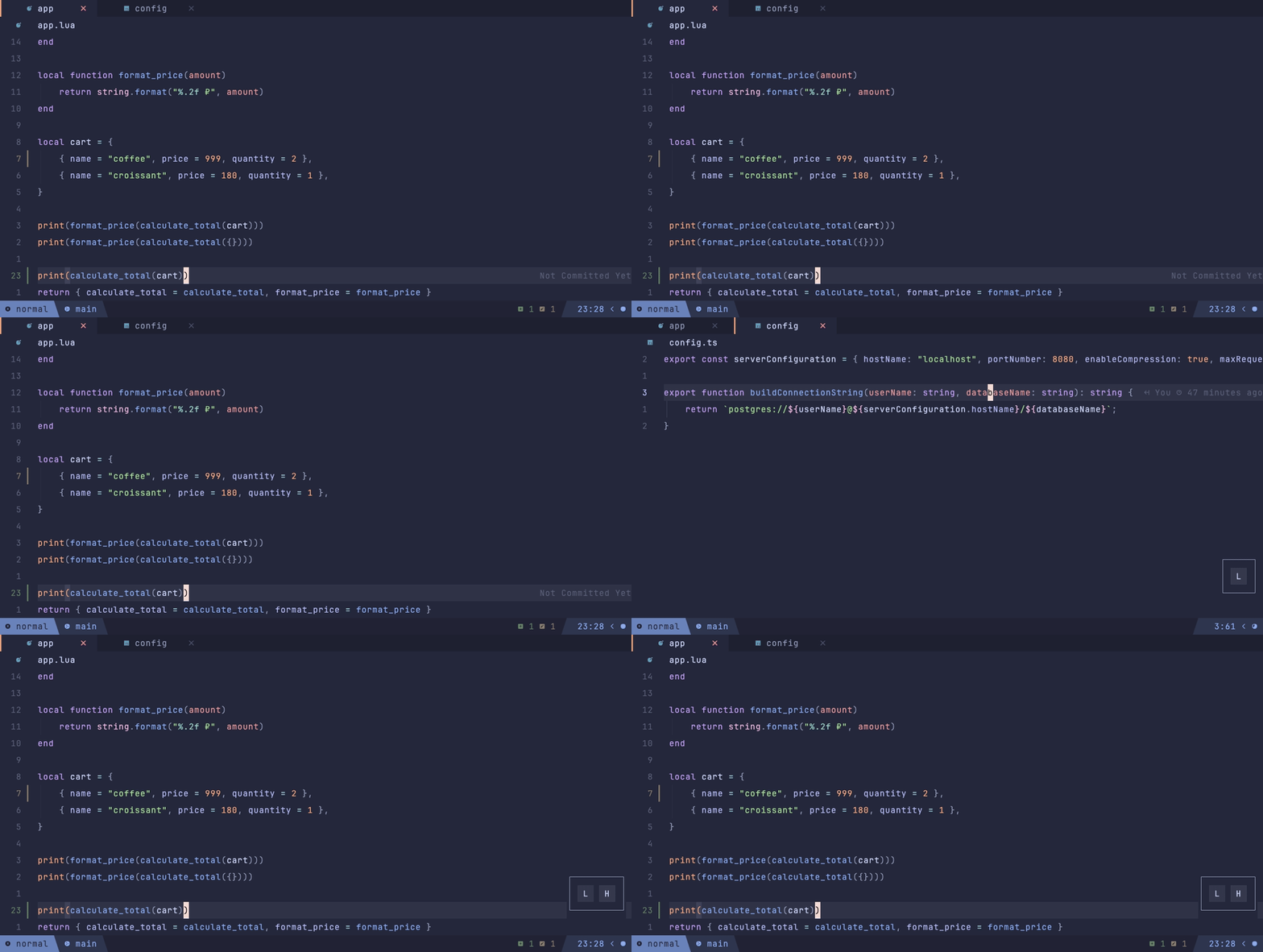
Import: lazyvimx.extras.ui.winbar
A winbar with the filetype icon and a short path (LazyVim's pretty path), bold on a transparent background. Not shown in special buffers.
Plugin: nvim-lualine/lualine.nvim
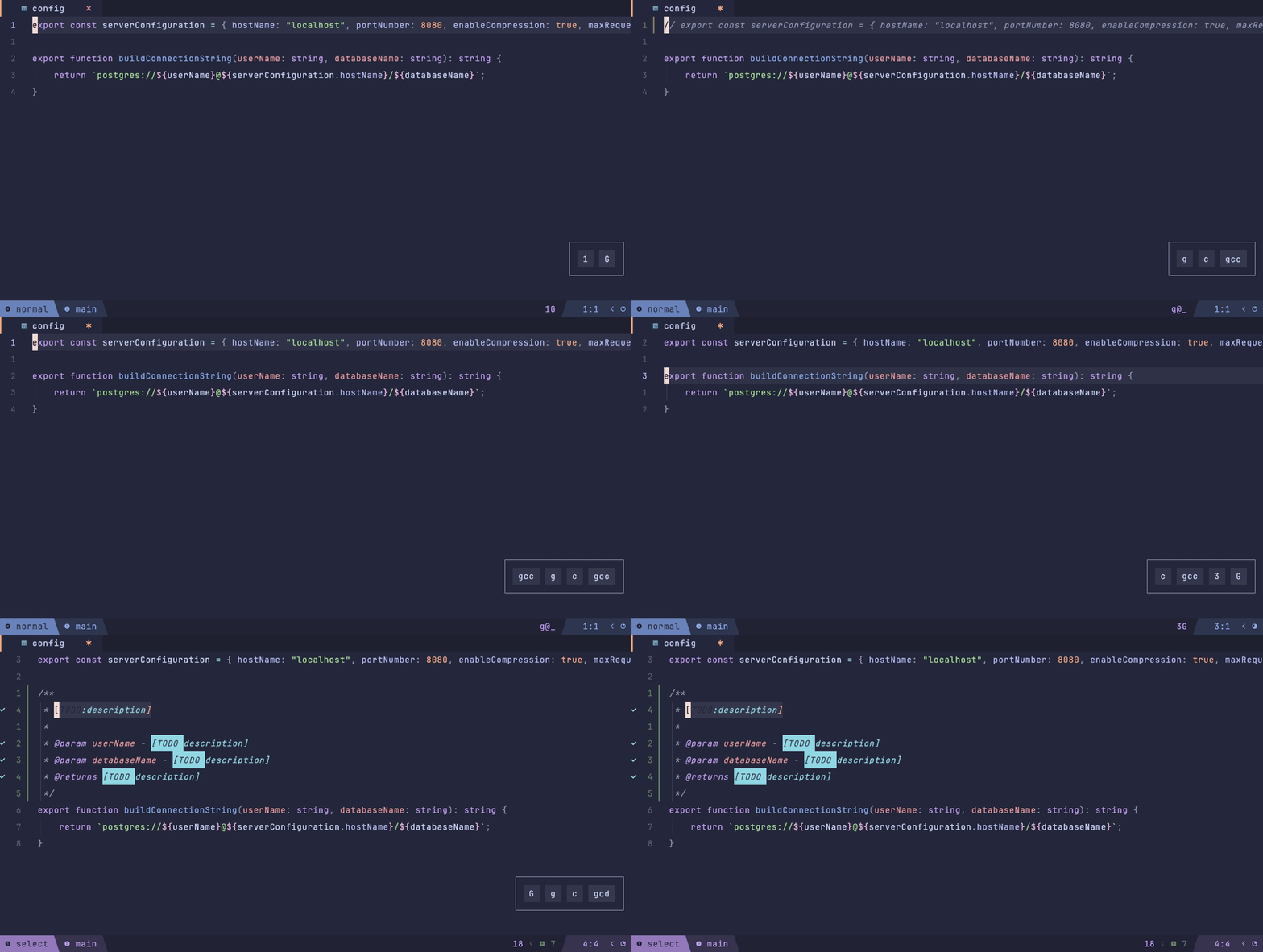
Import: lazyvimx.extras.coding.comments
Commenting aware of the tree-sitter context (the right commentstring in JSX, Vue, etc.) plus JSDoc/TSDoc generation.
Plugins: nvim-mini/mini.comment, JoosepAlviste/nvim-ts-context-commentstring,
kkoomen/vim-doge
Keymaps: gcc — comment (mini.comment), gcd — generate documentation (doge).
Import: lazyvimx.extras.coding.emmet
Emmet abbreviation expansion: div.container>ul>li*3 → ready markup. Plus the :EmmetWrap
command — wrap a selection in an abbreviation.
Plugins: neovim/nvim-lspconfig (emmet_language_server), olrtg/nvim-emmet
Keymaps: <leader>cw — wrap in an abbreviation (via core.keys).
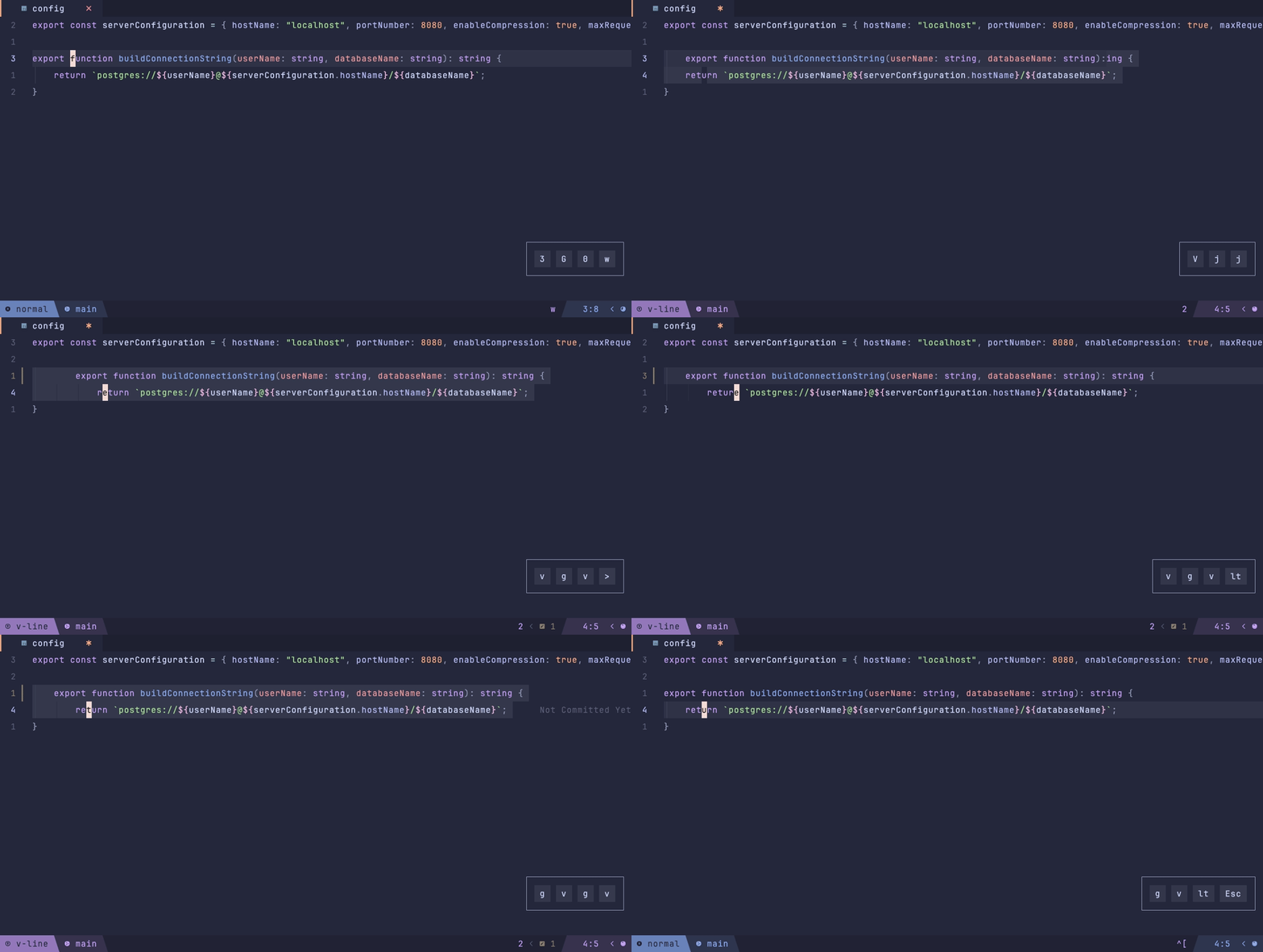
Import: lazyvimx.extras.motions.better-cursor-move
The cursor stays put on shifts (>, <) and filters. Works in VSCode too.
Plugin: gbprod/stay-in-place.nvim
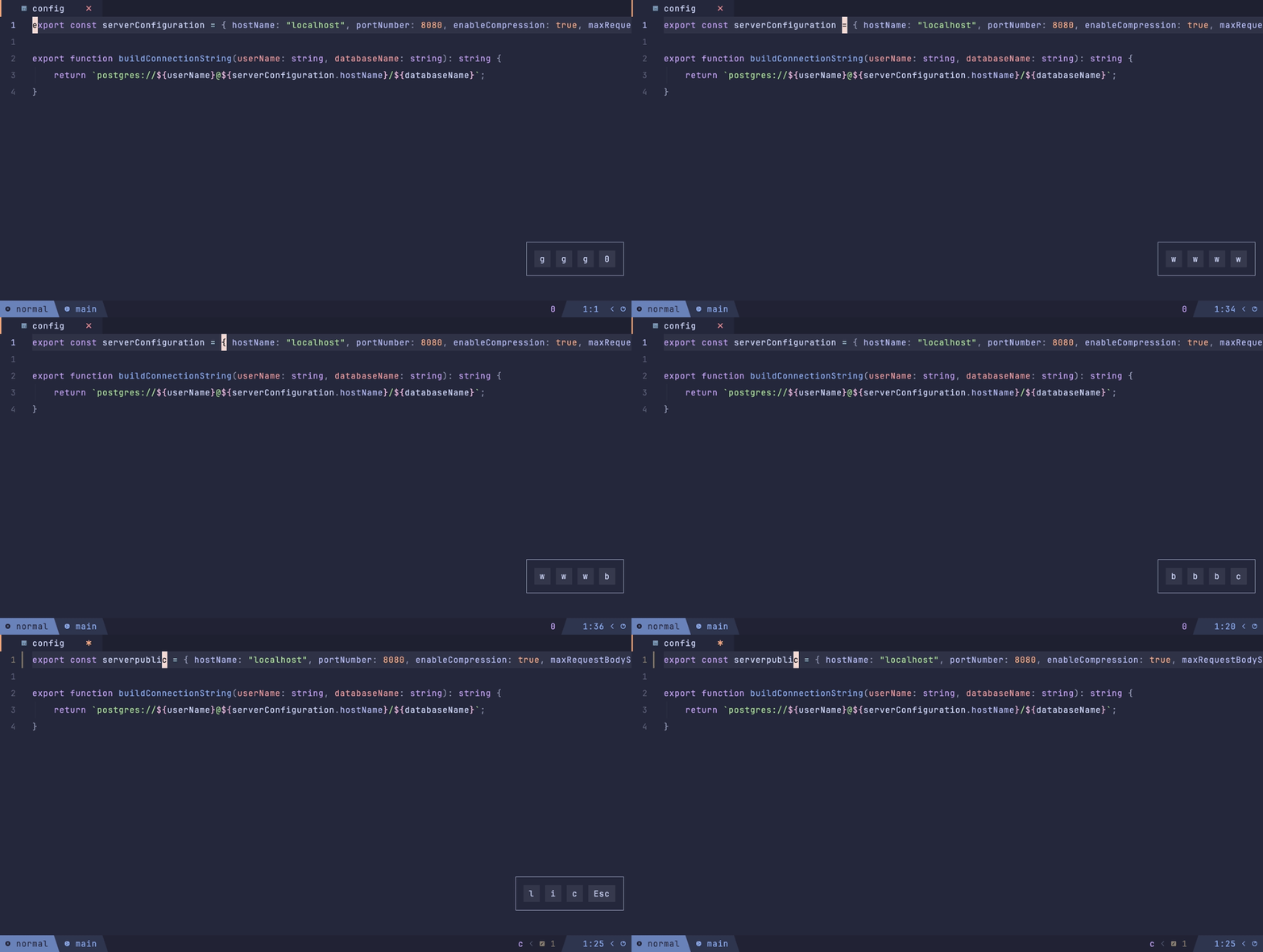
Import: lazyvimx.extras.motions.better-move-between-words
w/e/b motions by subwords: they stop inside camelCase and skip insignificant
punctuation. UTF-8, works in VSCode too.
Plugin: chrisgrieser/nvim-spider
Keymaps: w/e/b, cw, and <C-f>/<C-b> in insert mode (via core.keys).
Requires: Lua 5.1 or LuaJIT in PATH (brew install luajit) — luarocks.nvim does not
build without a system Lua, and without the luautf8 rock subwords in non-ASCII text stay
invisible.
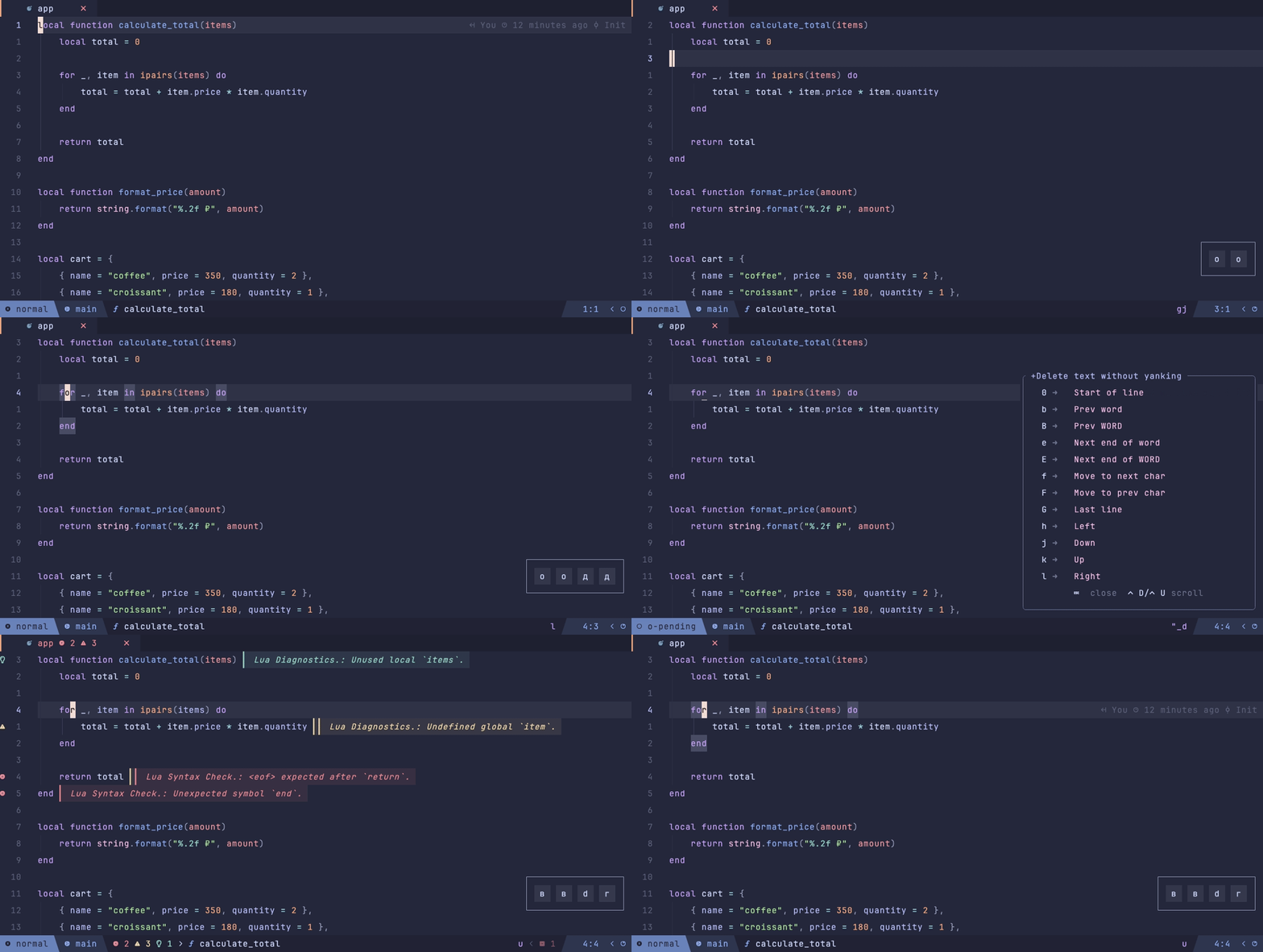
Import: lazyvimx.extras.motions.langmapper
Recommended: yes
The Russian layout without switching: every keymap is translated automatically. Sets up a
langmap for the RU layout, the getcharstr hack (so input-awaiting commands like f work),
plus which-key and Snacks integration.
Plugin: Wansmer/langmapper.nvim
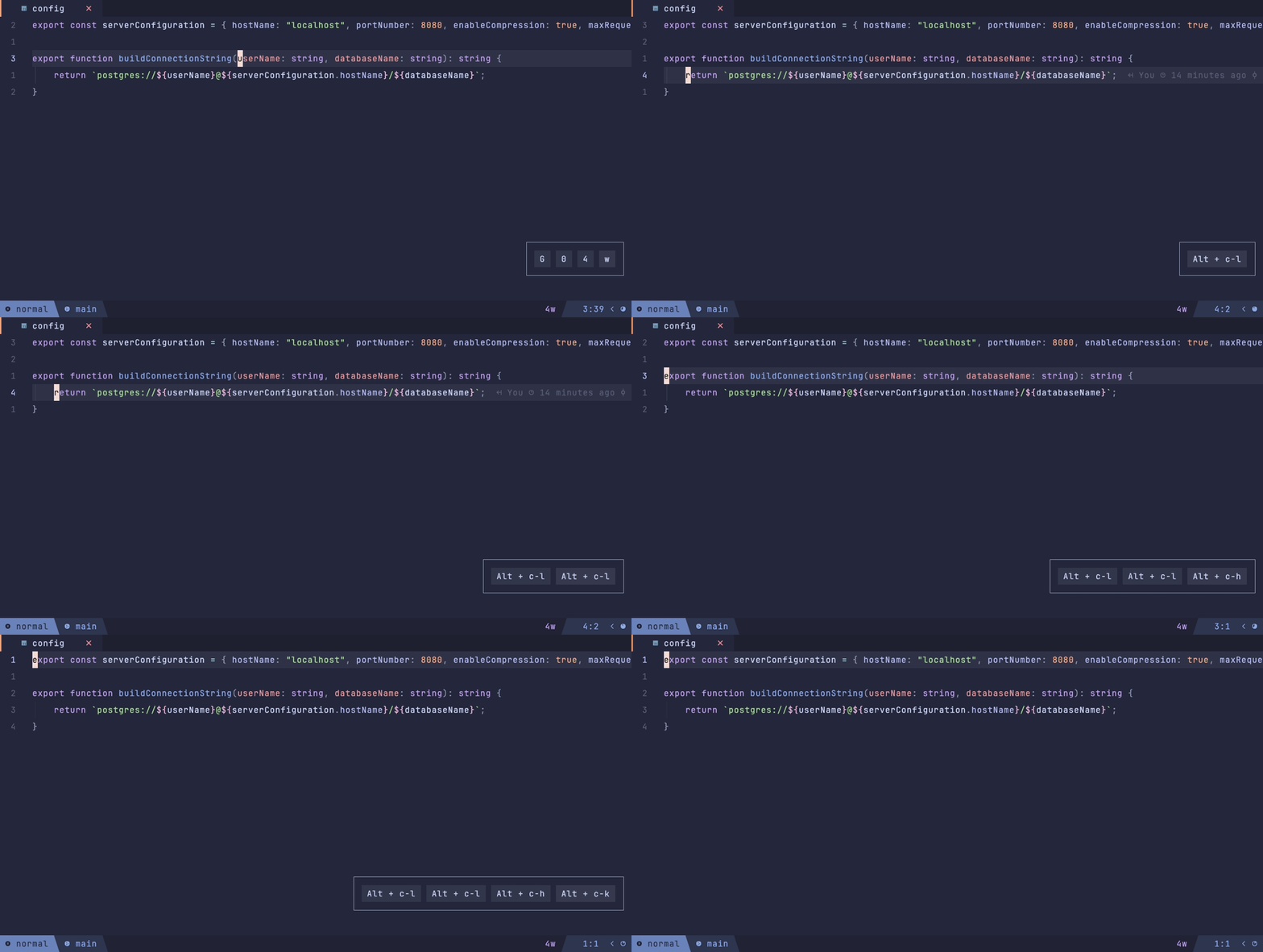
Import: lazyvimx.extras.motions.sibling-move
Moving through the syntax tree: between parameters, array elements, sibling nodes. The target is highlighted for 250 ms.
Plugin: aaronik/treewalker.nvim
Keymaps: <C-A-h/j/k/l> — navigation, <C-A-,>/<C-A-.> — swapping nodes (via
core.keys).
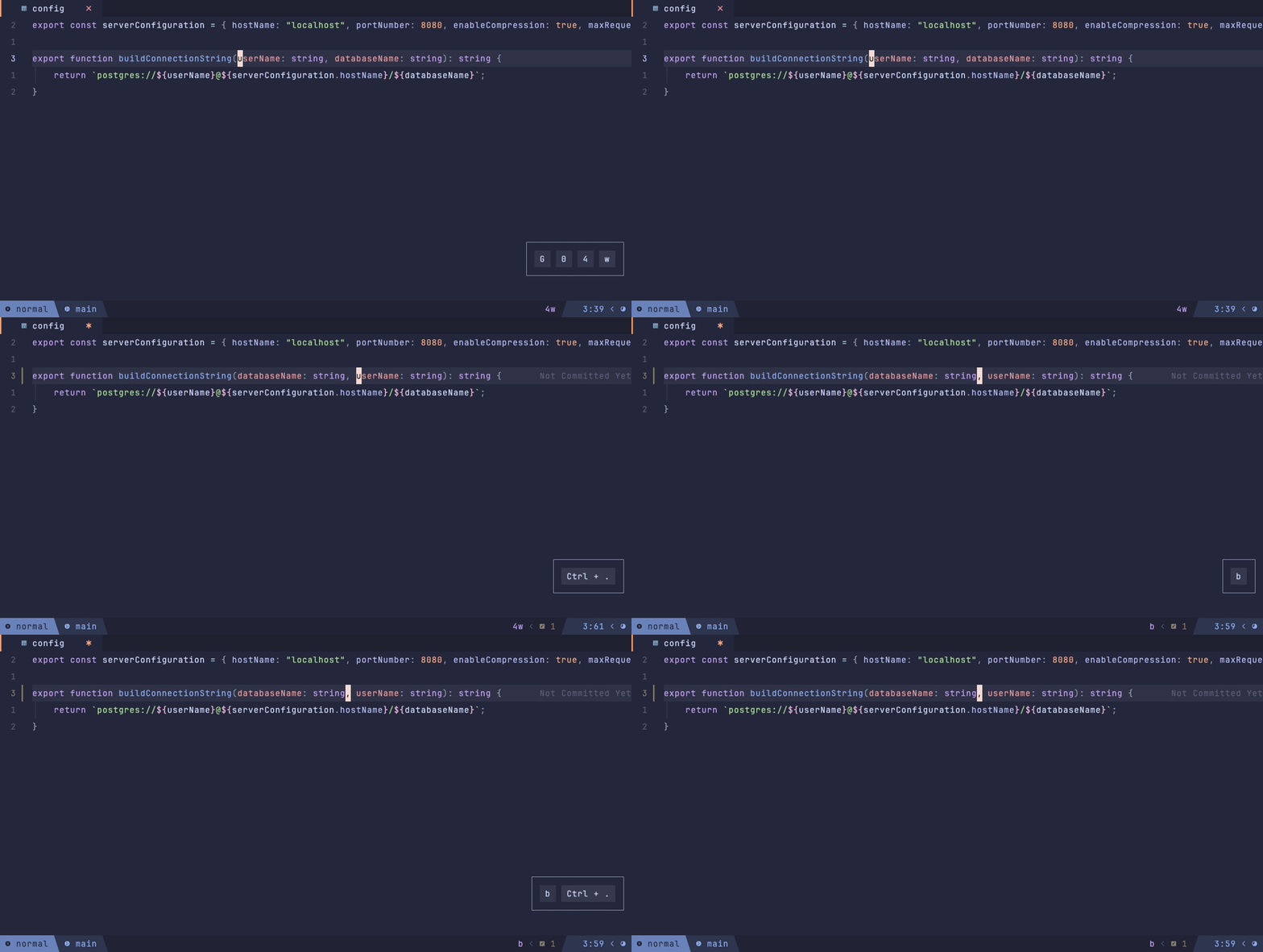
Import: lazyvimx.extras.motions.sibling-swap
Swapping neighboring tree-sitter nodes: function parameters, array elements, object properties. The node under the cursor is highlighted.
Plugin: Wansmer/sibling-swap.nvim
Keymaps: <C-,> — swap with the left one, <C-.> — with the right one (via
core.keys).
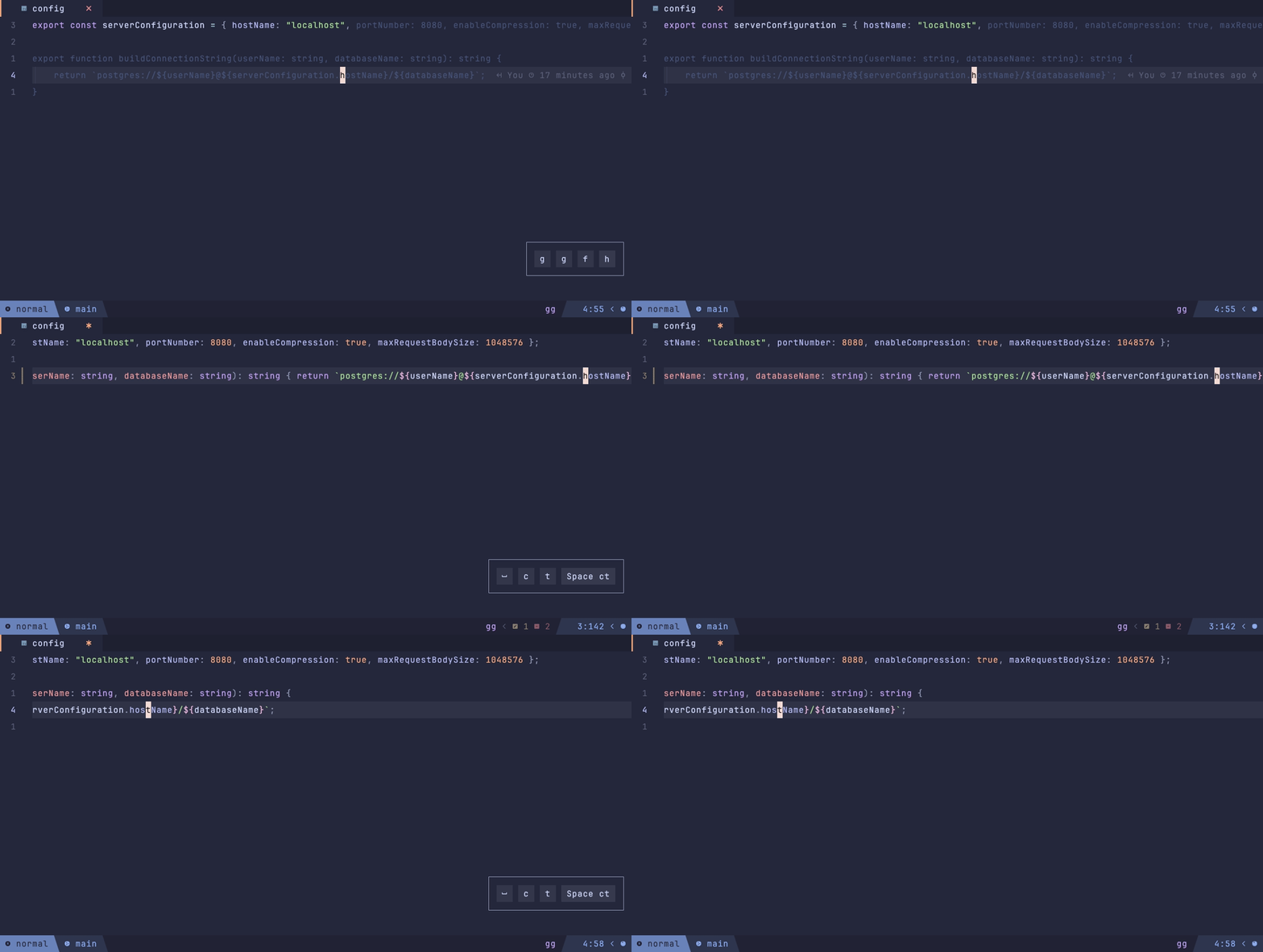
Import: lazyvimx.extras.motions.splitting-joining-blocks
Splitting and joining code blocks via tree-sitter: objects, arrays, arguments, JSX.
Plugin: Wansmer/treesj
Keymaps: <leader>ct — toggle, <leader>c\ — split, <leader>cj — join (via
core.keys).
// <leader>ct turns
{ foo: 'bar', baz: 'qux' }
// into
{
  foo: 'bar',
  baz: 'qux'
}
// and backImport: lazyvimx.extras.buf.delete-inactive
Automatically closes buffers after 30 minutes of inactivity (with a notification). Deleting a file from disk does not touch its buffer.
Plugin: chrisgrieser/nvim-early-retirement
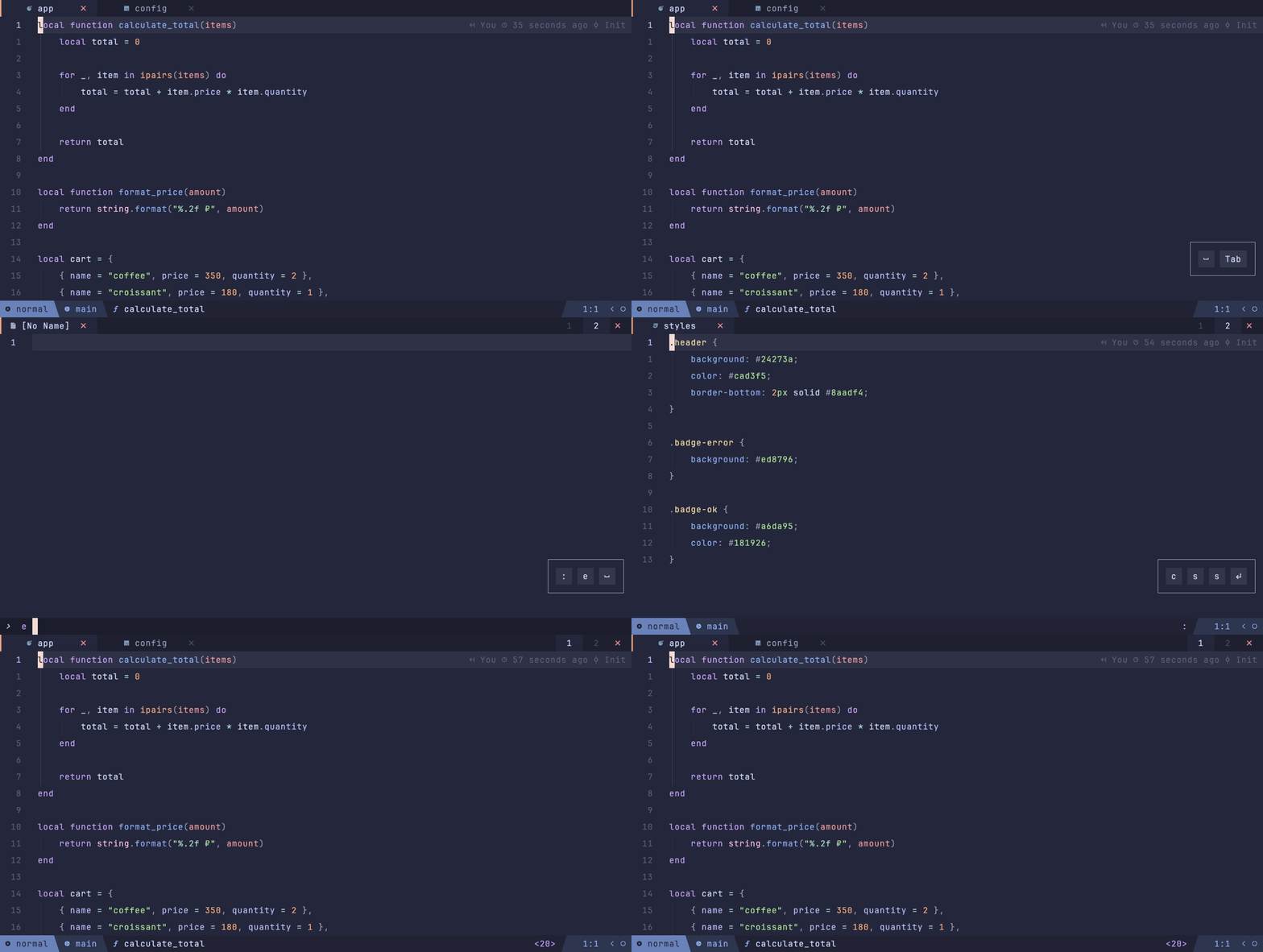
Import: lazyvimx.extras.buf.delete-no-name
Cleans up empty [No Name] buffers: as soon as such a buffer is hidden and unmodified, it
gets deleted.
Import: lazyvimx.extras.buf.remote-mounts
Safe and lightweight editing of files on network mounts (sshfs and alike).
What it does for buffers under ~/mnt:
backupcopy=yes— in-place writes, no tempfile and rename- disables swapfile and undofile (each of their writes is a network roundtrip)
- disables autoformatting (
vim.b.autoformat) - detaches LSP clients from such buffers
In-place writes keep the file's owner, mode, and symlinks intact — this matters for configs
under /etc on a remote host: a write via tempfile loses them.
Import: lazyvimx.extras.buf.tab-scope
Each tab gets its own buffer list. Bufferline and buffer navigation work within the current tab.
Plugin: tiagovla/scope.nvim
Keymaps: <leader>b<tab> — move a buffer to another tab (via core.keys).
Import: lazyvimx.extras.git.conflicts
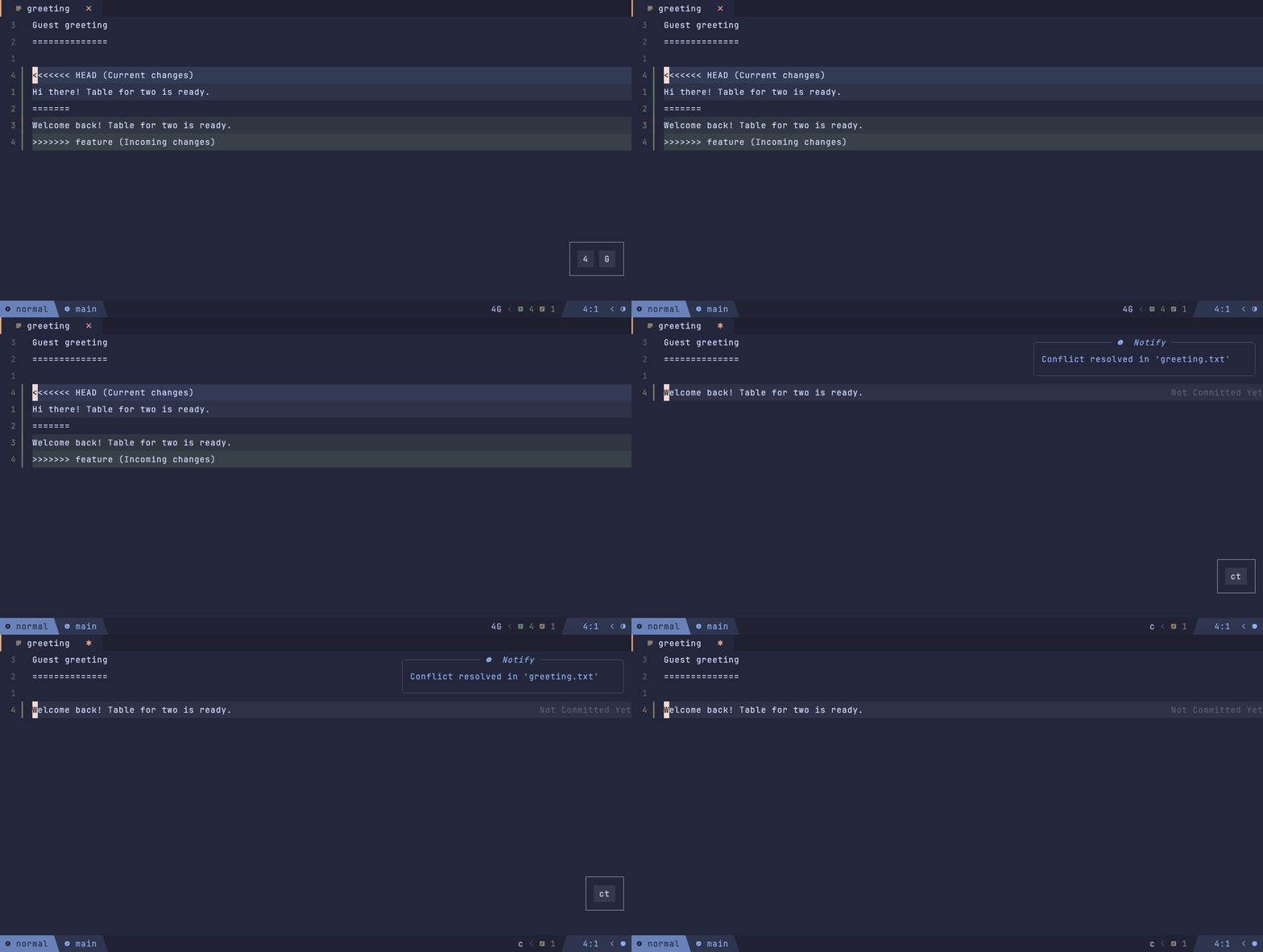
Highlighting and resolving git conflicts right in the buffer. Notifications on conflict detection and resolution (at most once every 3 seconds).
Plugin: akinsho/git-conflict.nvim
Import: lazyvimx.extras.git.fugitive
The classic fugitive with all git commands plus :GBrowse for GitHub and GitLab. The GitLab
token comes from the GITLAB_TOKEN environment variable.
Plugins: tpope/vim-fugitive, tpope/vim-rhubarb, shumphrey/fugitive-gitlab.vim
Keymaps: go — open the file (or the selected range) in the browser (via core.keys).
Import: lazyvimx.extras.git.gitlab
GitLab MR review without leaving the editor: the discussion tree, comments on diffs, approve/revoke, merge (squash configured).
Plugin: harrisoncramer/gitlab.nvim
Requires: the ui.diff-view extra (shows a warning without it).
Keymaps: <leader>gL* — the whole MR workflow (via core.keys), see
Keybindings.
Import: lazyvimx.extras.git.remote-view
Opening remote repositories locally: clones into a temporary directory and opens in a new tab — with the README if there is one, otherwise with neo-tree.
Plugin: moyiz/git-dev.nvim
Commands: :GitDevOpen <uri>, :GitDevRemoteOpen, :GitDevRemoteEnterAndOpen.
Keymaps: gx — open the URL under the cursor, gX — enter author/repo and open (via
core.keys).
Import: lazyvimx.extras.lang.css
CSS/SCSS support: the cssls LSP with snippets, tree-sitter parsers, formatting via
stylelint (and prettier, if the LazyVim formatting.prettier extra is enabled),
stylelint_lsp diagnostics when linting.eslint is on.
Import: lazyvimx.extras.lang.ejs
EJS template highlighting: .ejs files are registered as eruby with the
embedded_template parser.
Import: lazyvimx.extras.lang.json
JSONC (JSON with comments) is highlighted with the json parser.
Import: lazyvimx.extras.lang.skhd
Highlighting for skhd.zig configs (skhdrc) with a
dedicated tree-sitter grammar.
Plugin: aimuzov/tree-sitter-skhdrc
Import: lazyvimx.extras.linting.cspell
The cspell spell checker for all file types. Kicks in only if cspell is installed locally in the project (e.g. via npm) — a global binary is not picked up.
Plugin: mfussenegger/nvim-lint
Import: lazyvimx.extras.linting.stylelint
Installs stylelint-language-server via Mason. With the LazyVim linting.eslint extra
enabled it configures stylelint_lsp: the project root comes from LazyVim's detector, and
the list of validated types is extended (css, scss, less, html, vue, svelte, astro, and more).
Import: lazyvimx.extras.colorschemes.nord (included in core.colorschemes)
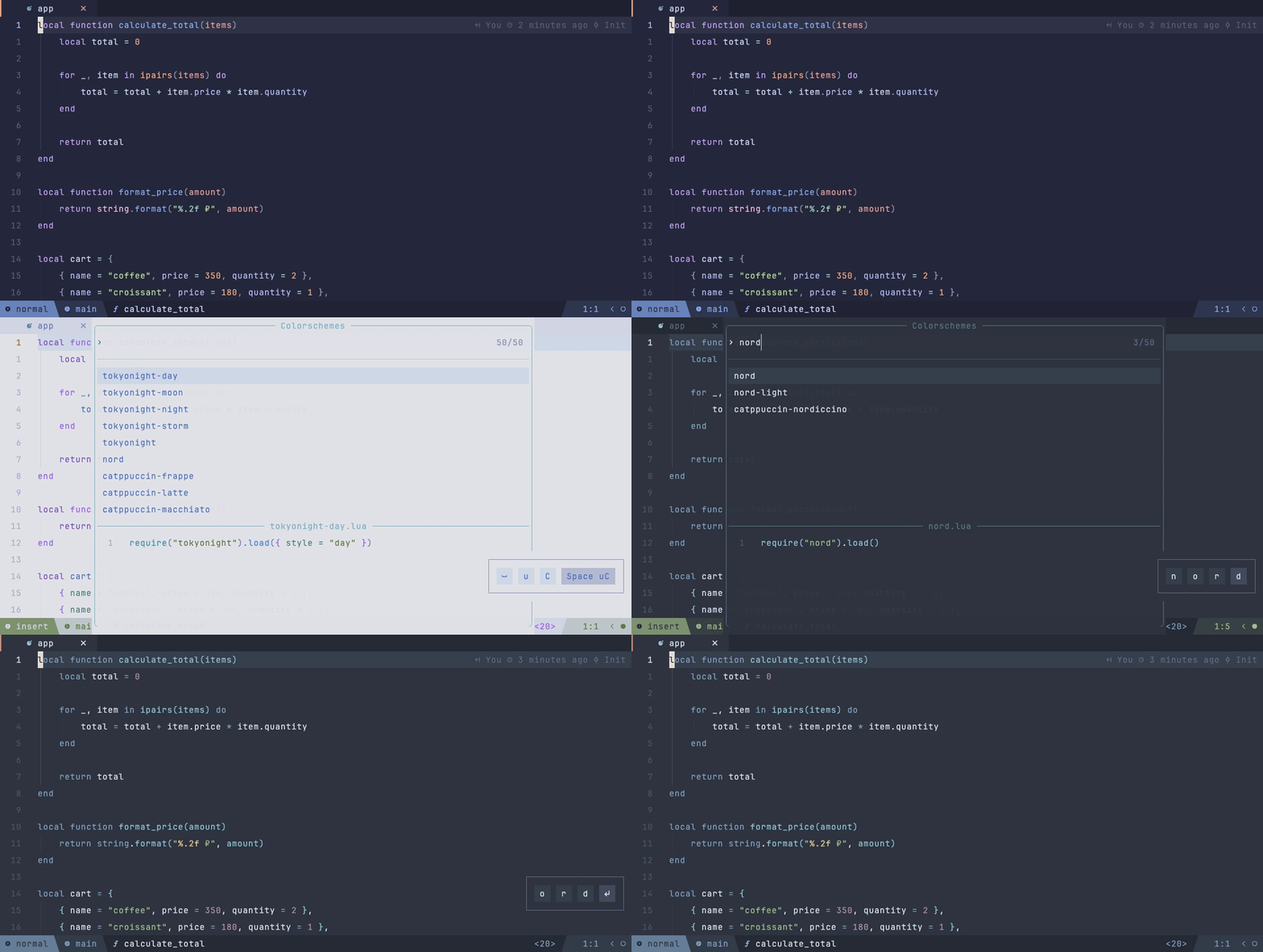
The Nord colorscheme with a hundred custom highlights for lazyvimx plugins: blink.cmp,
bufferline, neo-tree, the snacks dashboard, symbol-usage, and more. Comes with its own
lualine and bufferline themes, a dark (nord) and a light (nord-light) variant.
Plugin: gbprod/nord.nvim
Import: lazyvimx.extras.dap.vscode-js
Debugging JavaScript/TypeScript (and Svelte, Astro) via js-debug-adapter from Mason. Three
configurations:
- Launch Chrome to debug the client (localhost:8080)
- Attach to a
node --inspectprocess - Launch the current file in node (JavaScript only)
Requires: the LazyVim dap.core extra (won't activate without it and shows a warning).
Disabled in VSCode.
Keymaps: <F5> / <F10> / <F11> / <F12> (via core.keys).
Import: lazyvimx.extras.perf.auto-update-deps
Auto-updates every Mason package on startup: LSP servers, debuggers, linters, and
formatters — including ones installed manually via :MasonInstall.
Plugin: WhoIsSethDaniel/mason-tool-installer.nvim
Import: lazyvimx.extras.perf.local-config
Per-project local config: opening a project silently loads .nvim.lua or
.config/nvim.lua from its root.
Plugin: klen/nvim-config-local
-- .nvim.lua
vim.opt_local.shiftwidth = 2
vim.opt_local.expandtab = trueImport: lazyvimx.extras.perf.restore-last-colorscheme
Remembers the last selected colorscheme and restores it on startup — within lazyvimx's light/dark variant logic (see Configuration).
Plugin: raddari/last-color.nvim
Import: lazyvimx.extras.perf.stop-inactive-lsp
Stops LSP clients whose buffers haven't been touched in a while and frees memory.
Plugin: zeioth/garbage-day.nvim
Import: lazyvimx.extras.test.jest
The Jest adapter for Neotest: running tests from the editor, result output, test discovery
by Jest itself, the CI=true environment variable.
Plugins: nvim-neotest/neotest, haydenmeade/neotest-jest
Requires: the LazyVim test.core extra (won't activate without it).
| Category | Count | What's inside |
|---|---|---|
| UI | 22 | Interface and looks |
| Motions | 6 | Navigation and code movement |
| Buf | 4 | Buffer management |
| Git | 4 | Git and GitLab |
| Lang | 4 | Language support |
| Perf | 4 | Performance and convenience |
| Coding | 2 | Coding tools |
| Linting | 2 | Linters |
| Colorschemes | 1 | Colorschemes |
| DAP | 1 | Debugging |
| Test | 1 | Testing |
| Total | 51 | plus 5 core modules for enabling bundles |
core.all— everything at once; orcore.overrides+ individual extras to tastemotions.langmapper— if you type on a Russian layoutui.better-diagnostic— readable diagnosticsui.better-float— one window stylegit.conflicts— if conflicts happencoding.comments— context-aware commenting
- Configuration — configuration
- Keybindings — keymaps
- API — utilities
- Architecture — internals